ARTDriveG Instruction manual Chapter 6 - Drive Keypad Operation • 63
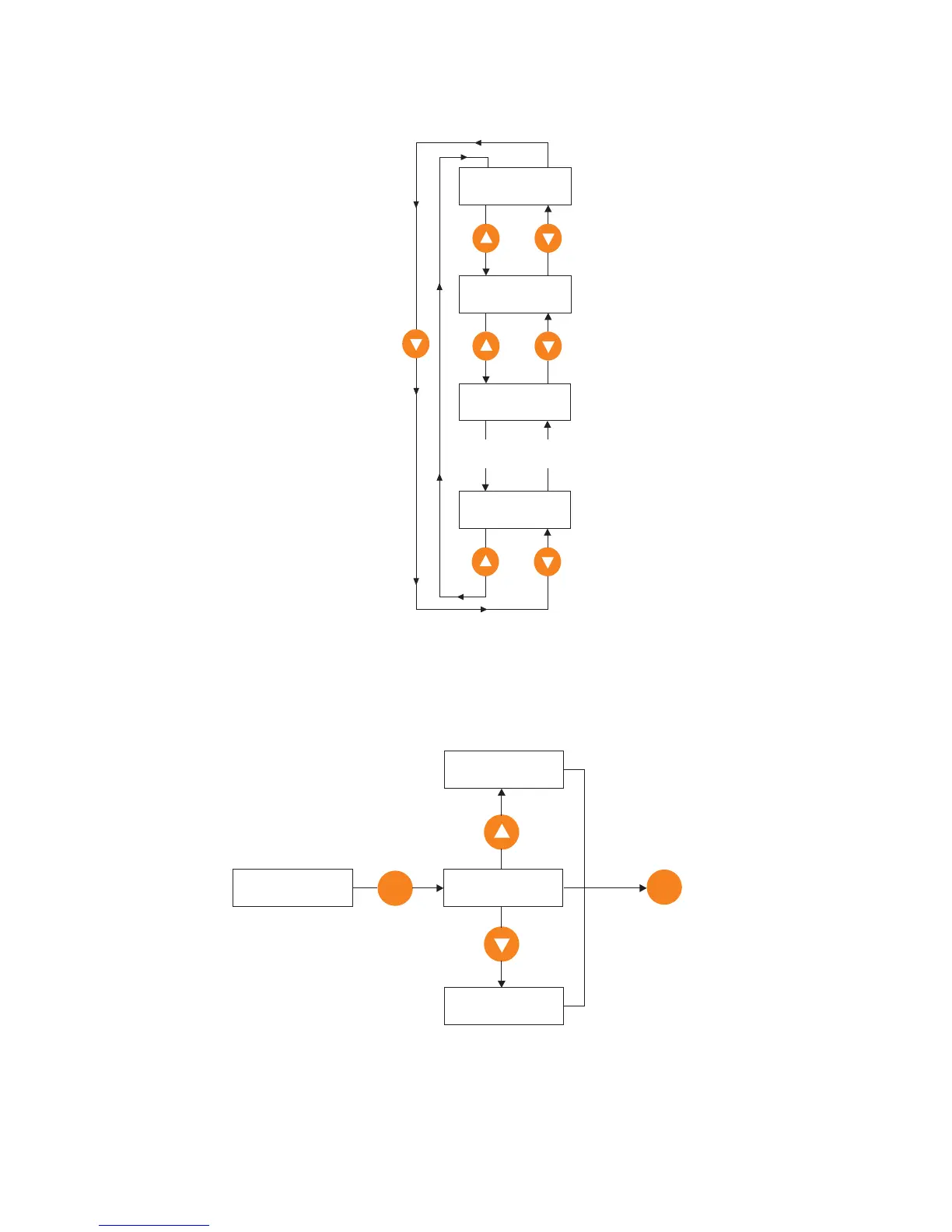
6.4 Scrolling Through the Drive Parameters
INTERFACE menu example:
INTERFACE I000
--------------
INTERFACE I001
--------------
INTERFACE I002
--------------
INTERFACE I775
--------------
----------------
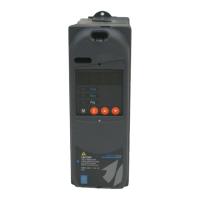
6.5 Parameters Modification
Example: how to change a frequency reference (FREQ & RAMP menu).
FREQ & RAMP F100
Frequency ref 0
E
Frequency ref 0
0.0 Hz
Decrease
Frequency ref 0
- 200 Hz
Frequency ref 0
10.0 Hz
Increase
E
To confirm
new setting
NOTE!
Same procedure is also valid to Enable/Disable a function (ex.: S.401 Automatic boost) or program the
drive I/Os (ex.: I.000 Dig input 1 cfg, etc. …).


 To Next Page