ARTDriveG Instruction manual Chapter 5 - Wiring Procedure • 33
Chapter 5 - Wiring Procedure
5.1 Accessing to the Connectors
NOTE!
Observe the safety instructions and warnings given in this manual. The devices can be opened without
the use of force. Only use the tools specified.
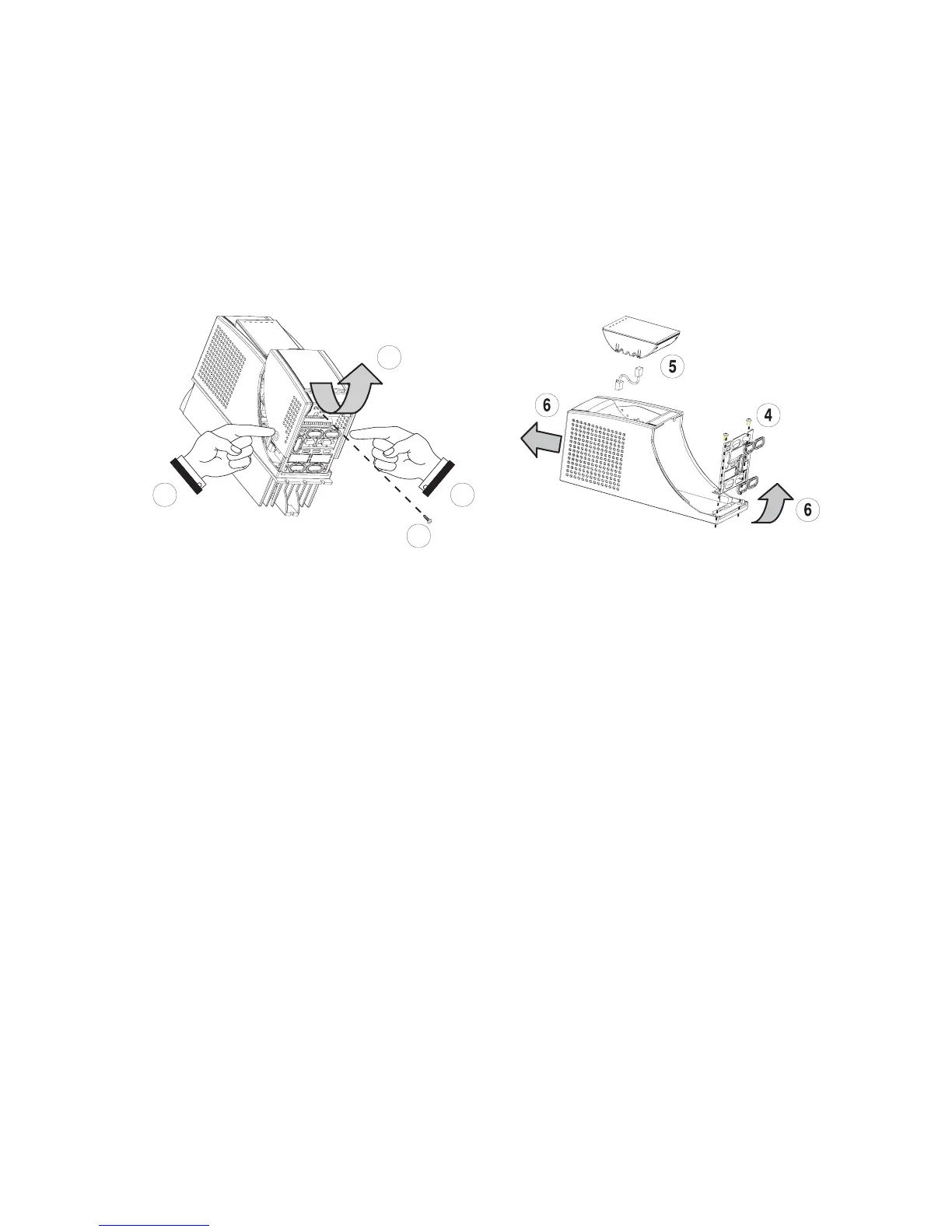
Figure 5.1.1: AGy Removing Covers for Sizes 1007...3150 (230V...480V) and 2002...3020 (575V)
2
1
3
2
No. 2 for
3110...3150 and
3007...3020 sizes
Sizes 1007...2075 (230V...480V) and 2002...2005 (575V)
The terminal cover and cable entry plate of the device must be removed in order to fit the electrical connections:
- unscrew the screw (1), remove the cover of devices (2) by pressing on both sides as shown on the above figure (3).
- unscrew the two screws (4) to remove the cable entry plate.
The top cover must be removed in order to mount the option card and change the internal jumper settings:
- remove the keypad and disconnect the connector (5)
- lift the top cover on the bottom side (over the connector level) and then push it to the top (6).
Sizes 3110...3150 (230V...480V) and 3007...3020 (575V)
The terminal cover and cable entry plate of the device must be removed in order to fit the electrical connections:
- unscrew the two screws (1) and remove the cover of devices
- unscrew the two screws (4) to remove the cable entry plate.
The top cover must be removed in order to mount the option card and change the internal jumper settings:
- remove the keypad and disconnect the connector (5)
- lift the top cover on the bottom side (over the connector level) and then push it to the top (6).


 To Next Page