Connecting
6.2 Connecting the device to power
SIMATIC Rack PC 547B
32 Operating Instructions, 12/2007, A5E01127519-02
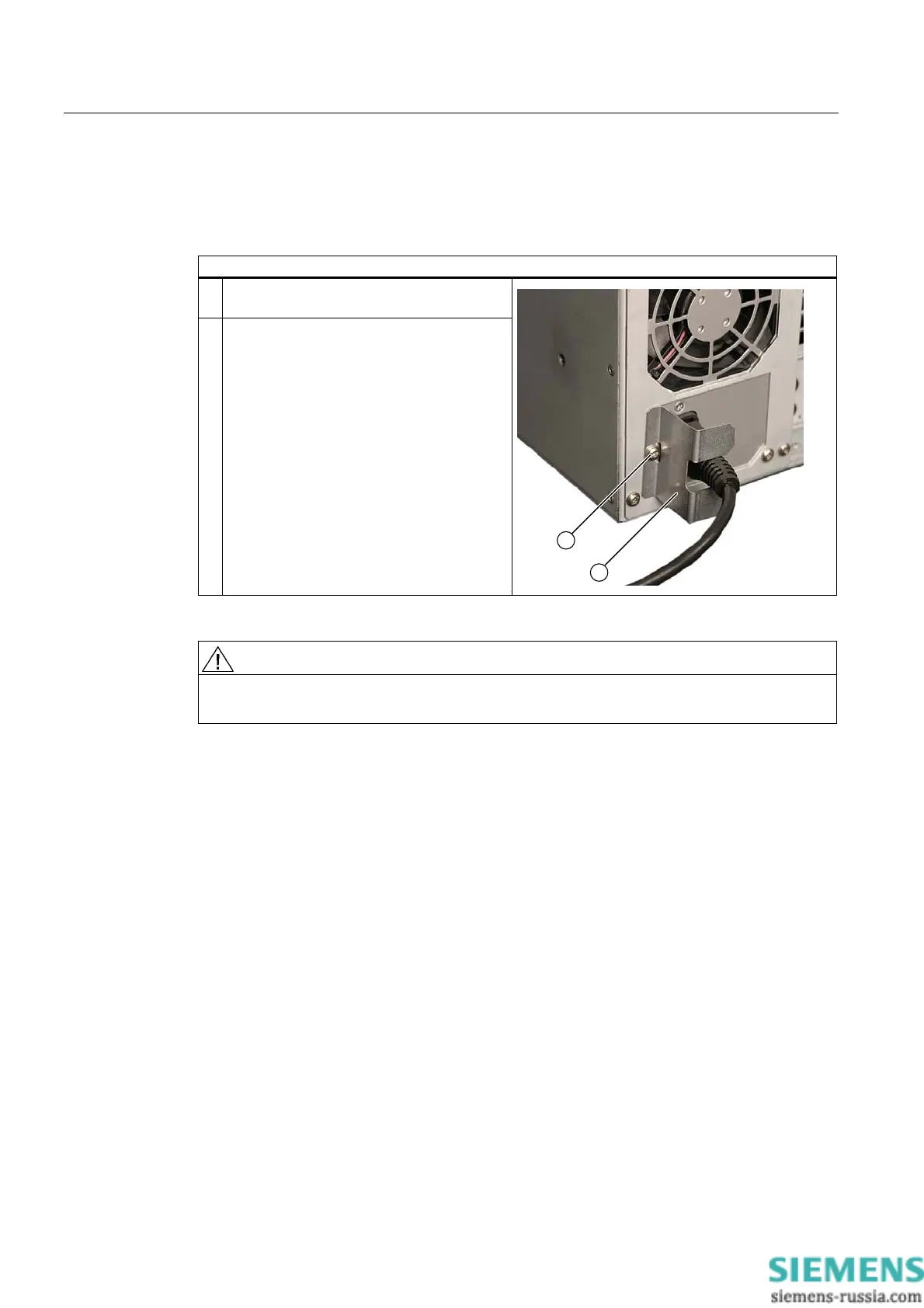
Secure the power plug
You can secure the power plug in order to avoid unintentional disconnection of the power
cord.
Steps for securing the power plug
1 Remove the fastening screw (1) on the
power supply module.
2 Screw the power plug interlock (2) onto the
power supply module.
WARNING
If the power plug is secured with a clamp, the power outlet must be freely accessible to
allow the device to be easily removed from the mains.














 To Next Page