Commissioning
7.4 Notes on operation
SIMATIC Rack PC 547B
38 Operating Instructions, 12/2007, A5E01127519-02
7.4.2 Removable hard disks
The removable cartridges support hot-swapping in a RAID1 system.
Replacing a hard disk
CAUTION
Hard drives may only be replaced in an removable cartridge if the device status display is
off.
Note
The table and information below apply only to the delivery state of the device, that is no
changes or expansions were made.
How to remove the hard disk drive:
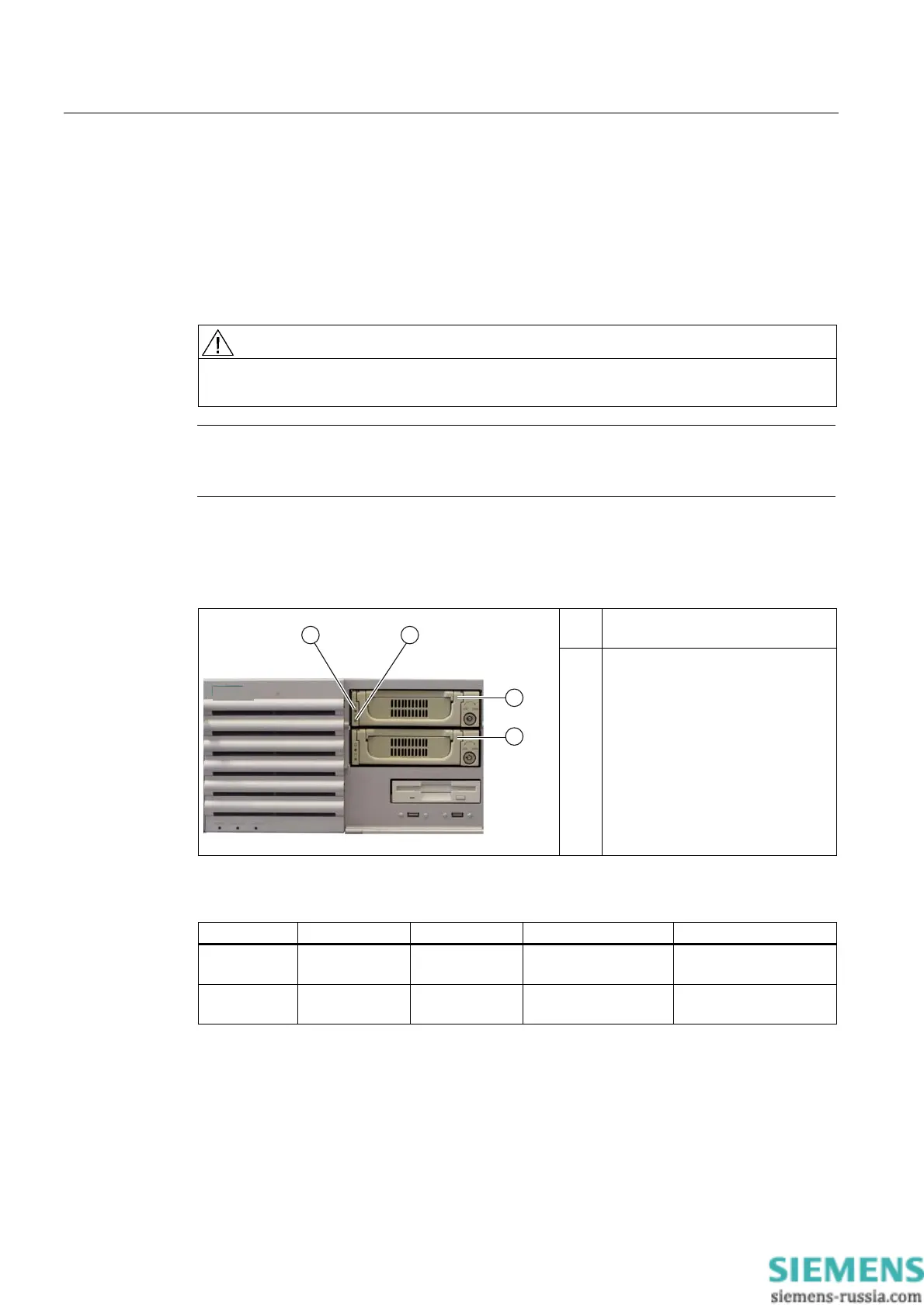
1. Check which hard disk the RAID controller has reported being faulty (hard disk at channel
1 or 2).
(1) Power LED
voltage supply available
(2) HDD activity display
The table below shows the assignment of the removable cartridge positions in the device to
the RAID system reports:
RAID BIOS RAID software SATA interface Installation location Enclosure labeling
Port 0 Device Port 0 SATA1 (3) Removable
cartridge 1
1
Port 2 Device Port 2 SATA3 (4) Removable
cartridge 2
2
Information about the recovery of the RAID system is available in the next section.
1. Set the key switch to the "OPEN" position.
2. Lift up the folding handle of the hard disk cartridge.
3. Pull the hard disk cartridge out.














 To Next Page