Maintenance and service
11.1 Removing and installing hardware components
SIMATIC Rack PC 547B
Operating Instructions, 12/2007, A5E01127519-02
67
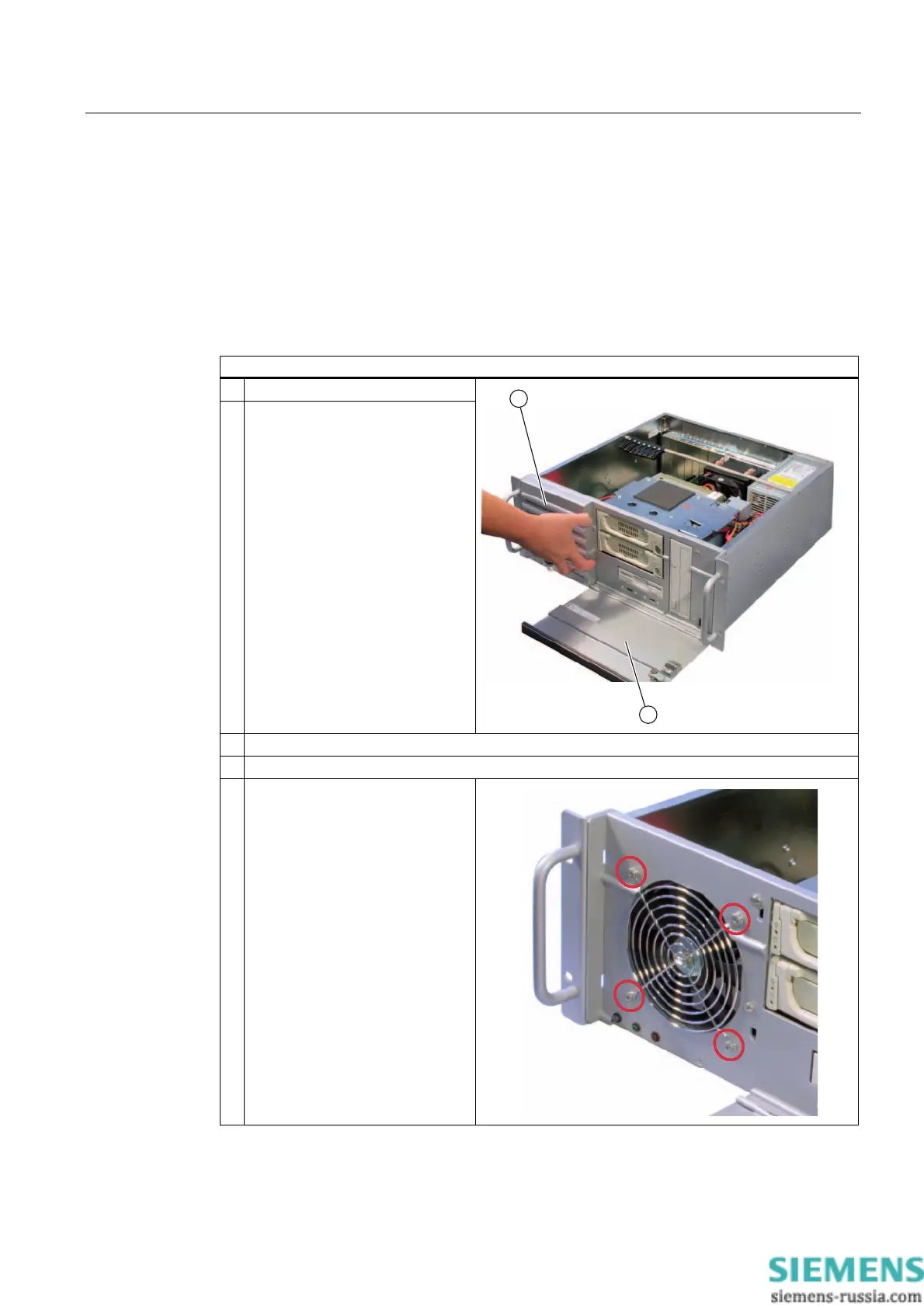
11.1.3 Removing the device fan
Preparing for equipment fan exchange
Unplug the device from mains.
Remove the fan
Steps
1. Tilt the front door (1) downwards.
2. Lift off the fan cover (2).
3. Open the device cover.
4. Unplug the fan connector from the motherboard.
5. Remove all fan screws.














 To Next Page