Troubleshooting/FAQs
12.2 Problems when using modules of third-party manufacturers
SIMATIC Rack PC 547B
Operating Instructions, 12/2007, A5E01127519-02
91
12.2 Problems when using modules of third-party manufacturers
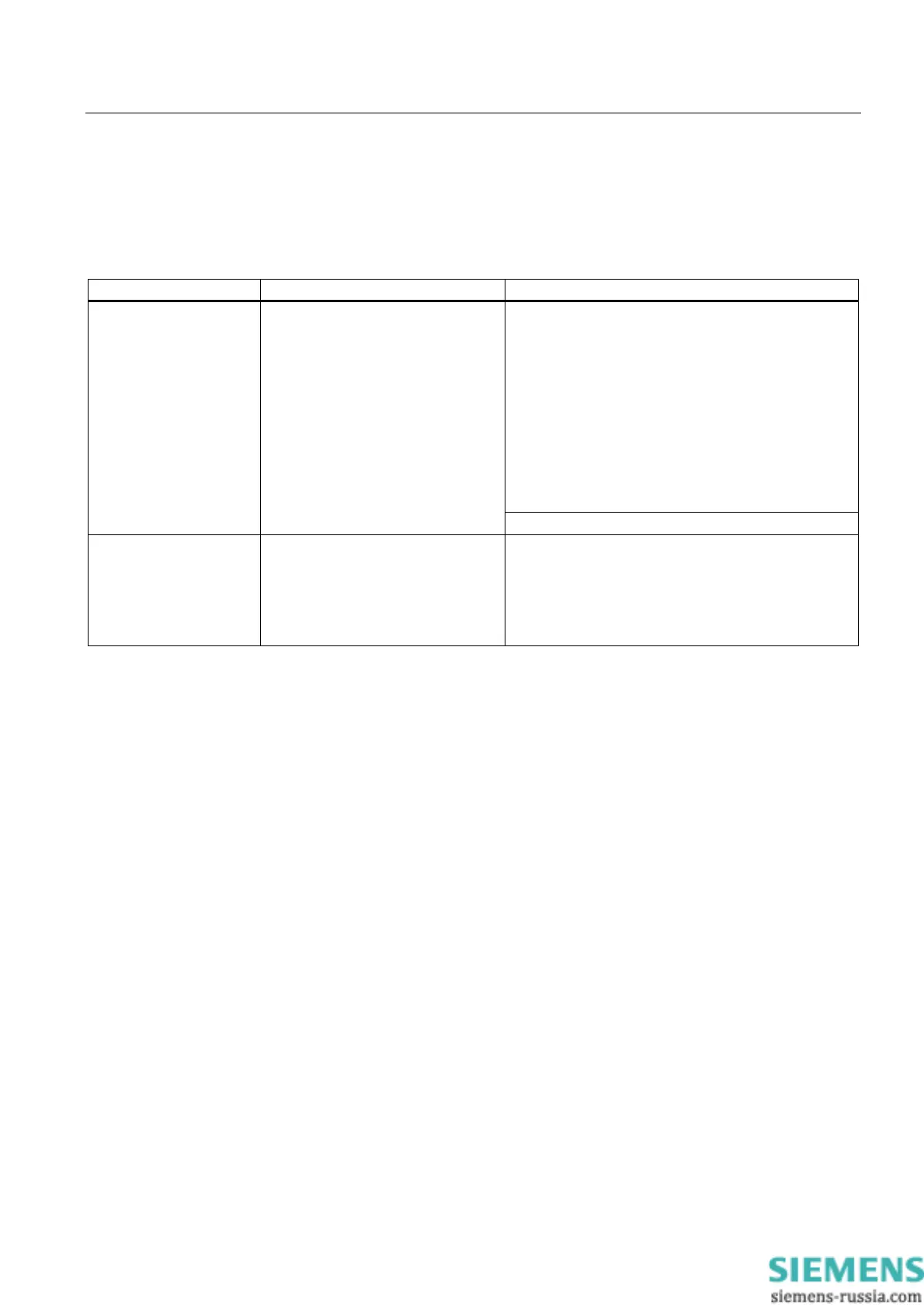
Problem Possible cause Remedy
Check your computer configuration:
• If the computer configuration corresponds with
factory state, please contact your technical support
team.
• If the computer configuration has changed, restore
the original factory settings. Remove all third-party
modules, then restart the PC. If the error no longer
occurs, the third-party module was the cause of the
fault. Replace this module with a Siemens module
or contact the module supplier.
• Force a "Reset Configuration" using the BIOS
Setup.
The PC crashes during
startup
• Double allocation of I/O
addresses
• Double allocation of hardware
interrupts and/or DMA channels
• Signal frequencies or signal levels
are incorrect,
• Connector assignments deviate,
• No "Reset Configuration"
executed in BIOS SETUP.
Contact Technical Support if the PC still crashes.
• PC does not restart or
turns off immediately
• A voltage > 0.5 V is fed into the
PC due to connected or installed
third-party components
Check with the supplier of the component
• whether this can be operated without an external
power supply,
• Whether the settings for the component can be
changed so that only the PC power supply is used
or only the external power supply.














 To Next Page