Maintenance and service
11.1 Removing and installing hardware components
SIMATIC Rack PC 547B
70 Operating Instructions, 12/2007, A5E01127519-02
11.1.5 Removing the power supply module
WARNING
Only qualified personnel are allowed to replace the power supply unit.
Preparations
1. Unplug the device from mains and disconnect all cables.
2. Open the device.
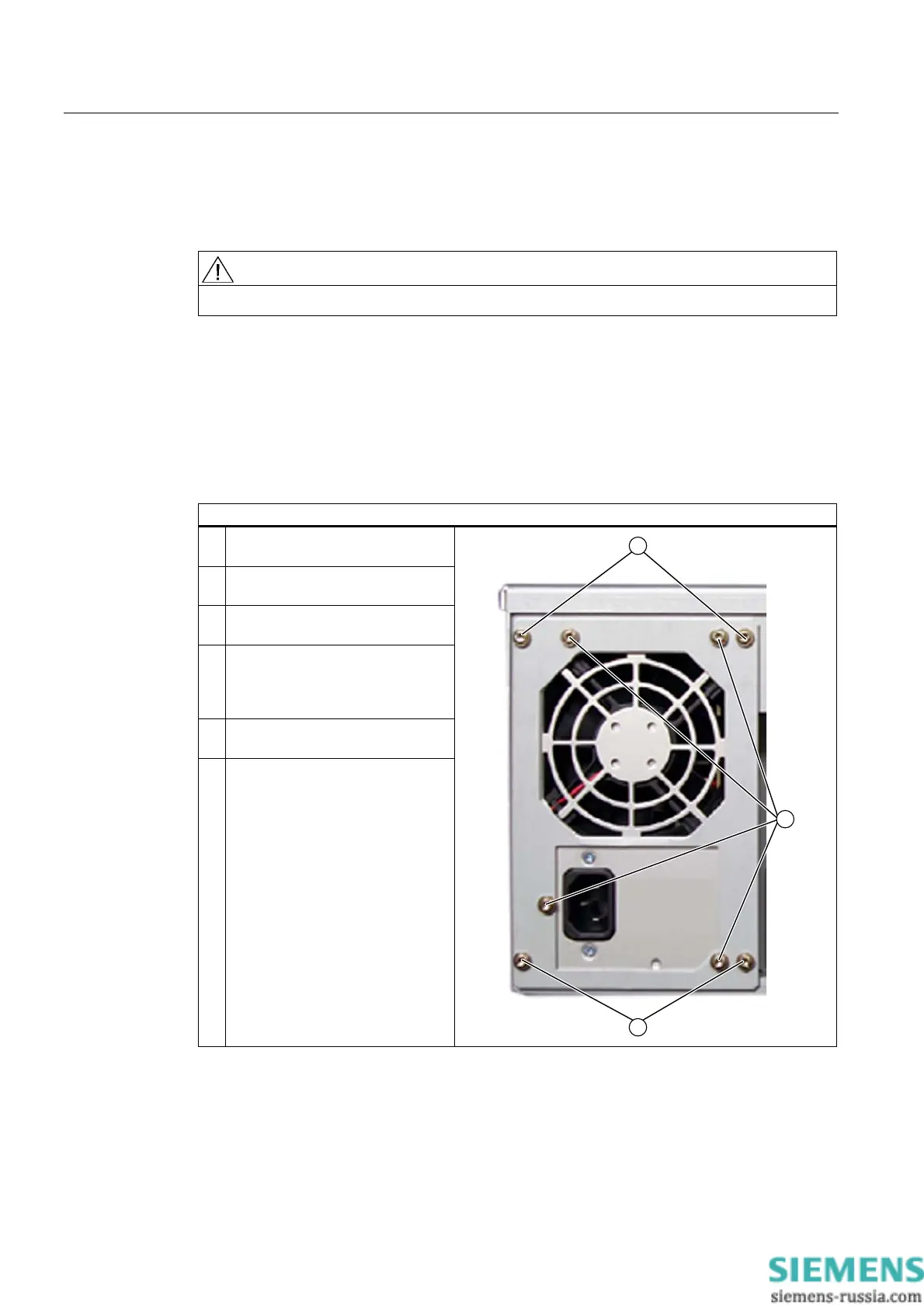
Removing the power supply unit
How to remove the power supply module
1. Disconnect the power cables from
the disk drives and motherboard.
2. Remove the tie-wraps holding the
power cables in the housing.
3. Remove the mounting screws
(TORX T10) (1).
4. Lift the power supply module out of
the enclosure until you can access
the power cable of the floppy disk
drive.
5. Disconnect this power cable from
the floppy disk drive.
6. Remove the screws (2) on the
steel bracket.














 To Next Page