Commissioning
7.4 Notes on operation
SIMATIC Rack PC 547B
Operating Instructions, 12/2007, A5E01127519-02
47
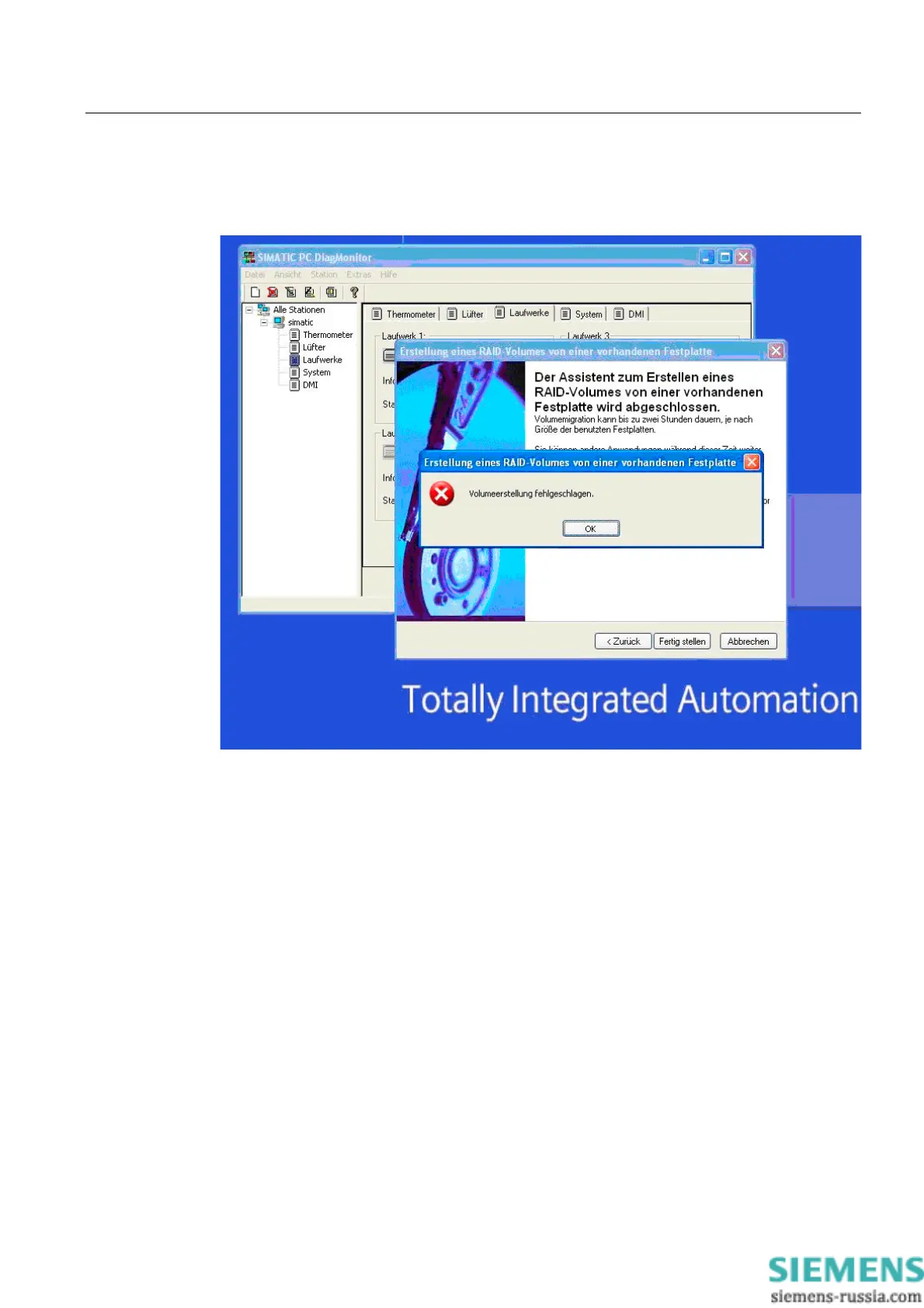
Notes for RAID configuration with installed SIMATIC PC DiagMonitor software
When creating a RAID-system where SIMATIC PC DiagMonitor software is being used, the
Intel Matrix Storage Console may abort the process with the following error message:
Solution:
Before performing a RAID commissioning, the SIMATIC PC DiagMonitor should be
deactivated. Subsequently, it can be reactivated.
Measures:
If the DiagMonitor Management Station is in operation on your device:
● Close all applications, also the Management Station.
● Afterwards, stop the DiagMonitor SNMP Agent (SOL-Agent). In order to do so, select
Start > Run and enter cmd in the field.
● Afterwards, enter Net stop snmp and confirm with the Enter key.
If your device is remotely monitored with SIMATIC PC DiagMonitor:
In this case you need only stop the DiagMonitor SNMP Agent (SOL-Agent).
● In order to do so, select Start > Run and enter cmd in the field.
● Afterwards, enter Net stop snmp and confirm with the Enter key.














 To Next Page