P003948 Uscan User Manual Page | 24
3. SCANNING
Warning
Check the connecting cable, connectors, and system housings before use for cracks or fraying. Do not
use if damaged.
Do not connect to the Power Supplies and AC outlets when the system is in the patient environment.
Preparing for the Exam
Before scanning, check you have access to everything you need and the device is ready to scan as follows:
The sy
stem is powered on and has battery charge available to scan (the probes LED is flashing green
and the display battery icons shows charge).
The U
scan transducer has been cleaned or disinfected as appropriate (See Transducer cleaning and
disinfection).
You have suitable ultrasound transmission gel available.
The patient is positioned appropriately in a supine position.
Default Settings
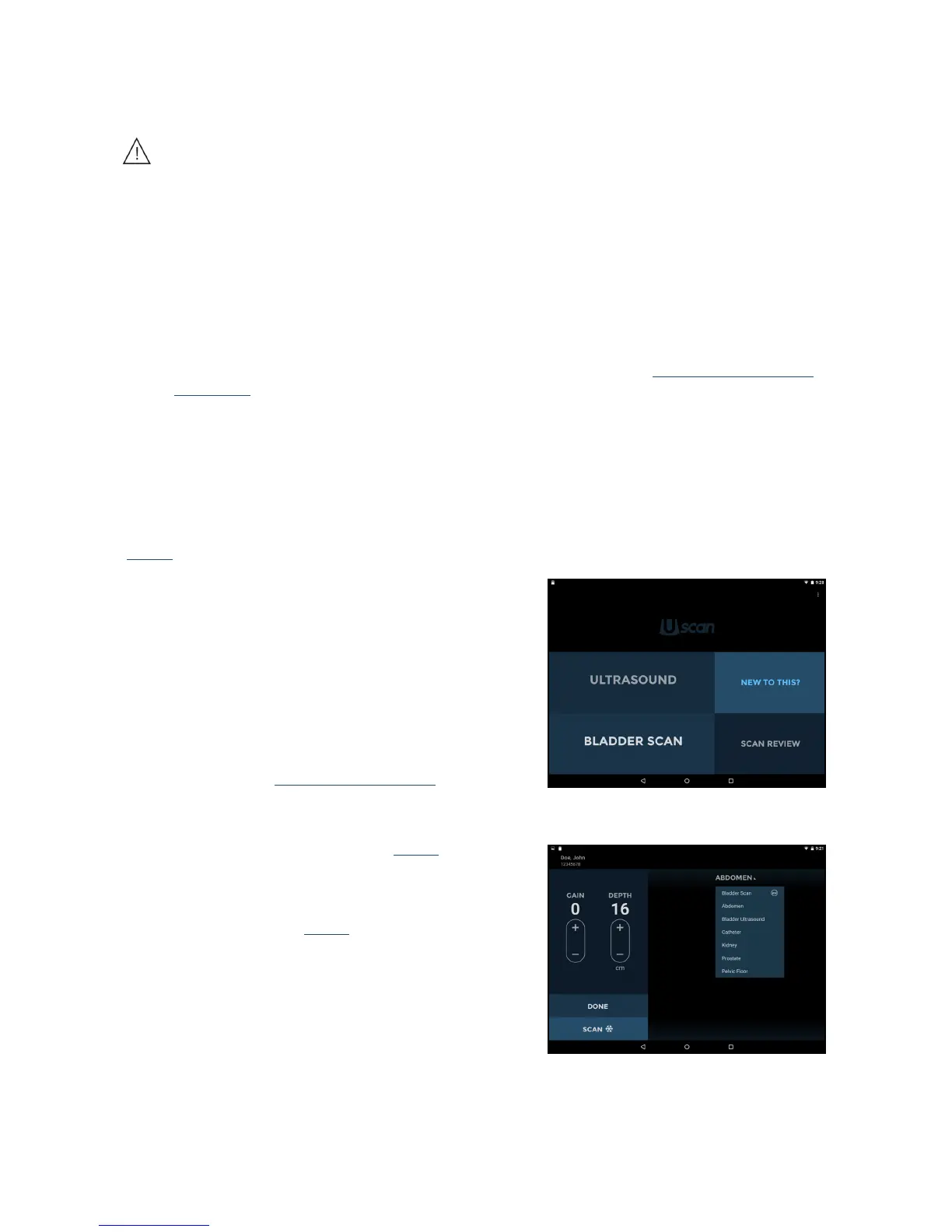
Press the Power button to power up the system. Adjustable settings cannot increase acoustic output, ensuring
the device always operates within safe acoustic output levels. The Home screen appears when the device is on
(Fig
3.1), with four tiles:
Tap Ultrasound to perform an examination, with the
default an abdominal scan. This option is
not available
when the Uscan Settings “Show Ultrasound button on
home screen” is unchecked.
Tap Blad
der Scan to perform an examination, with the
default a bladder volume measurement.
Tap New T
o This? to view a help video.
Tap Sc
an Review to review locally stored examinations.
This option is not available if Local Storage is not
enabled during
Preference SetupSettings.
Ultrasound Scanning
Fig 3.2 Selecting Presets
Tap Ultrasound on the Home screen (see Fig 3.1) to initiate an
ultrasound scan.
Ultrasound Presets
Tap the Scan Preset
Menu (Fig 3.2) to change the preset.
The scan presets are customized ultrasound settings for each
clinical application.


 To Next Page