P003948 Uscan User Manual Page | 32
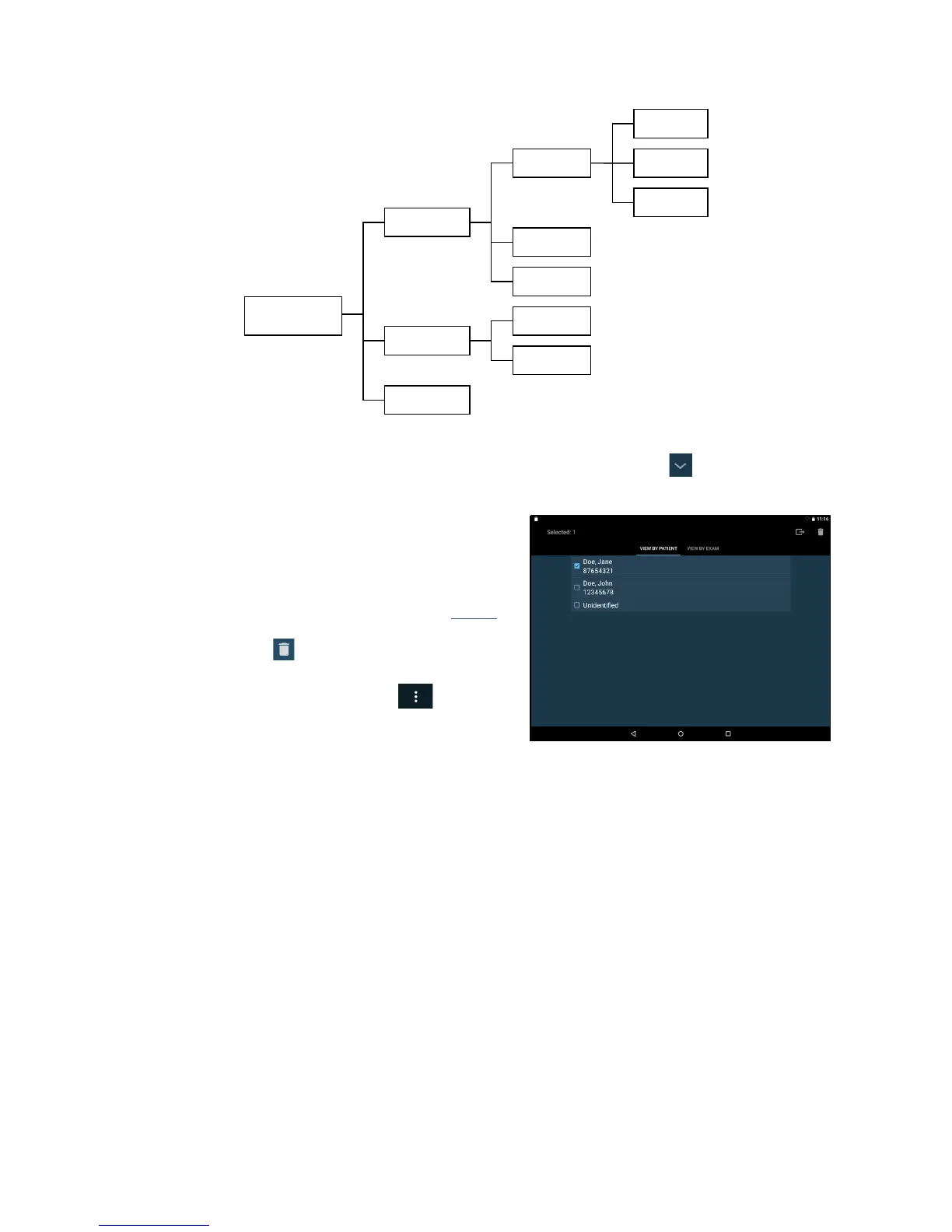
Fig 4.7 Relationship between patients, exams and images
Use the search function to find a patient and associated exams. Tap the patient arrow to view all exams
associated with a patient. Tap the e
xam to open and review the images.
Deleting exams and patients
To delete an exam or a patient from local storage tap Scan
Review Mode on the Home screen. Tap and hold the exam
or patient. The exam or patient will be checked, and check
boxes appear next to other patients and exams (see Fig
4.8).
Tap other patient and exam checkboxes as required, and then
tap the T
rash can icon
at the top right of the screen to
delete all checked exams and patients.
Alternatively, use the menu by tapping the
icon. The
following menu option
s are available:
Use Delete patients without exams to de
lete any
patients with no associated exams.
Use Delete All to delete al
l but the open exam(s).
Use Delete Oldest to cre
ate space on the local storage. At least 10% of the oldest exams are deleted.
Data Security
Data security is embedded in the system as follows:
The system can be locked by a pin or pass
word. No user will be able to access any data on the system
without access to the pin or password.
All data saved on the system is encryp
ted using FIPS 140-2 Certified VPN (256-bit encryption), 256-
HW-accelerated encryption for Data-at-Rest (DAR). Where the system has been stolen, no data will be
accessible without the pin or password.
Secure Wi-Fi protocols are support
ed, enabling data to be securely saved to remote storage, with no
local storage of patient data.
No internet ports are open. In the e
vent a third party is able to access the system, they will not be able
to access any data without the pin or password.
No third party applications are able to be installed or run on the system, preventing malware
and
virus’s.


 To Next Page