70
EN
7 COMMISSIONING
7.1 Preliminary operations
Before commissioning the appliance, check that:
– the type of gas is correct for the appliance
– the gas isolation valves for the heating system and the water
system are open
– the system pressure as shown on the pressure gauge when
the system is cold , is between
1 and 1.2 bar
– the pump impeller rotates freely.
7.2 Before commissioning
After having carried out the preliminary operations, perform the
following to start the boiler:
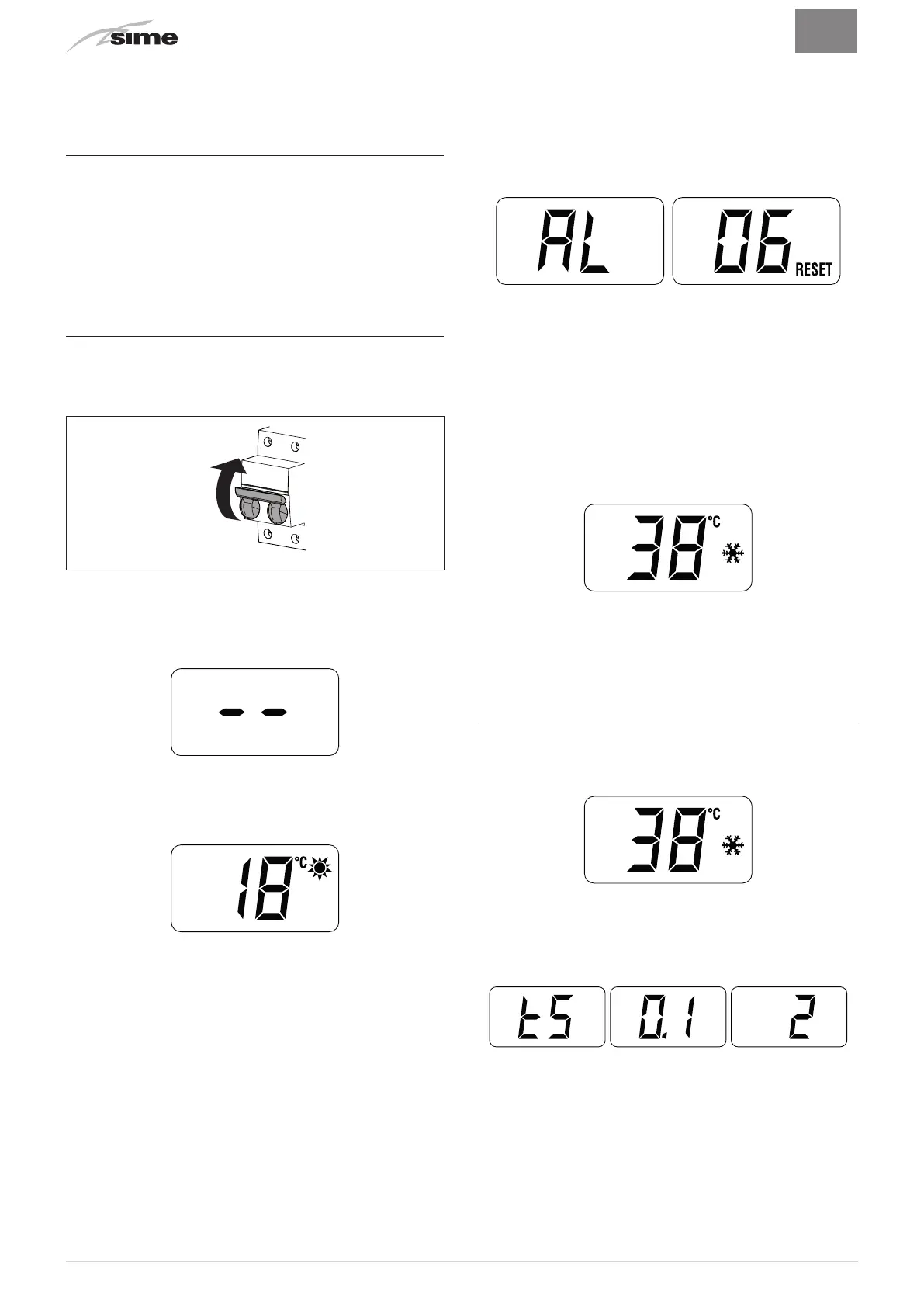
– set the main system switch to "ON"
ON
Fig. 40
– the type of gas for which the boiler has been calibrated,
“nG”
(methane) or
“LG”
(LPG,) will appear followed by the power.
After this the correct representation of the symbols will be
checked and finally
“- -”
will appear on the display
– press the button
s
once for at least 1 second to select
"SUMMER mode"
l
. The value of the delivery sensor
detected at that moment will appear on the display
– open one or more than one hot water tap. The boiler will work
at maximum power until the taps are closed.
– if there is a fault, the message
“A L”
will appear on the display
followed by the fault code (eg.
“06”
- no flame detected).
m
CAUTION
If the boiler has blocked, restore the start conditions
by pressing and holding the button
o
(
R
) for more
than 3 seconds. This operation can be carried out no
more than 6 times.
– close the taps opened previously and check that the appliance
shuts down
– press the button
s
once to select "WINTER mode"
n
. The
value of the heating water temperature detected at that
moment will appear on the display
– adjust the air thermostat and check that the boiler starts and
operates correctly
– to check that the pressure in the network and the nozzles are
correct, the procedure described in section must be carried
out "Chimney sweeper function".
7.3 Parameter setting and display
To go into the parameter menu:
– from the selected mode (eg. WINTER)
– press the buttons
<
and
o
(approximately 5 seconds) at the
same time until
“tS”
(installer) appears on the 2 digits of the
display which alternate with
“0.1”
(parameter number) and a
“2”
(set value)



 To Next Page