© Jan 2022 6-16 0607SE Maintenance Manual
REPAIR
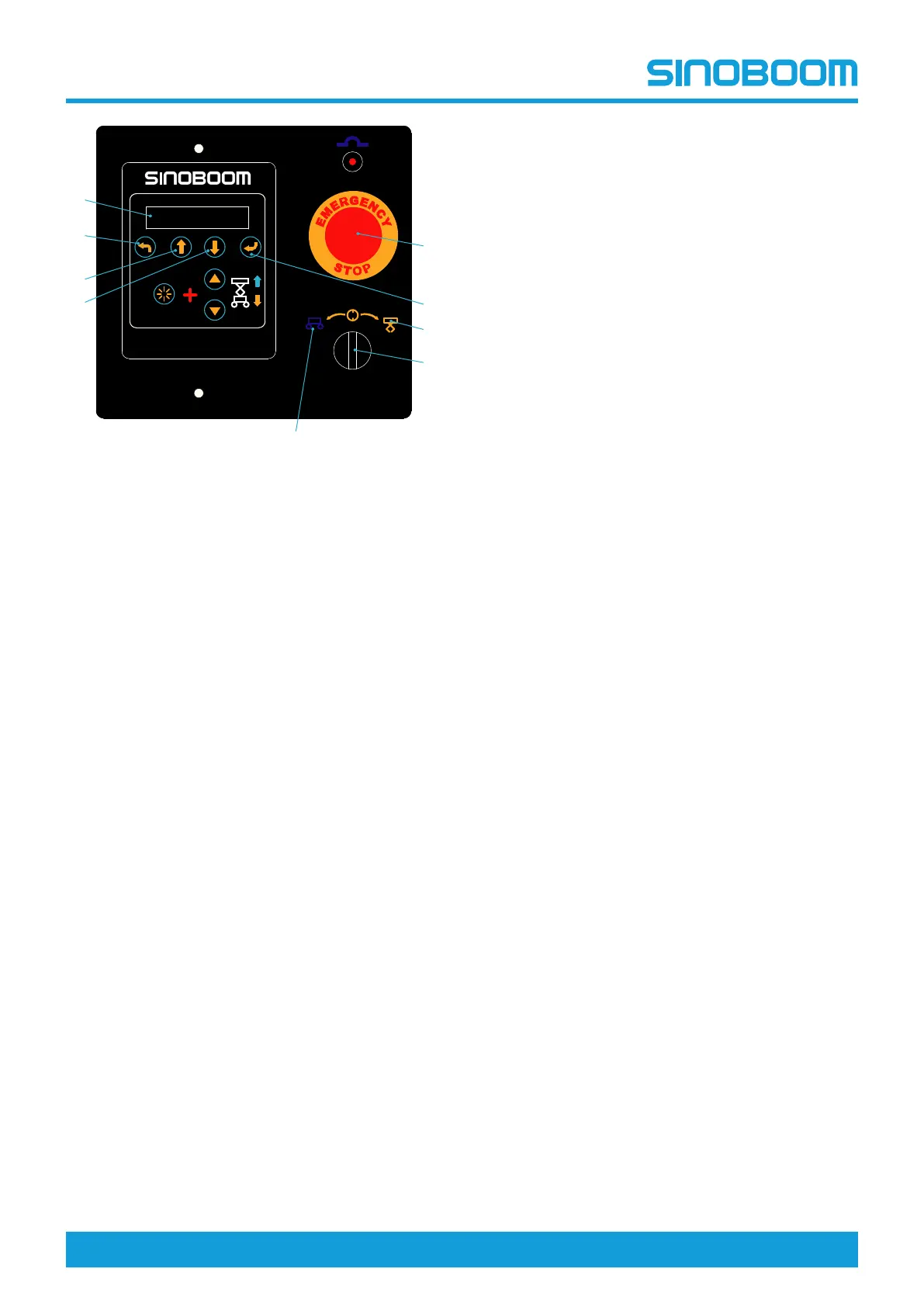
Figure 6-13
1. Emergency stop button 6. PgDn key
2. Enter key 7. PgUp key
3. Platform control position 8. Esc key
4. Key switch
(ground/platform control
select switch)
9. Screen
5. Ground control position
Pull out the emergency stop button to “ON” position and
turn the key switch to Ground control position. Press
the Enter key on the main interface of the ground
controller to enter the ECU menu selection mode.
Select and enter different function interfaces through
the PgUp key and PgDn key. The system interface is
described in the figure below:



 To Next Page