IM Machine Name Rev.: END 27
Operating Side
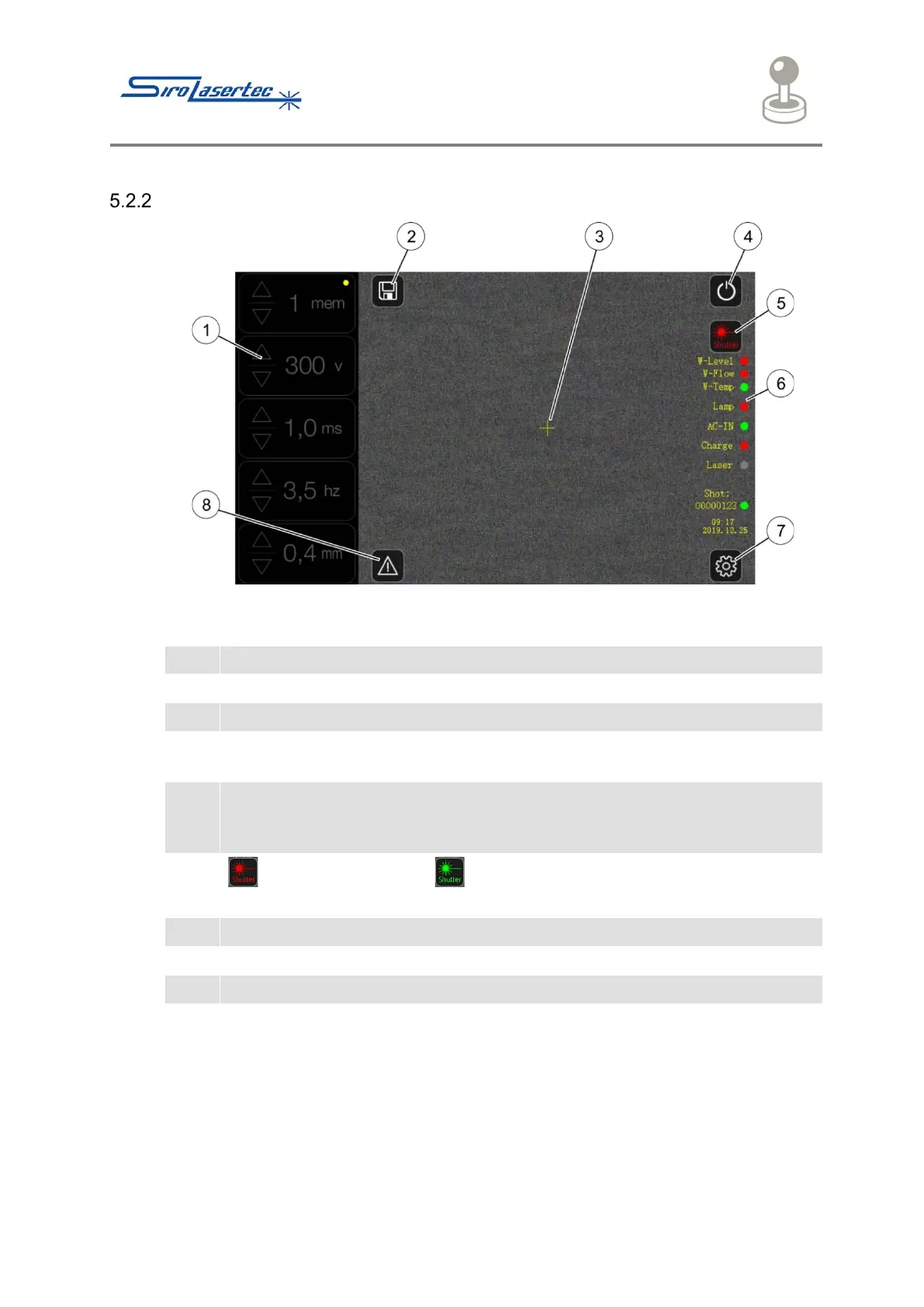
Illustration 6 Operating Side
Display of the selected programme and the parameters.
“Save” button, active only on the Parameters page.
The screen shows the workpiece in real time. The cross shows the point at
which the laser strikes.
After the pressing of the “On / Off” button, the cooling water pump starts and
the storage capacitor is charged. After a few seconds, the system is ready to
operate.
: The shutter is closed. : The shutter is open. After operating the foot
pedal the laser can now operate.
Status indicator of the welding laser system
The Password page appears after pressing the “Settings” button.
Display of the fault messages



 To Next Page