IM Machine Name Rev.: END 41
Maintenance of Outsourced Components
● Observe the maintenance instructions in the documentation of the
outsourced components.
Water Changes
● For this, observe the Chapter, Commissioning, Filling up with Water.
● Place a container large enough to hold the water under the “Water Drainage”
shut-off valve on the back of the welding laser system.
● Open the “Water Drainage” shut-off valve until the welding laser system is
completely empty.
● Close the “Water Drainage” shut-off valve again.
● Press the Settings button in the lower right-hand corner to open the Settings.
● Enter the password “666666”.
● Press the “Add Water ON” button
● When water no longer flows, press the “Add Water OFF” button
● Proceed with the filling with water as described in the Chapter, Commissioning,
Filling up with Water.
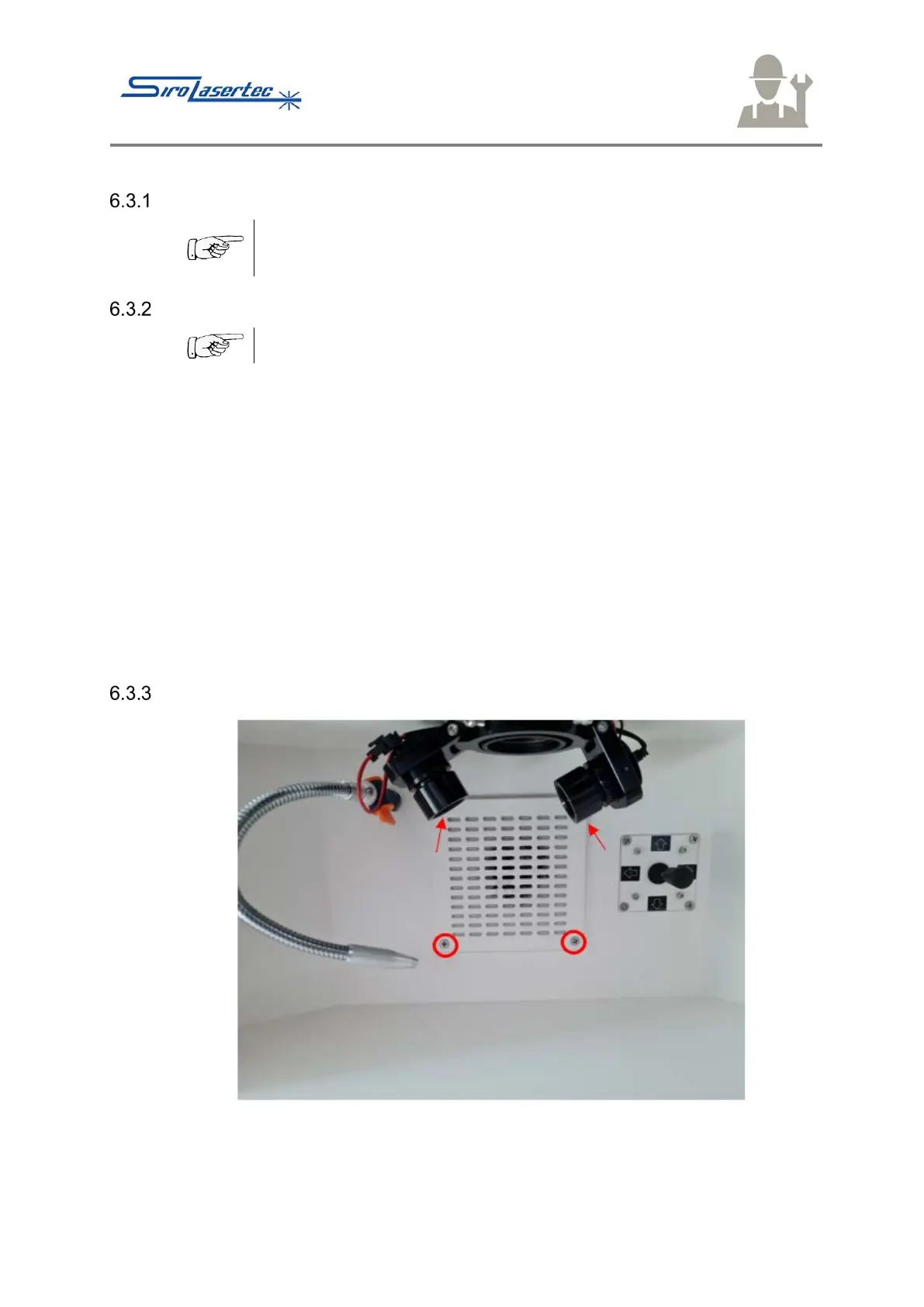
Filter Fleece Changes
Illustration 18 Filter Cover
● Loosen the four indicated Phillips screws of the filter cover in the work chamber.



 To Next Page