IM Machine Name Rev.: END 43
Changing the Safety Glass of the Focusing Lens
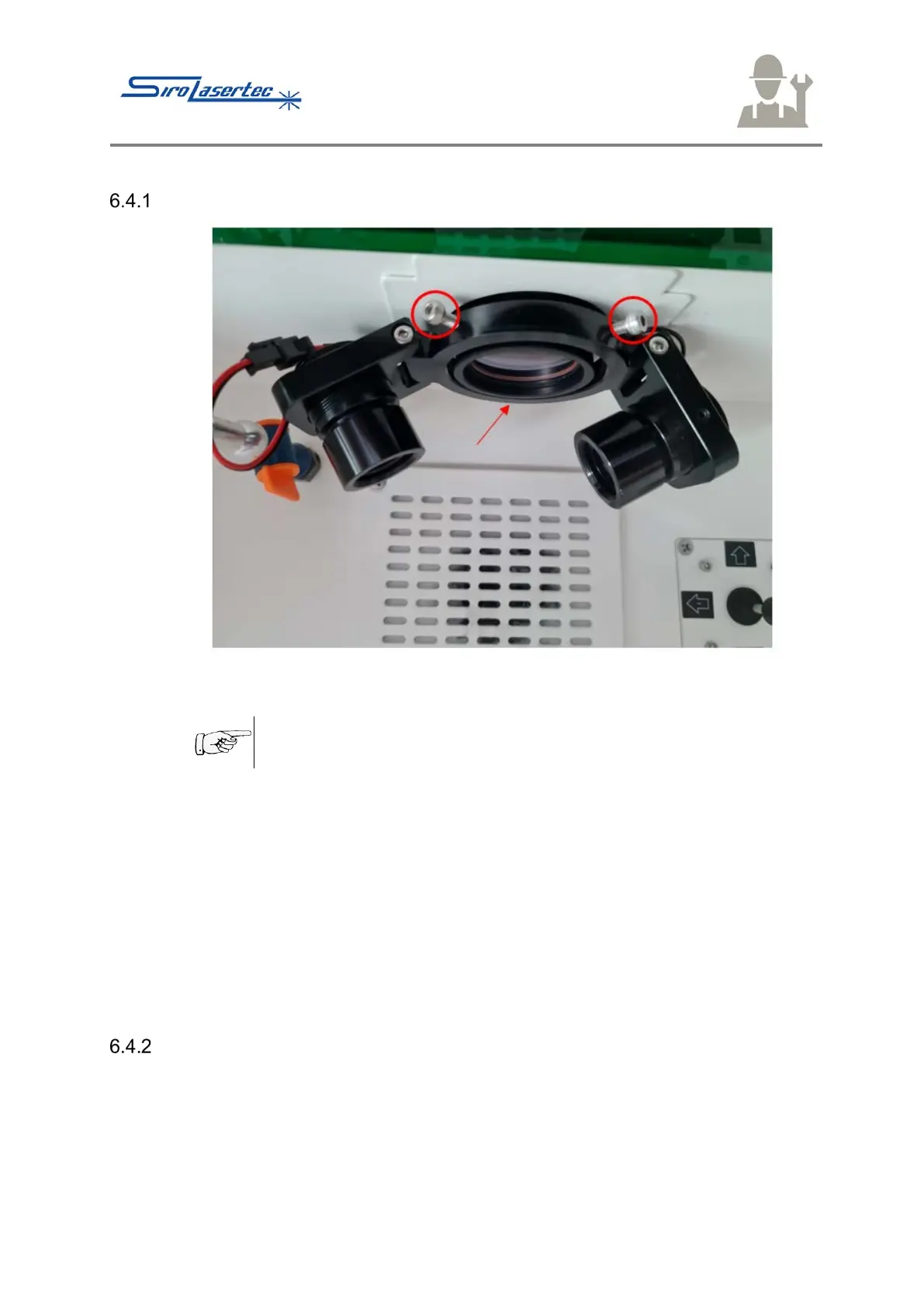
Illustration 20 Changing the Safety Glass of the Focusing Lens
Do not touch the glass body of the lamps and the protective glass
of the focusing lens with bare hands.
● Loosen the three allen screws on the ring of the focusing lens. (The allen screws
are shown outlined in red in Illustration 20).
● Pull down the lamps.
● Screw out the protective glass of the focusing lens.
● Fit the protective glass and the lamps again in the reverse order.
● Clean the protective glass of the focusing lens
● Remove the protective glass as described in point 6.4.1 and clean it with a
suitable cleaning cloth for optics.
● For coarser soiling, you can also use a cleaning agent for optics.
Clean the protective glass of the focusing lens
● Remove the protective glass as described in point 6.4.1 and clean it with a
suitable cleaning cloth for optics.
● For coarser soiling, you can also use a cleaning agent for optics.



 To Next Page