IM Machine Name Rev.: END 31
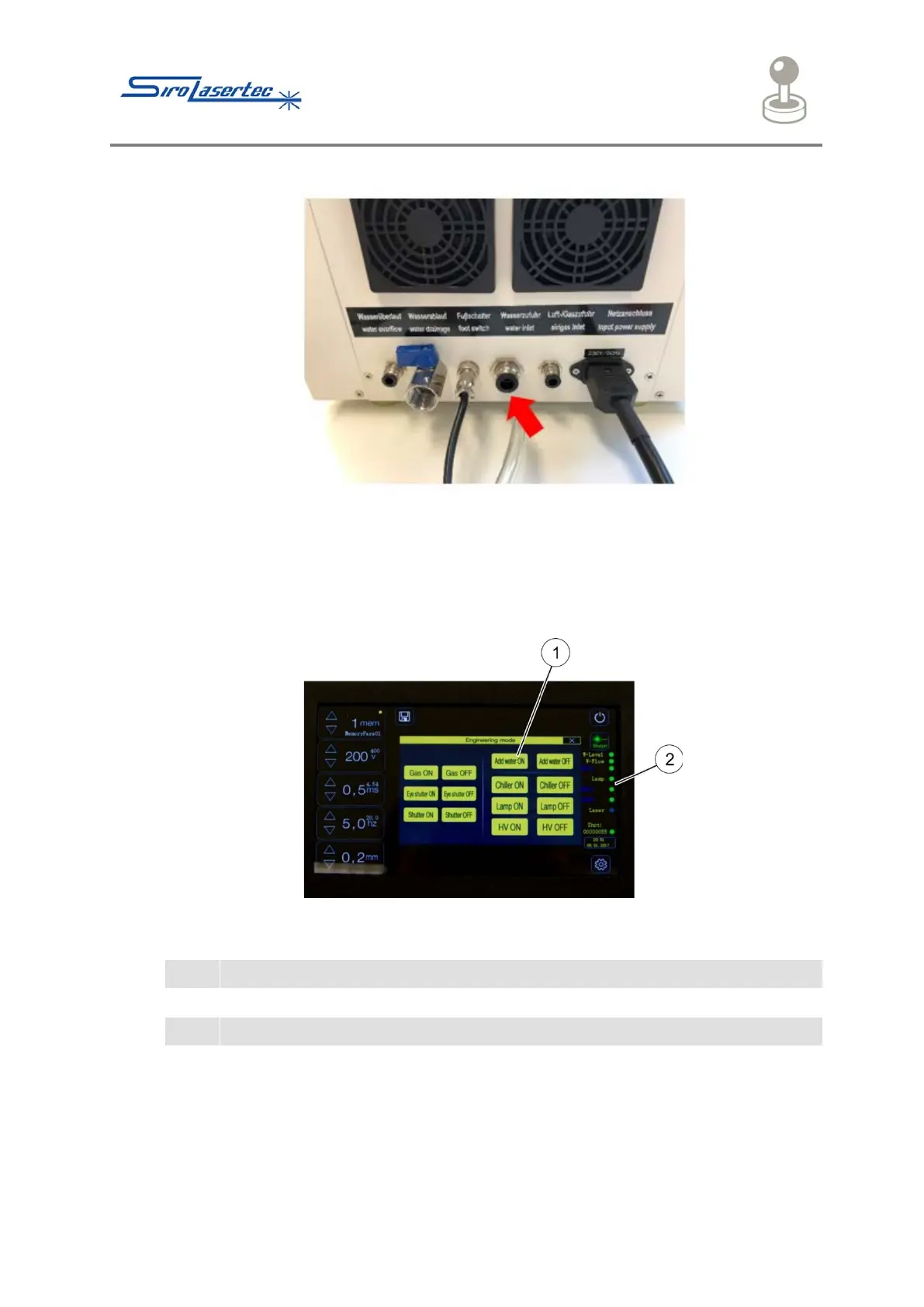
Illustration 11 Water Inlet
Filling up with water:
● Insert the water hose at the indicated point (red arrow) on the back of the device
(Water Inlet). The hose must be firmly seated.
● Place the other end of the hose in a container of distilled water.
Illustration 12 Filling up with Water
● To start the water infeed, press the “Add Water On” button.
The process stops automatically when the device has been filled with sufficient
distilled water.
● Afterwards, remove the hose.
After pressing the “Power” button, all the status lamps on the right-hand side without
laser must light up green.



 To Next Page