BlueControl Insect
Technical User Guide 27
8 Installation guide
8.1 Selecting components
There are two ways to install the controller.
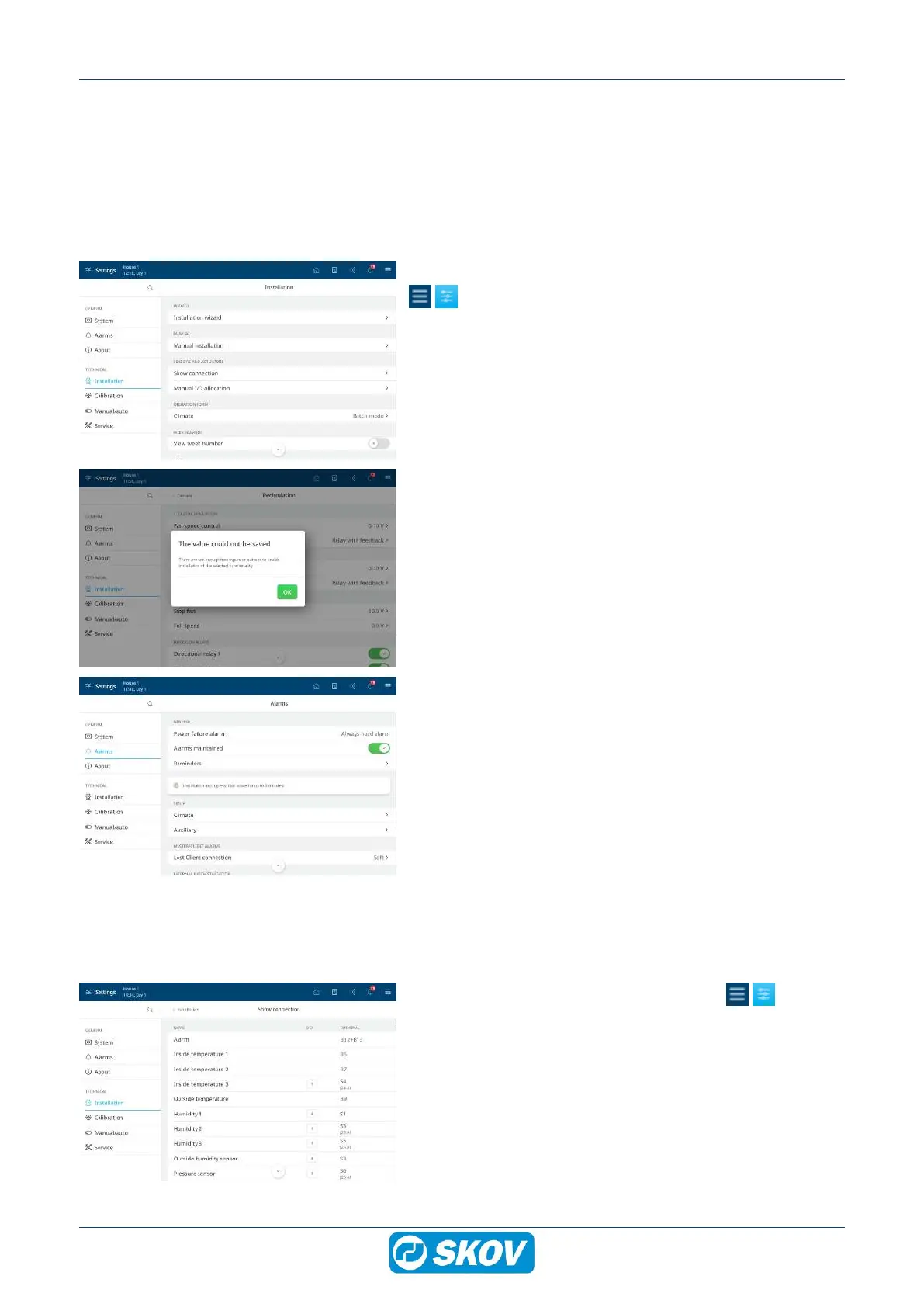
At the initial installation: Use Installation wizard which will guide you through all the options of the functions.
If making adjustments to the existing installation: Use the menu Manual installation to go directly to the rel-
evant function.
Select components in the installation menu of the controller.
Installation | Installation wizard or Manual installa-
tion.
It is impossible to select more components than there are avail-
able I/O.
Therefore, you must observe that the controller accepts your re-
quests to connect a component.
If missing I/O, you can:
• Install extra I/O modules (if these are available).
• Uninstall components.
While functions are selected in the set-up menus Installation
and Show connection, all alarms will be delayed. Thus, no
alarms will be generated until 2 minutes after the last change is
completed n the installation menu.
It is indicated as info in the alarm menu for as long as the delay
is active.
However, it does not apply to alarms from CAN bus communi-
cation (I/O modules).
8.2 Connecting components
The majority of the connection terminals are universal. Therefore, installing different components in the individ-
ual terminals is possible.
When you select a component from the menu Installa-
tion | Manual installation, the controller allocates I/O based on
a list. It means that the controller selects the first available I/O
on the list and that the components are allocated I/O in the or-
der they are selected.
The same I/O allocation in several controllers – i.e. when the in-
dividual components are connected to the same terminal num-
bers – is ensured by saving the set-up on a USB stick and en-
tering the set-up into several controllers.


 To Next Page