BlueControl Insect
50 Technical User Guide
11.6.2 Adjust pressure
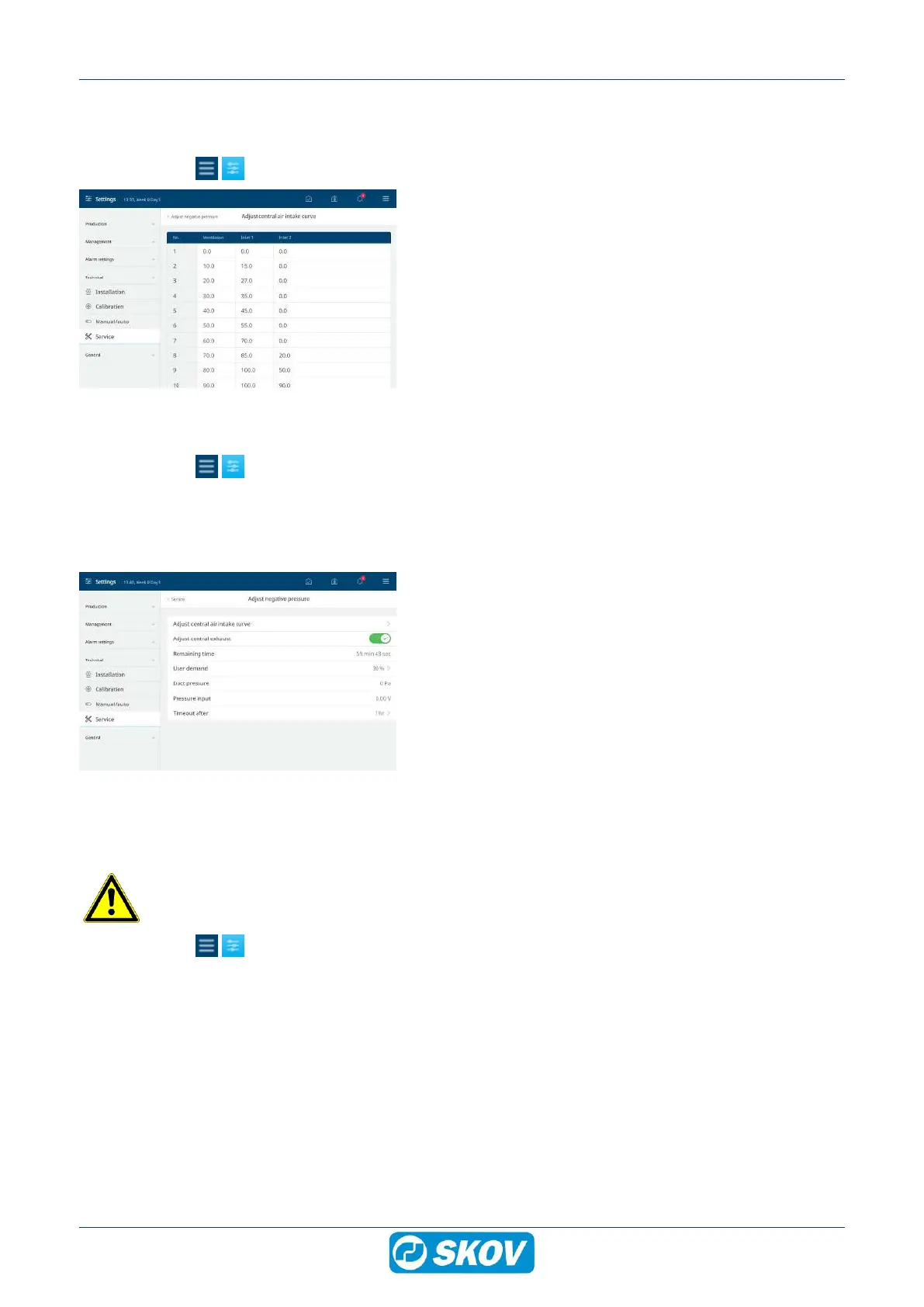
Central air intake
Select the menu | Technical | Service | Adjust pressure.
The controller can regulate the air inlets according to their re-
spective curves in relation to the current ventilation require-
ment. It is therefore possible to use one air inlet for winter venti-
lation and both air inlets for summer ventilation.
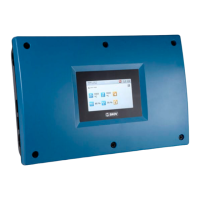
Central exhaust
Select the menu | Technical | Service | Adjust pressure.
The controller controls the ventilation by measuring the pressure in a central duct and regulating the fans in a
fan bank.
While it is carrying out pressure adjustments, the controller does not regulate the ventilation. After a set period
(Timeout after), the controller returns to automatic regulation.
Set a period for how long the adjustment is expected to last and
when the controller should return to automatic regulation (Time-
out after). When the adjustment is activated, the time counts
down (Remaining time).
Activate Adjust central exhaust.
Set User demand to the desired ventilation level in relation to
the total output of the system.
Then set the other controllers in the livestock house to the re-
quired pressure in the individual sections.
11.7 System
11.7.1 Resetting data
Please note that the controller will restart after it has been reset.
Select the menu | Technical | Service | Reset
Reset settings and pages The controller deletes all settings and restores the factory settings.
Reset FarmOnline data The controller deletes all data that has been saved in connection with the manage-
ment program. The house must be set up again in the program's configurator.
Factory reset The controller deletes all settings and restores the factory settings. It also deletes all
data that has been saved in connection with the management program (the house
must be set up again in the program’s configurator).


 To Next Page