43
SJ12 E, SJ16 E, SJ20 E
243762ABA
Function tests Section 4 – Inspections Before Operation
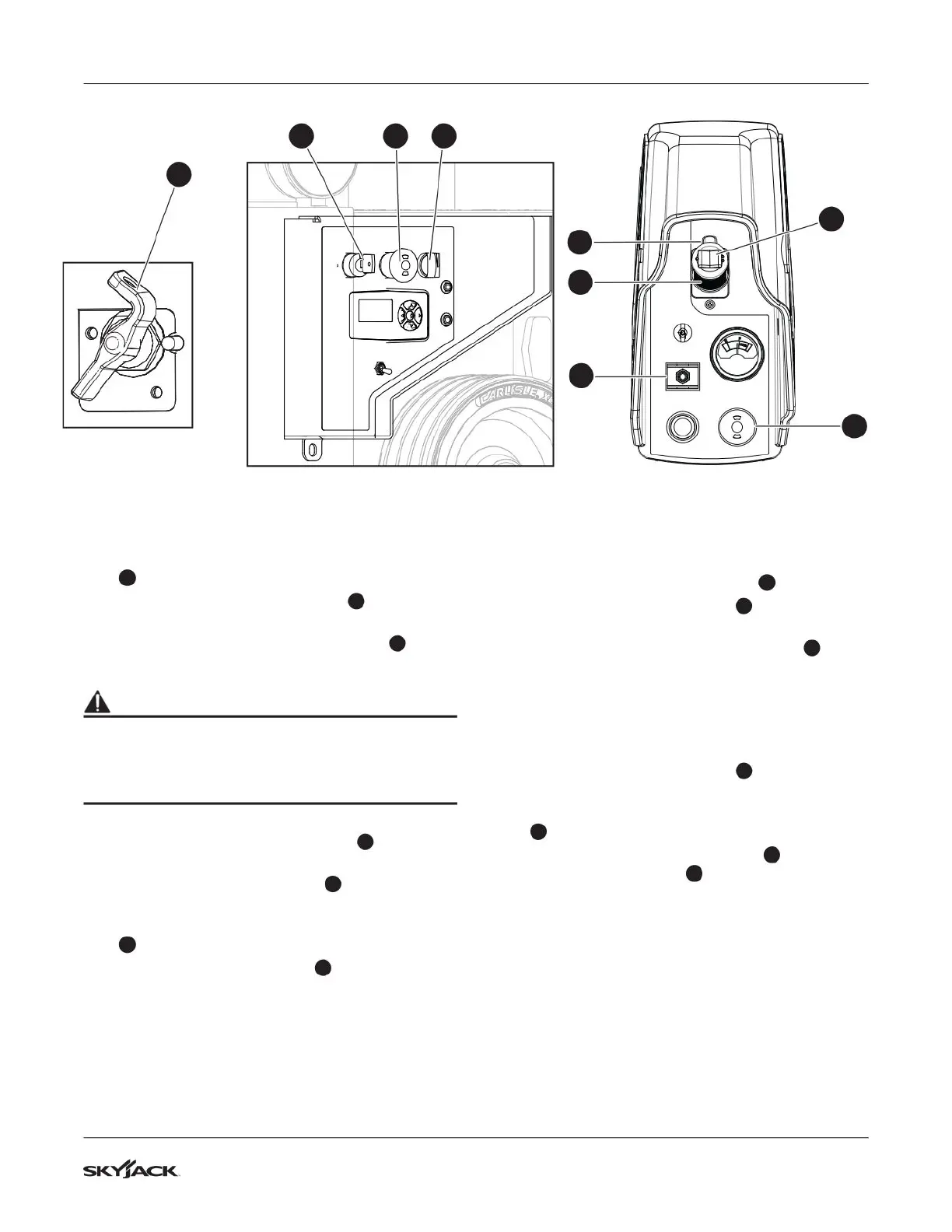
4.3-8 Do a test of the emergency-stop
button on the platform
1. Make sure the main power disconnect switch
1
is in the on position.
2. Pull the emergency-stop button
2
on the base
control console.
3. Turn the off/platform/base key switch
3
in the
platform position.
WARNING
Fall hazard. Use the three points of contact
principle when you use the MEWP to enter or exit
the platform. If you do not obey, there is a risk of
death or serious injury
4. Enter the platform and close the gate.
5. Push the emergency stop button
5
on the
platform control console.
6. Move the lift/off/drive switch
6
to the drive
position.
7. Squeeze and hold the function-enable switch
7
.
8. Push the controller handle
8
to drive forward.
▪
Result: The drive function does not operate.
4.3-9 Do a test of the function-enable
switch
1. Make sure the path you plan to travel is clear.
2. Pull the emergency-stop button
5
.
3. Move the lift/off/drive switch
6
to the drive
position.
4. Do not use the function-enable switch
7
, and
try to drive the MEWP by moving the controller
handle forward.
▪
Result: The drive function does not operate.
4.3-10 Do a test of the steer function
1. Move the lift/off/drive switch
6
to the drive
position.
2. Squeeze and hold the function-enable switch
7
.
3. Press the steering rocker switch
9
on top of
the controller handle
8
to steer left and right.
▪
Result: The steer wheels turn left and right.
5
9
7
6
8
23 4
1



 To Next Page