29
SJ12 E, SJ16 E, SJ20 E
243762ABA
Optional equipment Section 3 – Familiarization
3.6 Optional equipment
CAUTION
Skyjack-approved modications and attachments
can change the MEWP specications. Refer to the
applicable instructions and labels.
IMPORTANT
Refer to the labels of the optional equipment for
the actual weight. Include this weight to calculate
the total load on the platform. Include personnel
and other materials in the total load.
The weight of the attached parts, panels,
occupants, and tools put together must not be
more than the rated platform capacity.
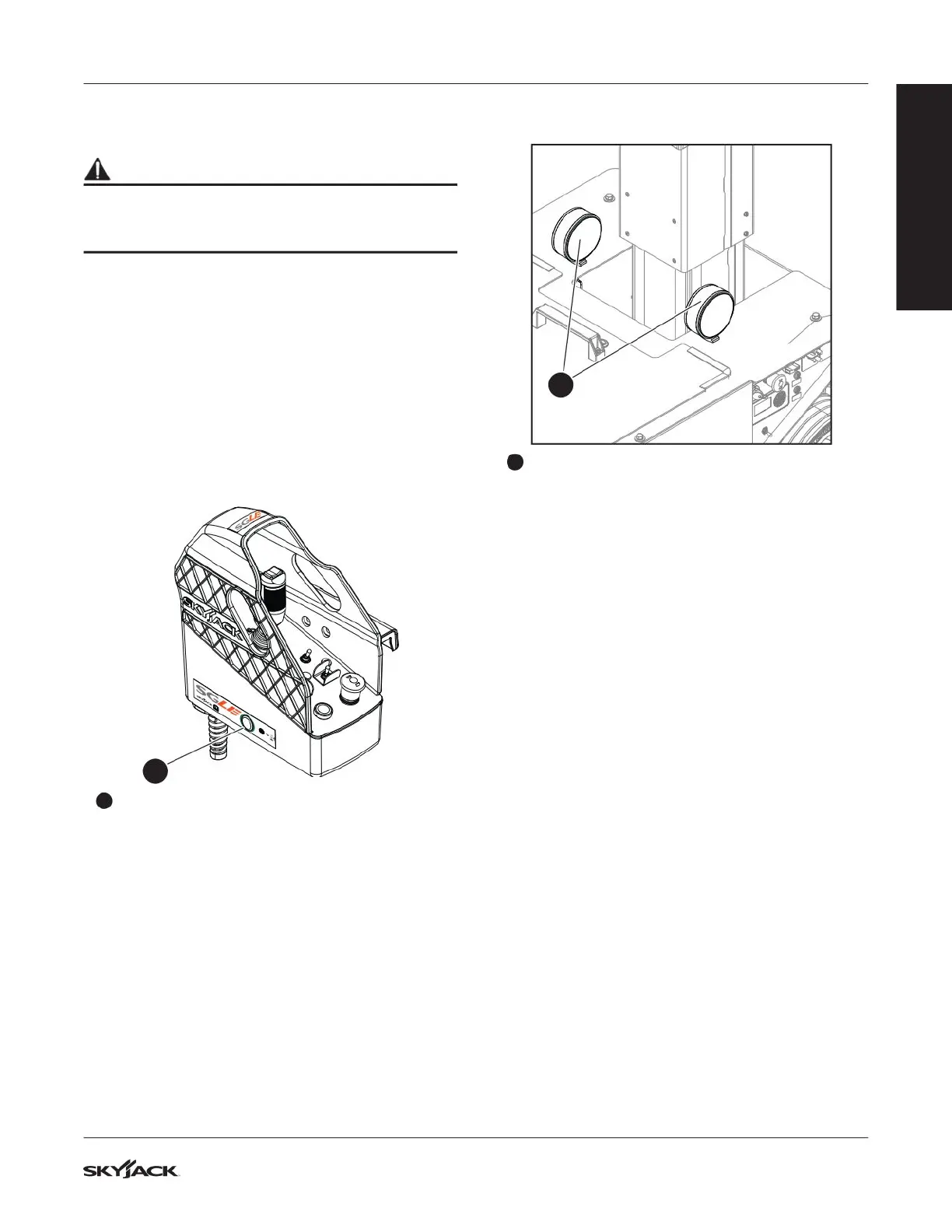
3.6-1 Secondary Guarding Lift Enable
(SGLE) push-button
1
1
SGLE: This push-button energizes the lift
function. Hold the button down together with the
function-enable switch to raise the platform with
the lift function.
NOTE
The SGLE does not have an effect on these functions:
lower, drive, steer or emergency lowering.
3.6-2 Dual ashing lights
2
2
Flashing lights: The ashing lights are attached
to the base and ash when a lift or drive function
is enabled.
3.6-3 Elevate™ telematics - access
control unit
Access control is an added function of the Elevate™
Trackunit. The access control unit will allow the
electric motor to operate only with an approved
code or card. However, it does not have an effect on:
emergency-lowering, load sensing, the horn, and
when you lower the platform. These functions are
always available.
IMPORTANT
The owner is responsible to supply PIN codes or
Smart ID cards for MEWPs that have the access
control function. Skyjack does not supply or reset
PIN codes or Smart ID cards. Speak to the MEWP
owner to help you with PIN codes or Smart ID
cards that do not function, or you cannot nd.
With the access control function, the user can control
access to the MEWP operation. You can get unique
PIN codes or Smart ID cards to unlock and start
the MEWP. For this function, an Elevate™ telematics
device and an access control keypad are necessary.
With the Trackunit Manager, the MEWP owner can
customize the access control to the MEWP
(https://www.trackunit.com/services/manager/).
FAMILIARIZATION


 To Next Page