Page 27 of 128
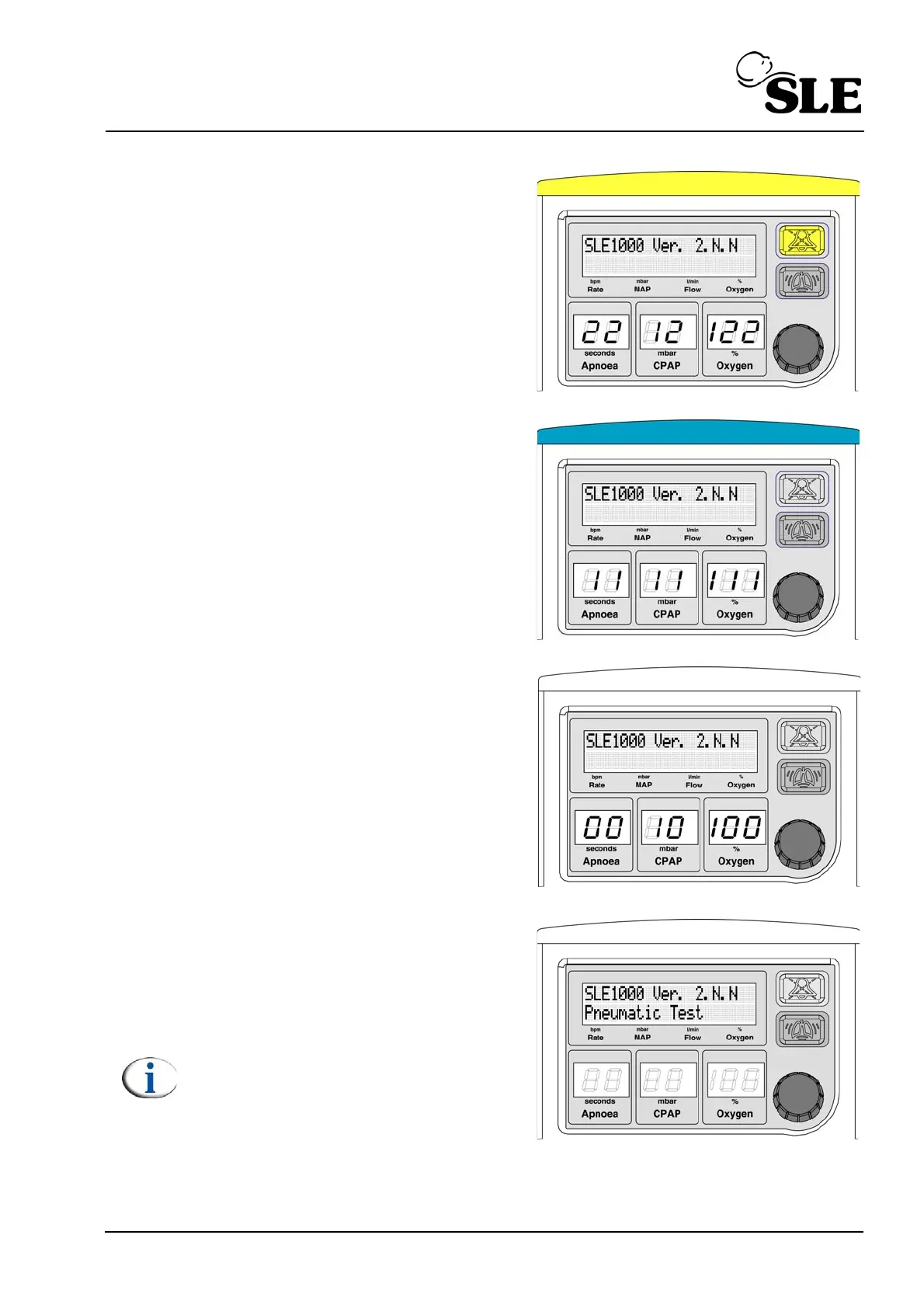
5. At 2 in the Apnoea display window
the light bar and audio paused button
should become illuminated with
yellow LEDS.
6. At 1 in the Apnoea display window
the light bar only should become
illuminated with blue LEDS
7. At 0 in the Apnoea display window
the light bar should switch off.
8. The unit will run through a self test
routine. It will start with a Pneumatic
test.
Note: Air has to be connected for the
unit to pass the pneumatic test.



 To Next Page