Page 30 of 128
Warning: If the unit is connected to Oxygen and the “O2 Calib Error alarm”
is triggered when entering either CPAP or Flow mode. Manually calibrate
the 100% oxygen point in either CPAP or Flow mode. If the “O2 Calib Error
alarm” is re-triggered remove the unit from service.
The unit will then display 21% oxygen and the user can now set
required percentage.
Note: In the first 4 hours the SLE1000 performs an adaptive calibration
routine. If the unit detects that the measured is lower than the set by 3%
then it forces a recalibration of the 100% oxygen. The unit will recheck the
difference every 8 minutes within the first four hours of operation.
Note: If the unit detects that the measured and set differ by ± 5% it
generates the “High Oxygen” or “Low Oxygen” alarm. In this instance the
user can manually recalibrate the 100% oxygen. See “100 % O
2
Calibration”
on page 40. This check is not limited to the first four hours of operation.
The unit automatically recalibrates the oxygen every 8 hours unless a calibration
error has occurred, (i.e. using the SLE1000 with air only) then the unit calibrates
every hour.
Note: If the SLE1000 is started using only air, the user can connect the
oxygen supply at any time, but will have to manually calibrate the oxygen
system.
Warning: If the oxygen supply fails after calibration whilst set to 21%
oxygen the unit will not alarm. The " No Oxygen Supply" alarm will only
become active when the user tries to set a percentage of oxygen above
21%.
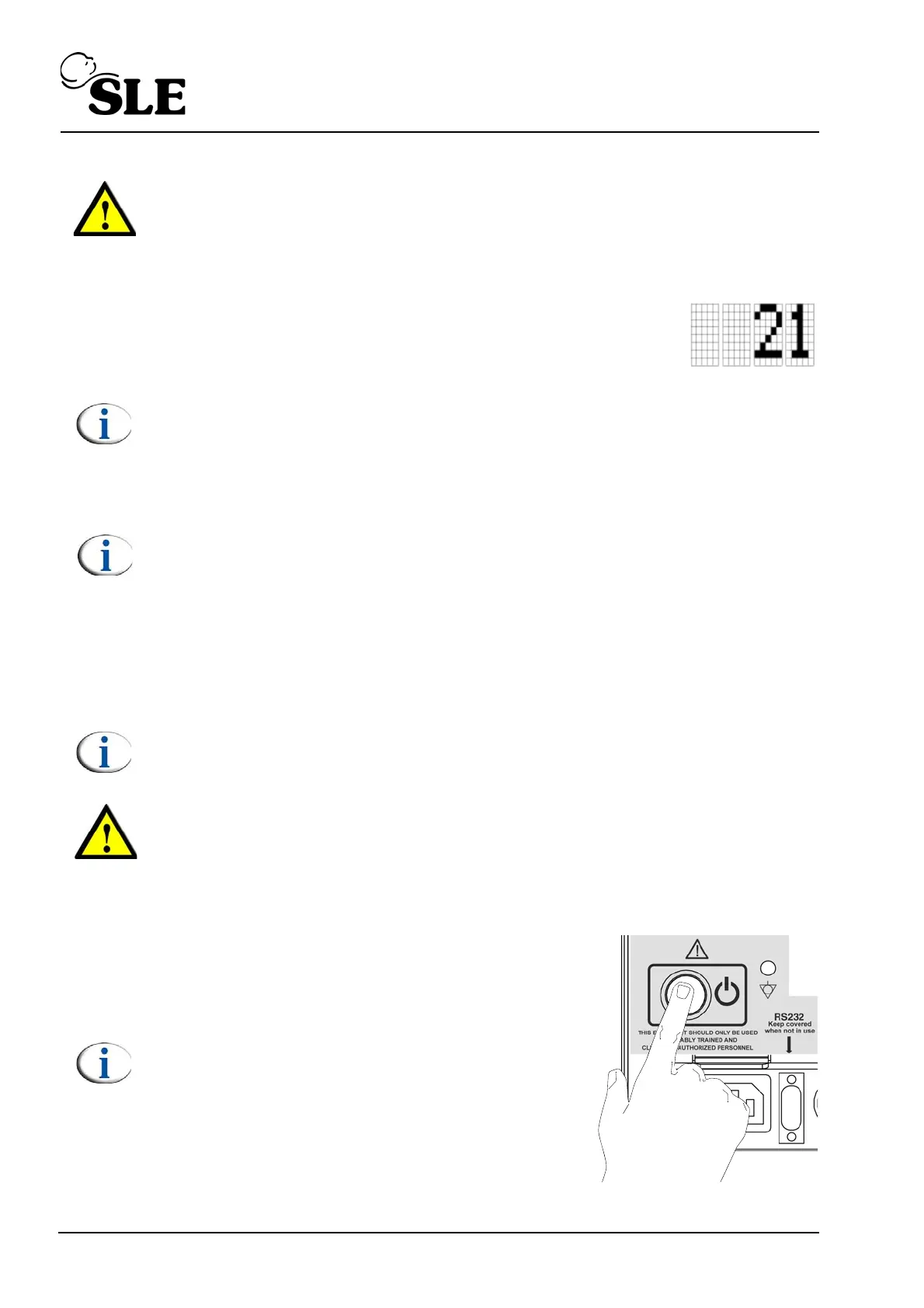
7.3 Power down
Push and hold the power button on the rear of
the machine for 3 seconds. Re-press the
button to cancel the complete power fail
alarm.
Note: The unit can be turned on again after
3 seconds.



 To Next Page