CHAPTER 5
USING YOUR INTERACTIVE FLAT PANEL
21 smarttech.com/kb/170642
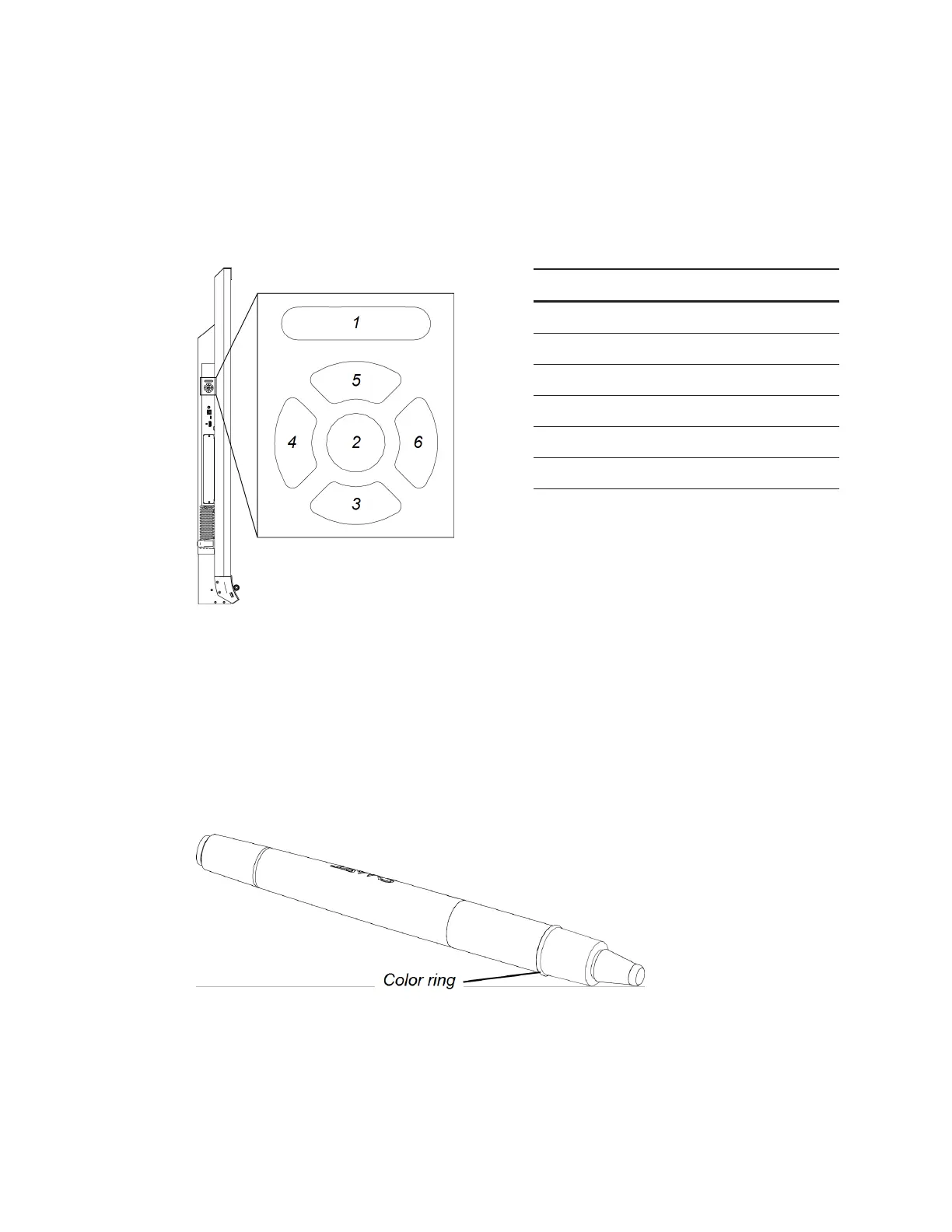
Menu control panel
You can navigate the on-screen display menu with the menu control panel located on the left of
your interactive flat panel. For more information on the on-screen display menu, see
SMARTBoard6065 interactive flat panel on-screen display menu
on page40.
No. Name
1 MENU
2 SET
3 [Down]
4 [Left]
5 [Up]
6 [Right]
Using Pen ID
The SMART Board 6065 interactive flat panel has Pen ID. Pen ID allows you to change the settings
for each pen independently. The black pen defaults to black ink and the red pen defaults to red
ink.
The color ring on the pen identifies the color of the default ink.
Changing the pen settings
You can change your pen settings, including line size and fill effects.



 To Next Page