15
Basic Operation and Navigation Basic Navigation
2.2.5 Scroll Bar
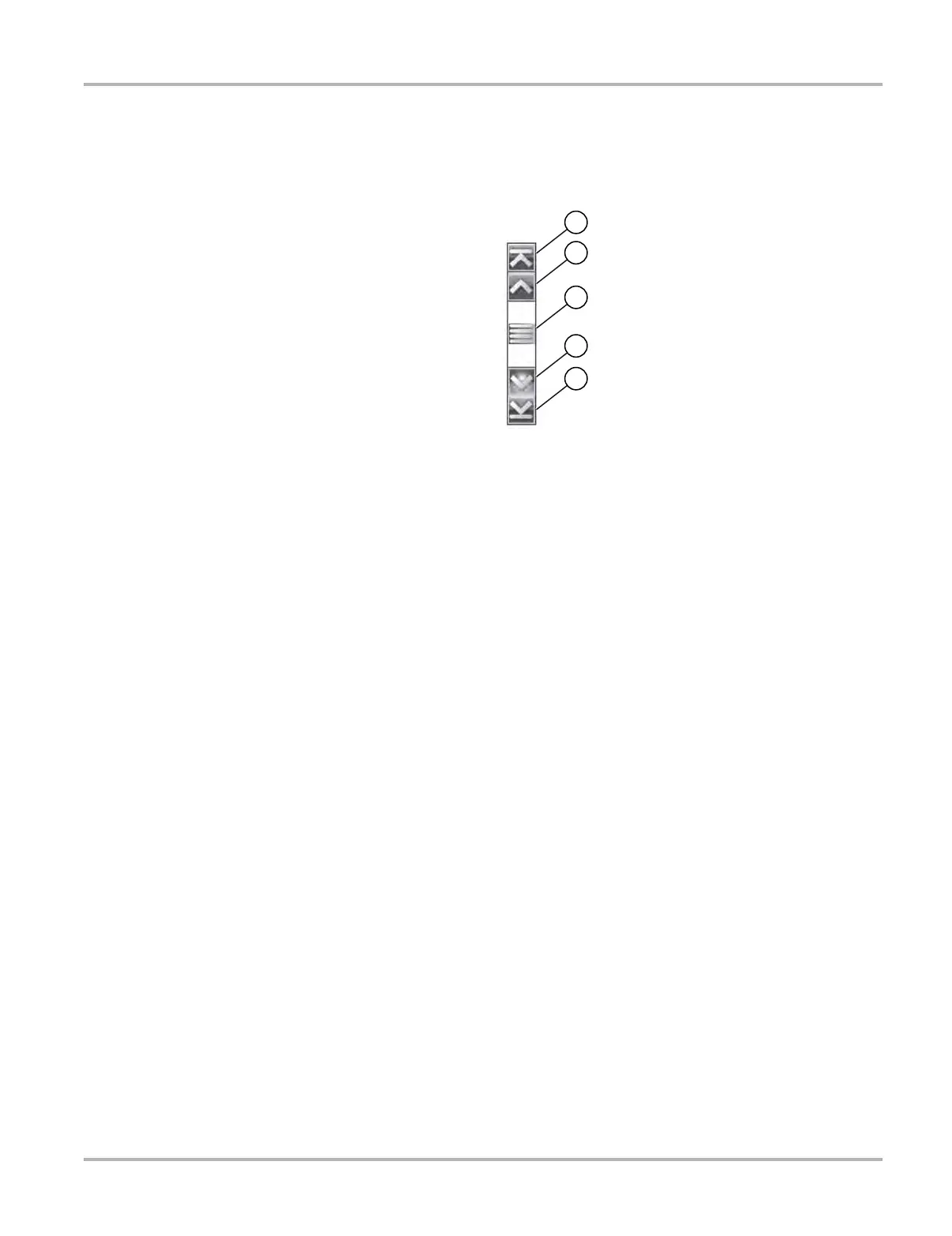
A vertical scroll bar appears along the right-hand edge of the screen when additional data
expands above or below what is currently on the screen (Figure 2-2).
Figure 2-2 Scroll bar
1— Beginning - Moves to beginning of data displayed.
2— Step up - Moves up one increment of the data displayed.
3— Slider (position indicator) - Select and drag the Slider to scroll through data. The slider
indicates the relative position of the current screen to the total available data.
4— Step down - Moves down one increment of the data displayed.
5— End - Moves to end of data displayed.
The Up (b) and Down (d) directional buttons can also be used to move through the data one line
at a time. Press and hold a directional button to rapidly scroll through data.


 To Next Page