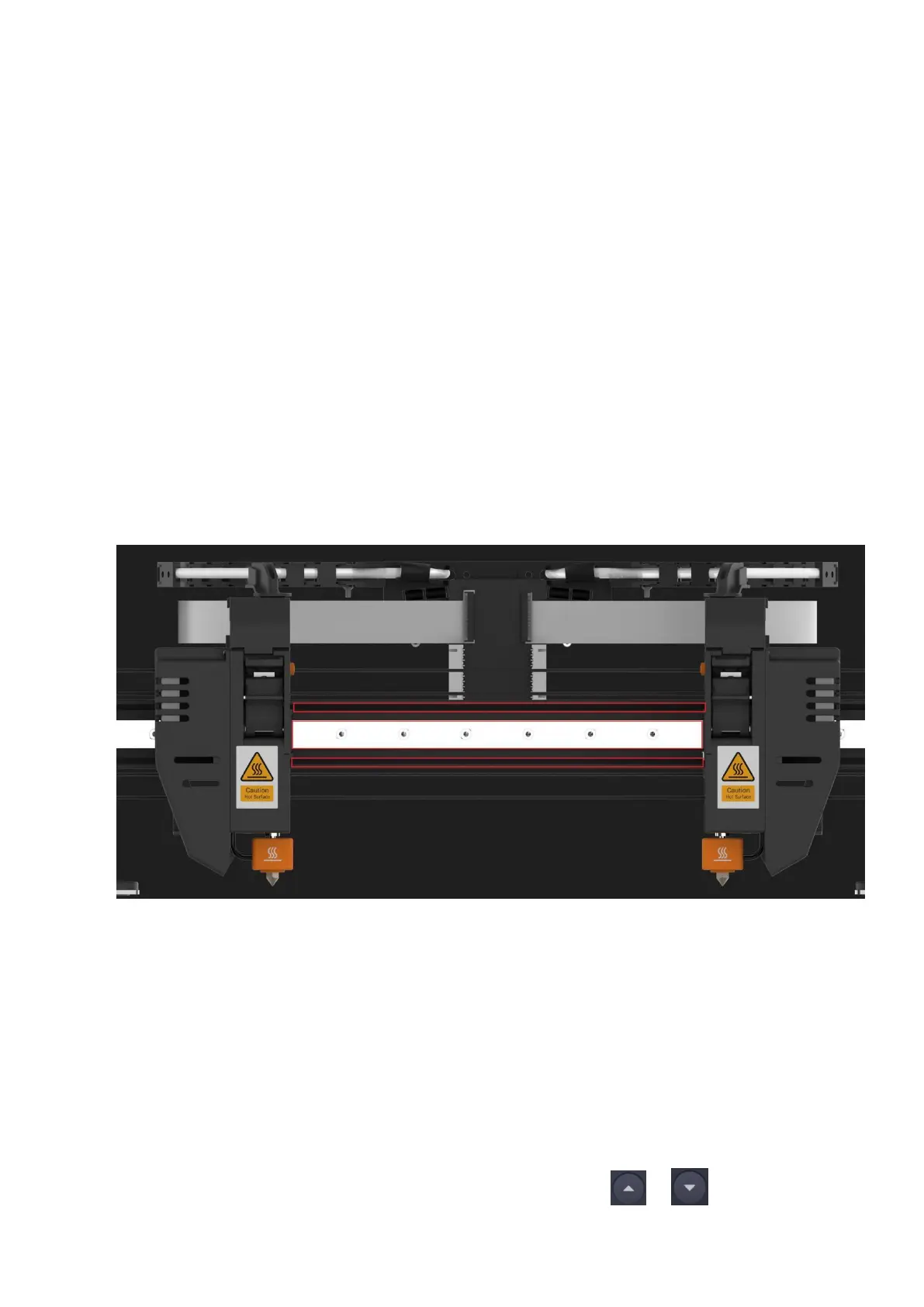
Maintenance method
X-axis and Y-axis
1. Prepare lubricant and tools by yourself:
a)
High temperature resistant solid grease;
b) Brush.
2.
Start the printer, click Control > Motor on the touchscreen, and click to turn off the
motor for subsequent manual movement of the extruder.
3. Turn the printer off and power off.
4.
Dip a proper amount of lubricating grease with a brush and apply it to the grooves on the
upper and lower sides of the X-axis linear rail and the steel belt on the front of the
guide rail.
5. Manually move the extruder left and right to distribute the grease evenly.
6.
Use a brush to dip a proper amount of lubricating grease into the grooves on the left and
right Y-axis linear rails.
7. Manually move the X-axis linear rail back and forth to distribute the grease evenly.
Z-axis
1. Apply solid grease to the Z-axis lead screw.
2. On the touchscreen, click Control > Move, and then tap the and buttons in the Z
direction to move the heated bed up and down.



 To Next Page