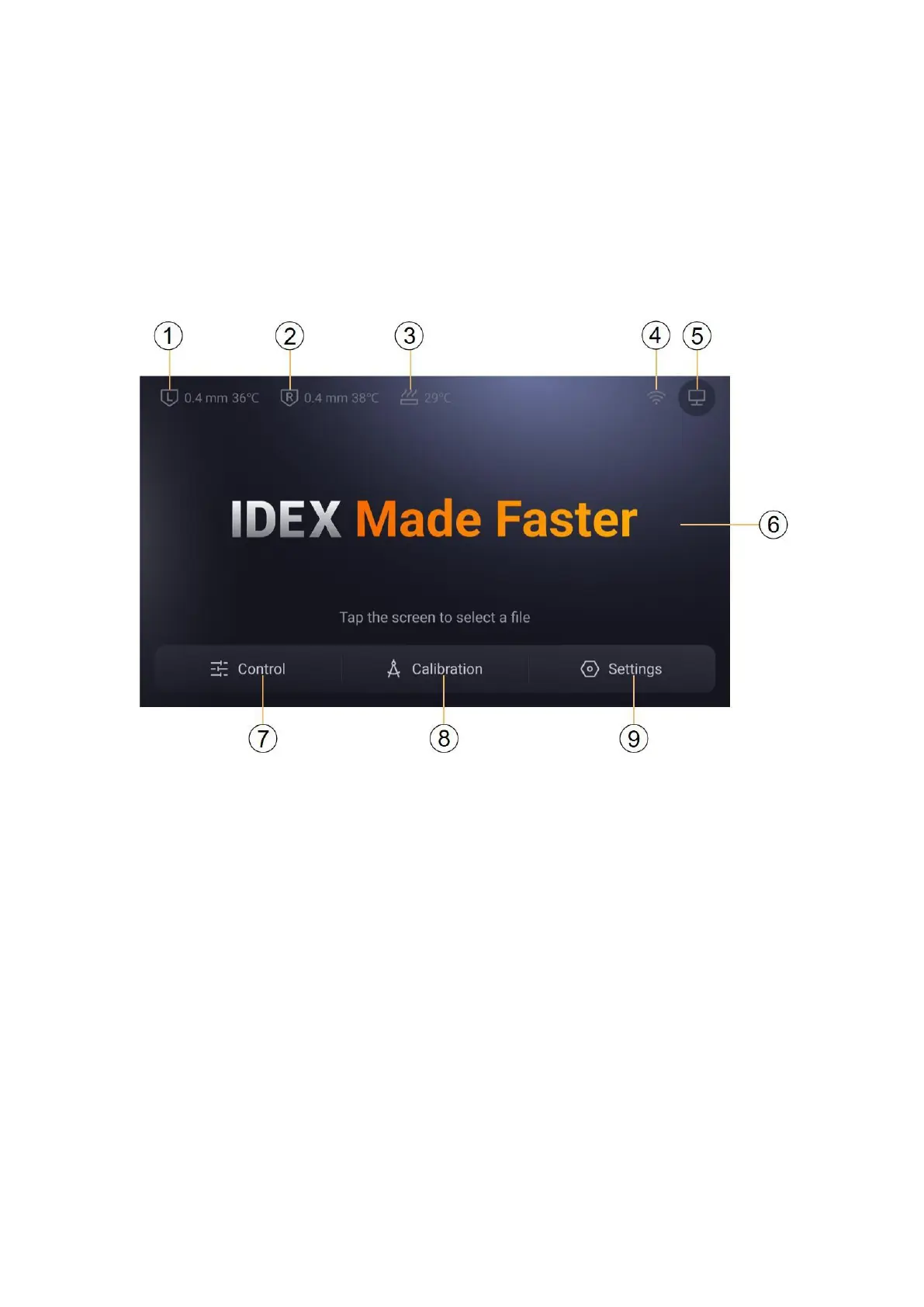
touchscreen
With the touchscreen, you can control the Snapmaker J1 and manage its printing
process.
Main interface
1. Left Nozzle Type & Temperature
2. Right Nozzle Type & Temperature
3. heated bed temperature
4.
Wireless network
5.
Connection status with Snapmaker software
6. Click to select a file to start printing
7. Control page: set the extruder temperature, feed & Unload, control
the movement, set the heated bed temperature, switch the motor
8.
Calibration page: Level the heated bed, calibrate the Z-axis offset,
and calibrate the XY-axis offset
9. Settings page: update firmware, connect to wireless network, set
language, view local information, change machine settings



 To Next Page