Troubleshooting
While using the Snapmaker J1, you may encounter some 3D printing related issues. This
chapter describes some of these common problems and provides solutions. If you have
problems that are not listed here, feel free to contact us for technical support at
support@snapmaker.com, or visit support.snapmaker.com.
System Log Export
System log is a file that records all kinds of important information during the
operation of the operating system. When printing problems are encountered, the system
log can assist in locating the problem points.
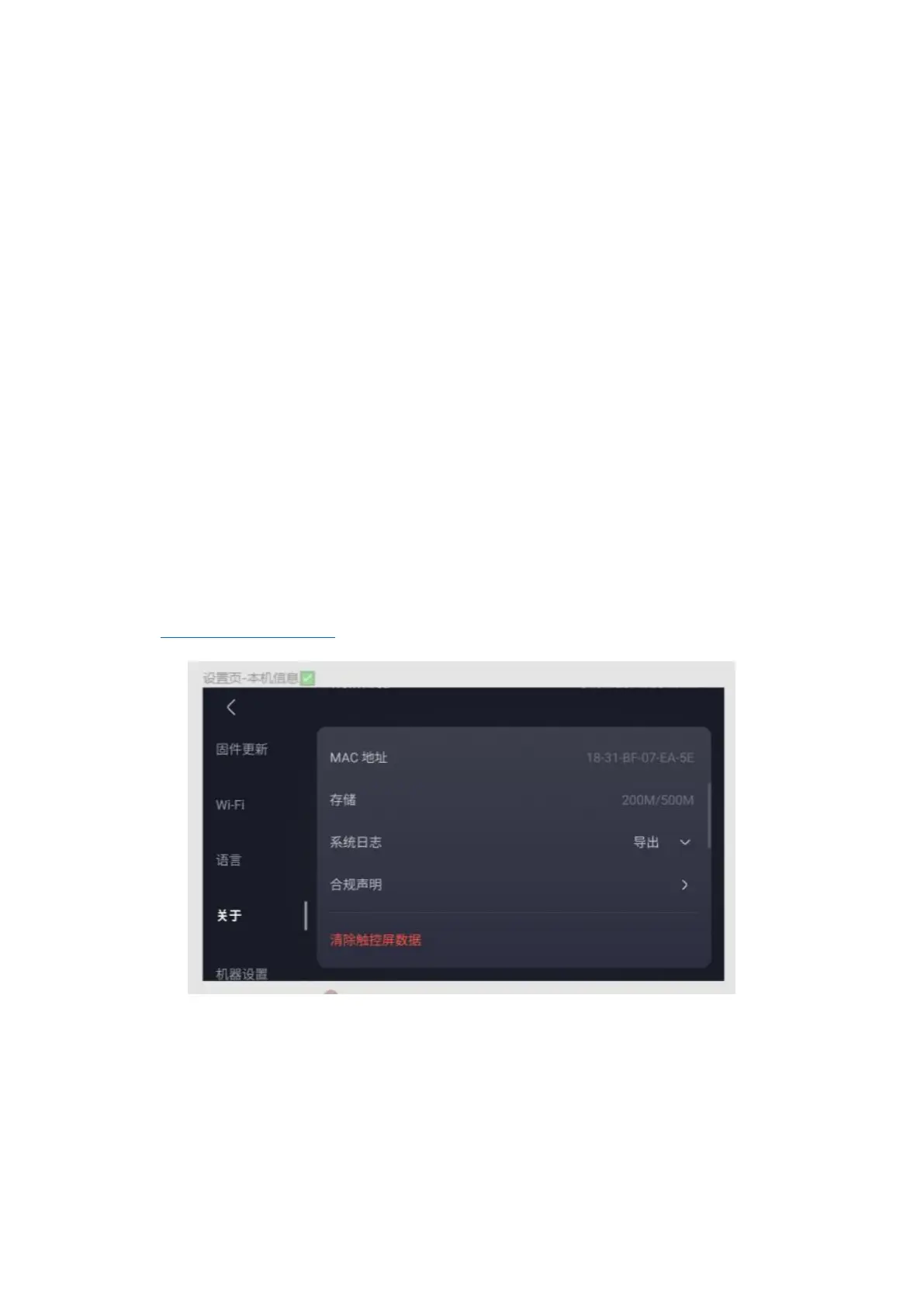
To get the system log, on the touchscreen, click Settings > About, click Export in the
System Log column, and you can choose to export to a USB stick or Snapmaker software.
You can determine the problem by yourself based on the exception information recorded in
the system log, or you can send the problem description and system log to our technical
support (support@snapmaker.com)。
Common printing problems
First layer not adhered
First layer non-adhesion is one of the most common problems in 3D printing. Just as the
foundation of a house is not stable when it is built, when the first layer of the print
is not successfully adhered to the glass platform, the printing task will probably fail.



 To Next Page