BTP-2002NP User’s Manual
4 Installation
4.1 Unpacking
Check whether all items listed on the packing list are present and in good condition. If any items are
damaged or missing, please contact your dealer or the manufacture for assistance.
4.2 Selecting the Installation Position and Direction
The BTP-2002NP can be installed in two positions: vertically on a wall or horizontally on a table. To
install the printer vertically on a wall, please obtain the optional wall mount system WMS-2002NP
from the supplier of the printer and follow instructions that are supplied with the system.
4.3 Grounding the Printer
Make sure the printer is connected to a ground line.
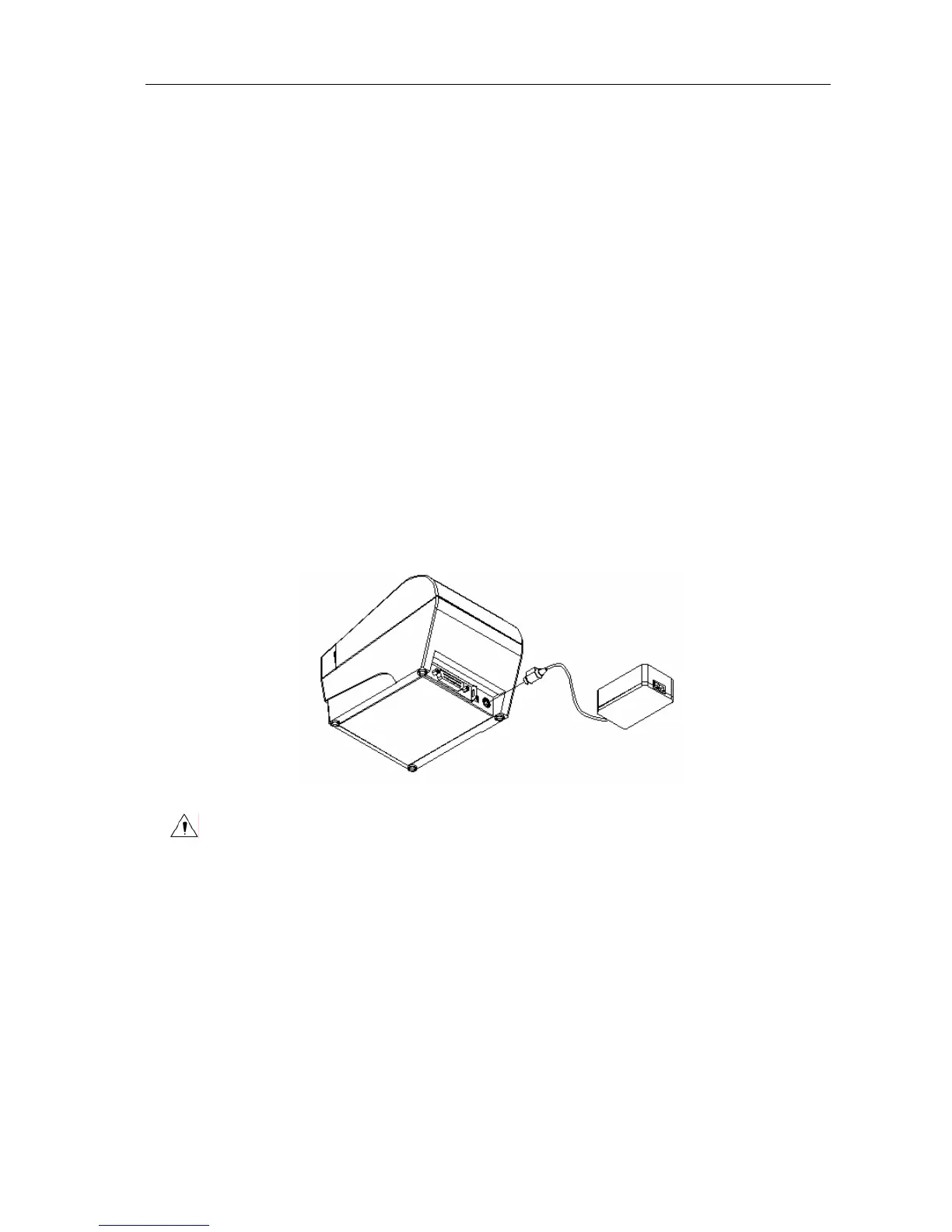
4.4 Connecting the Power Adapter
1) Ensure the printer power is turned off.
2) With the flat side of the power adapter’s cable connector facing upward, insert the cable
connector into the power connector on the backside of the printer.
3) Plug the power cord into a suitable wall outlet.
Caution:
Use only the manufacturers supplied power adapter or other equal model.
When connecting or disconnecting the cable connector of the power adapter, always hold
the connector but not the cable.
Do not pull on the power adapter cord, otherwise the cord may be damaged or broken,
causing a risk of fire or electric shock.
Do not place the Power adapter cord near a heating device; otherwise, the cover of the
cord may melt, causing a risk of fire or electric shock.
When the printer is not in use for a long period of time, disconnect the Power adapter from
the wall outlet for safety.
- 9 -



 To Next Page