BTP-2002NP User’s Manual
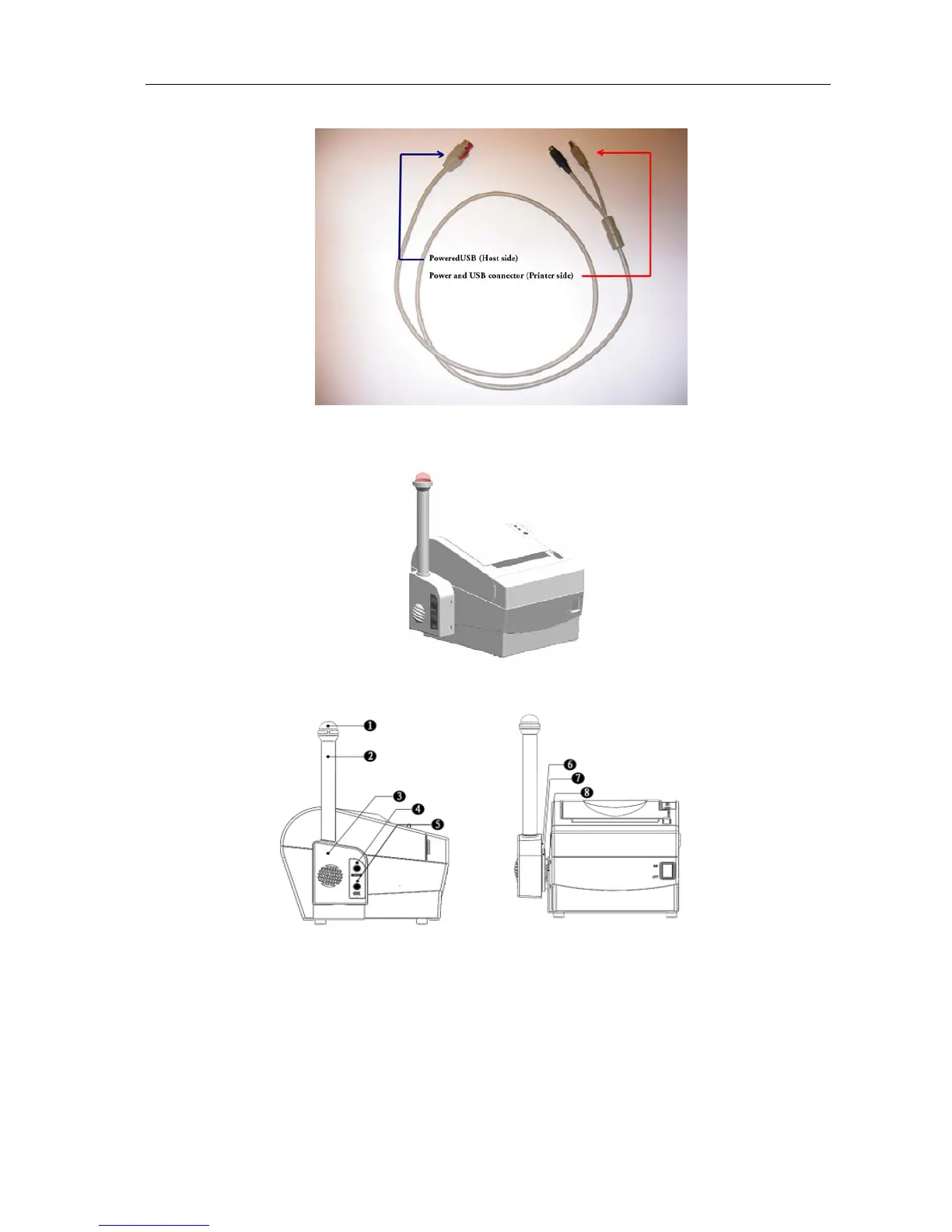
8.3 Cable for PoweredUSB Connections
8.4 HERALD – Kitchen Alarm System
¾ Exterior and parts(see figures below)
1—Light 2—Light pole 3—Top cover 4—MODE button
5—OK button 6—Bottom cover 7—Turn-plate 8—Bracket
¾ Assembling the HERALD
Mounting of the bracket
Mount the metal bracket with two nylon feet and two screws onto the bottom of the
printer as shown in the following diagram. Then mount the two remaining nylon feet
onto the bottom of the printer opposite the metal bracket (see drawing).
- 23 -



 To Next Page