BTP-2002NP User’s Manual
Mounting the Main Unit
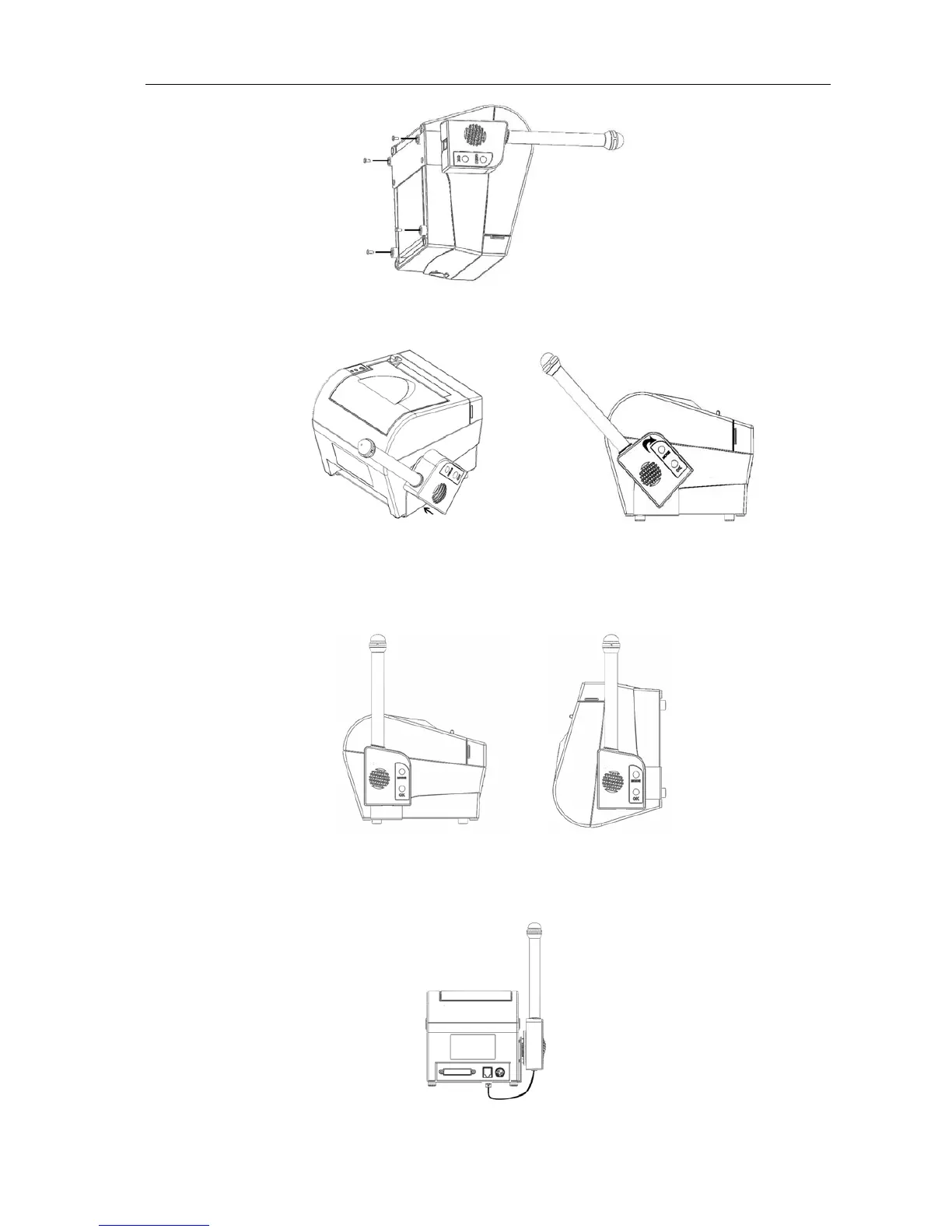
Step 1: Insert the Main Unit in the plastic turn-plate of the Bracket as shown in Figure 1.
FIGURE 1 FIGURE 2
Step 2:Rotate the Main Unit clockwise as shown in figures 2 and 3 if the printer is to be
used on a horizontal surface. If the printer is mounted on a vertical surface by means of
the Wall Mount System then the Main Unit should be rotated anti-clockwise.
FIGURE 3 FIGURE 4
Step 3:After you have ensured that the printer is switched off, the Main Unit can be
connected to the Cash drawer connector at the back of the printer as shown in figure 5.
FIGURE 5
- 24 -



 To Next Page