BTP-2002NP User’s Manual
¾ Printer button
The printer module has two buttons: MODE button and OK button.
The HERALD has two modes, named “Operation” and “Setting”. The operation mode is
used for operating the HERALD; the settings mode is used for setting the light and
sound signals of the HERALD. When the printer is switched on after connecting the
HERALD, a test procedure will happen and the HERALD will give a short beep with a
short light flash. This indicates that the HERALD is connected correctly and it is in the
Operation mode.
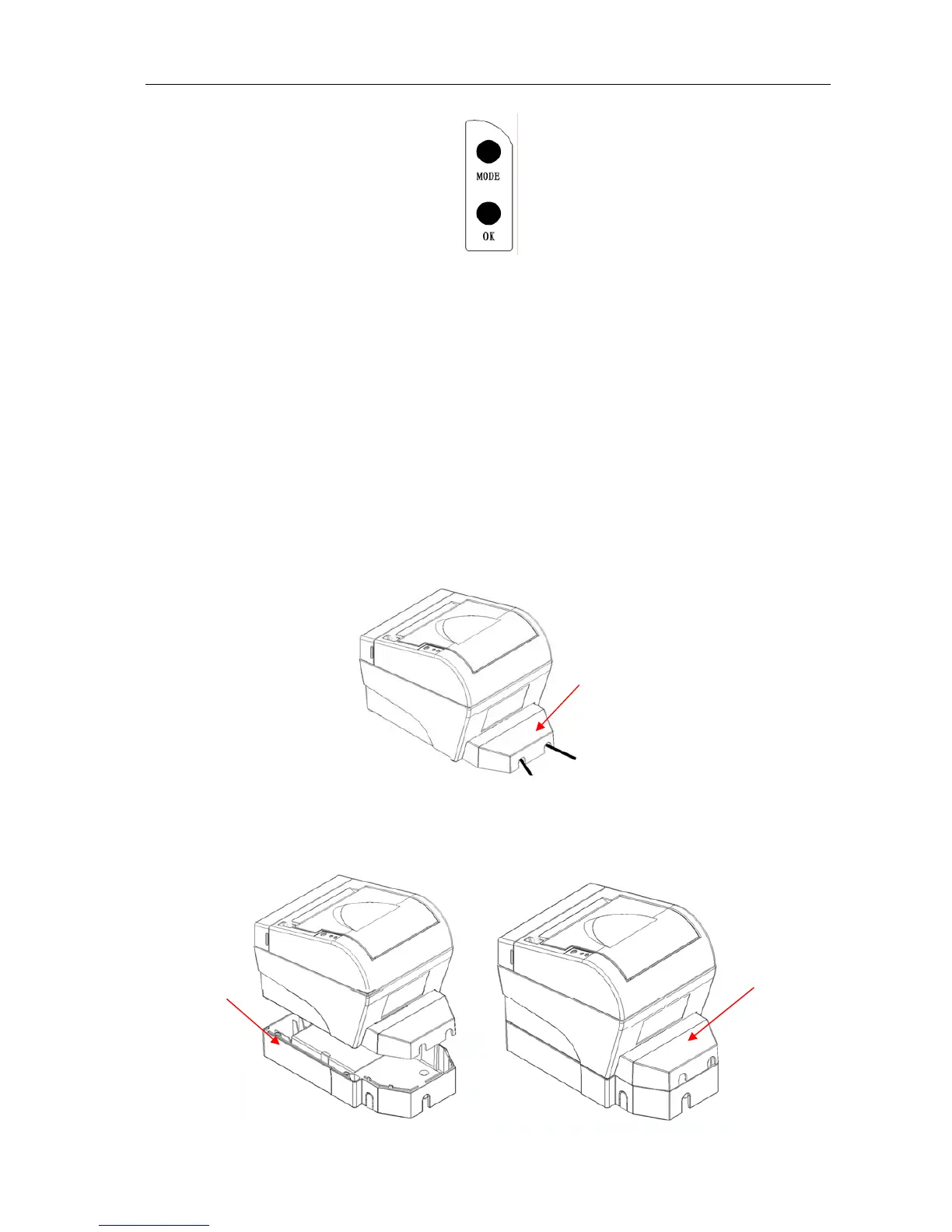
8.5 Cable cover and Power adapter cover
1) Cable cover
This cover is used to tidy and protect interface cable which on the backside of the printer, so that the
printer could be kept tidy and well during the printing.
Cable cover
2) Power adapter cover
This cover is used to install the AC power adapter under the printer, so that the power adapter
would become an internal part of the printer (the power adapter will be inside of the printer).
AC power
adapter
Power
adapter cover
- 25 -



 To Previous Page