SmartSMS User Manual Soft dB inc.
User Manual p. 102
Silex SX-2000U2 USB Server: the USB Server allows controlling the SmartSMS unit with the USB
protocol while being connected through a network. The following procedure shows how to install
and configure the Silex unit.
Step 1: Installation of the Silex Server Software
• Insert the CD-ROM Silex server software.
• Once this window is displayed, click on Application installation. Click on “s-
40a500.exe” on the CD if the window is not automatically displayed.
• Click on Next or Yes a few times to complete the software installation.
• Click button YES to add the application to the exception list of the windows firewall:
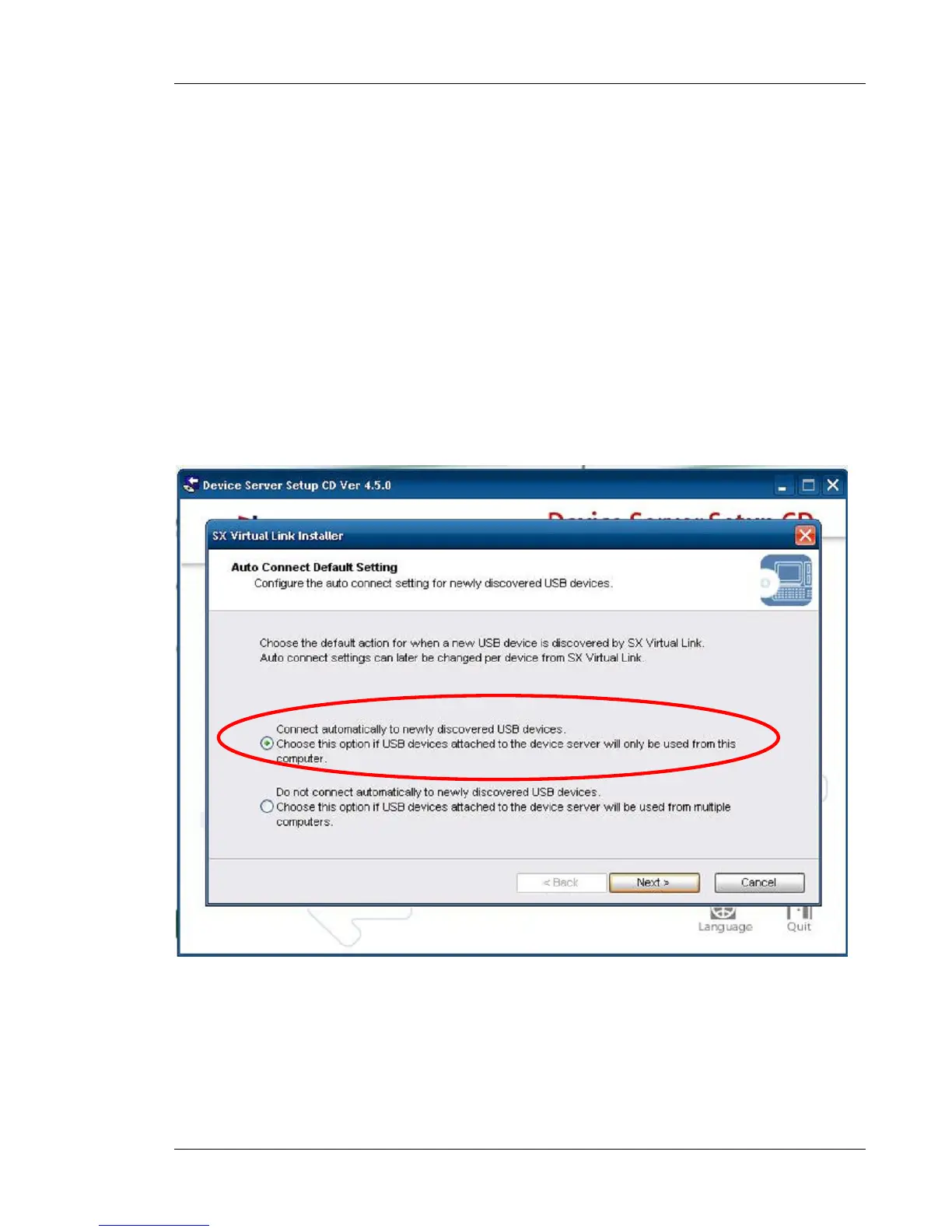
• Select the first option: Connect automatically to newly discovered USB device:
The installation is completed. Click on finish button.



 To Next Page