9
Printer Operation Instructions
3.1 Power on
Make sure the power is on before use printer, press the power switch, then enter the main interface.
If the printer screen is not light after turn on, it may be low battery, please charge it with specified
charger.
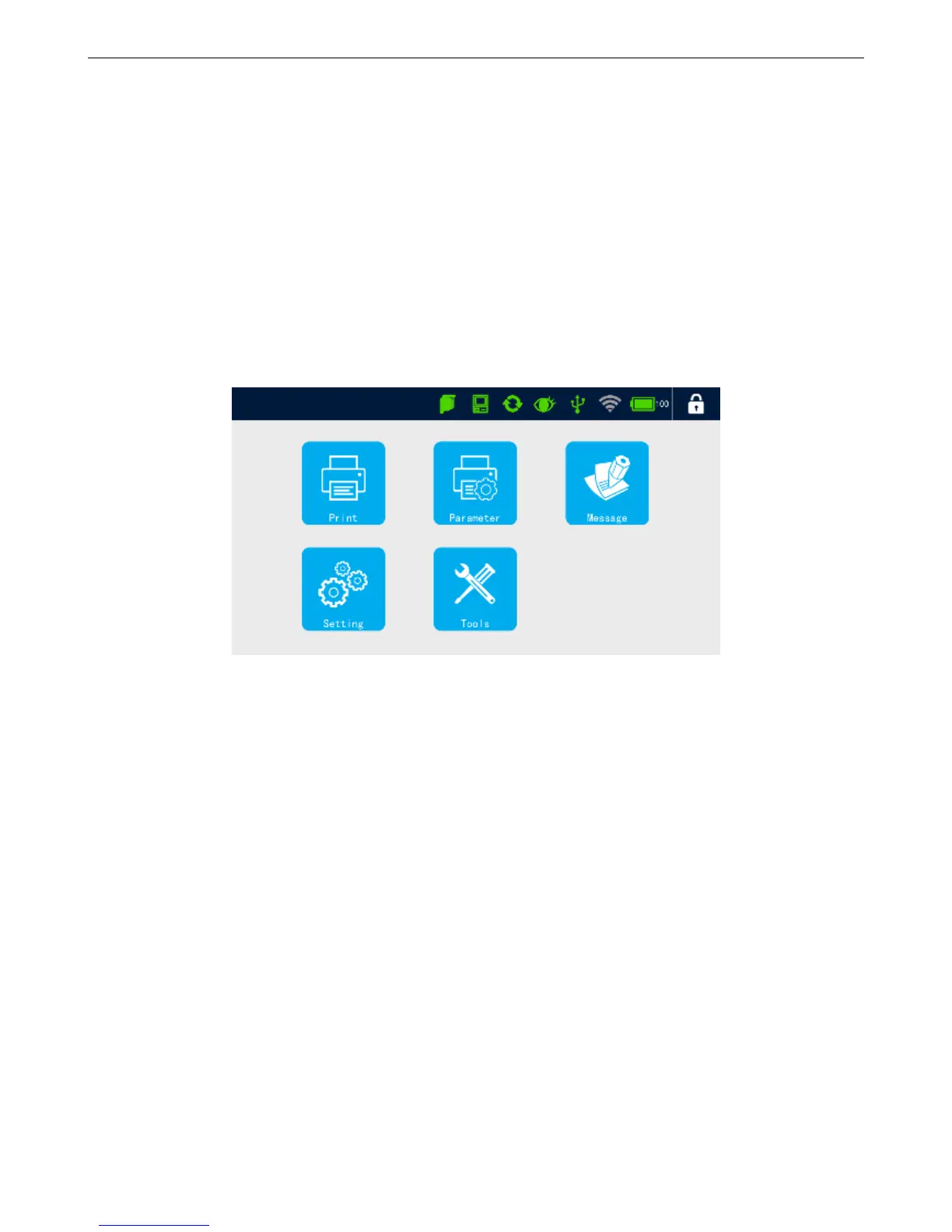
3.2 Main Interface
Printing: List, start/stop print, print delay, print initial value, printing monitor, re-print.
Parameters: Print setting, printhead setting, print options, special print.
Message: List, new message, edit message, delete message, copy/paste message.
Setting: Setting management, user management, system reset ,about.
Tools: Image management, upgrade management, backup recovery, authority registration and plugin
management.
Status bar: Status of ink, equipment, encoder, photocell, USB, WI-FI, power and log off.
3.3 How to Upgrade Software
If you want to upgrade software, please do as below steps:
First copy the installation package to the U disk path【Inkjet/Upgrade/Application/ 】.
Insert the U disk into USB port of device, when the USB icon display green in the status bar,
dedicates that U disk has been identified by the device.



 To Next Page