22
4.1.6 Add Shift Object
Add Shift Source
【Message】>【New】>【New Source】>【Shift】
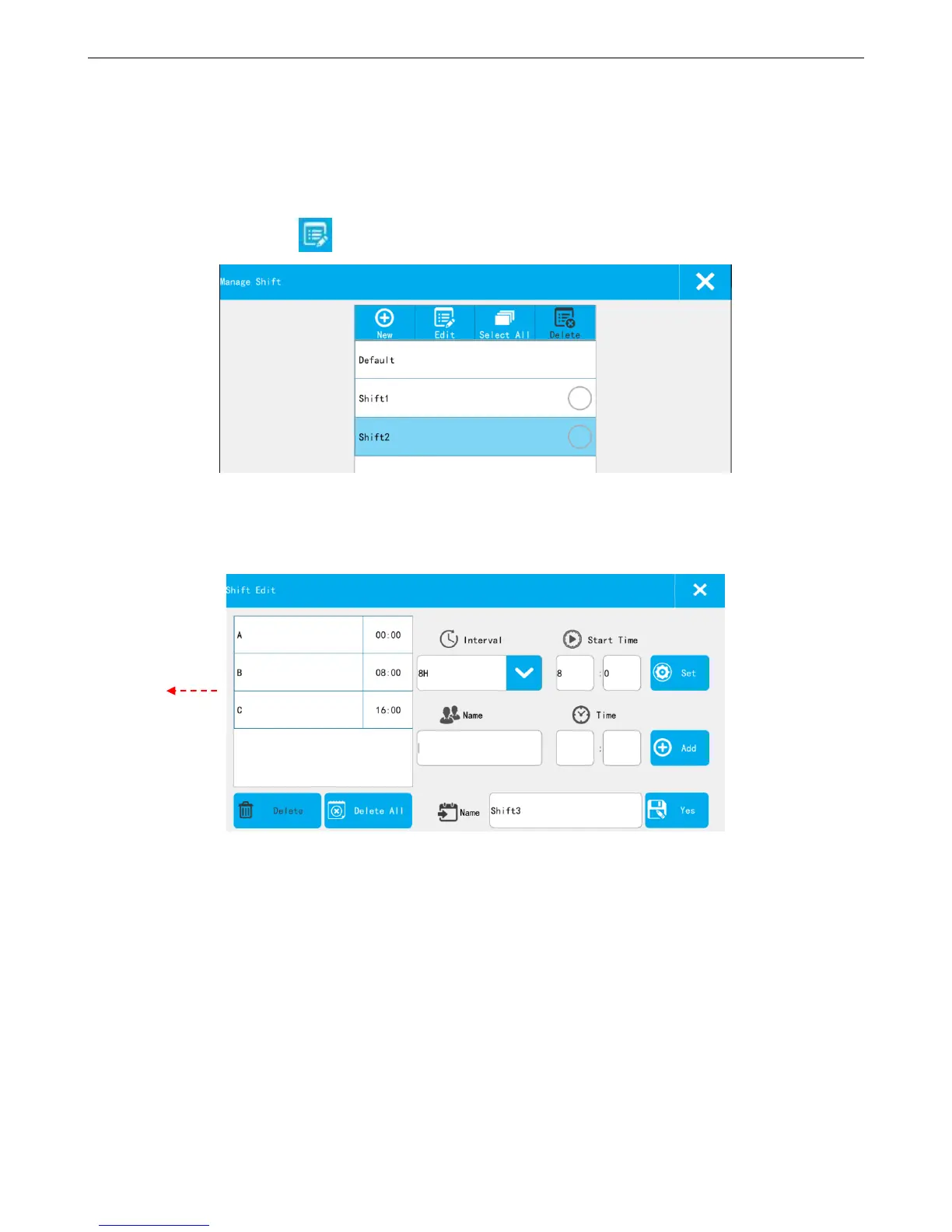
From the pull-down menu, user can check the already existed shifts, if need to create a new one or
modify any of them, click 【Edit】
Shift List: Show the default and new built shift.
New: Building new shift
【Interval】: According to the selected time interval, 24 hours a day is divided into the corresponding number of
shifts. For example, the time interval is set to 4H, the system automatically generates 6 shifts (default A-F), and shows
in the left list.
【Start Time】: Time of first shift. For example, set the interval to 4H, the starting time is set to 8:00, then the
first shift A start time is 8:00, shift B start time is 12:00, shift C start time is 16:00, and so on.
【Set】: Select the time interval and the start time, click the button【Set】, will generate the default shifts
automatically, and shows in the left list.



 To Next Page