13
Import message: Insert U disk, after device identify U disk, click 【Import】, and then
message of U disk: Inkjet/msg will be imported into list automatically; When the import message name
same with device, it will popup reminder, and choose whether to continue import according to reminder.
Export message: Insert U disk, check needed imported message, click 【Export】, then the
selected message will be exported to U disk patch: Inkjet/msg
Rename: Select file, then click 【Rename】, popup keyboard to edit message name, and take
effect after save.
Select all: Click【All】, select all messages in the list automatically, switch button to 【None】;
Click 【None】, selected messages will be canceled, then button switch back to【All】.
Tips: Device maximum can save 500 messages, it can’t continue add or import data after the
message reach maximum.
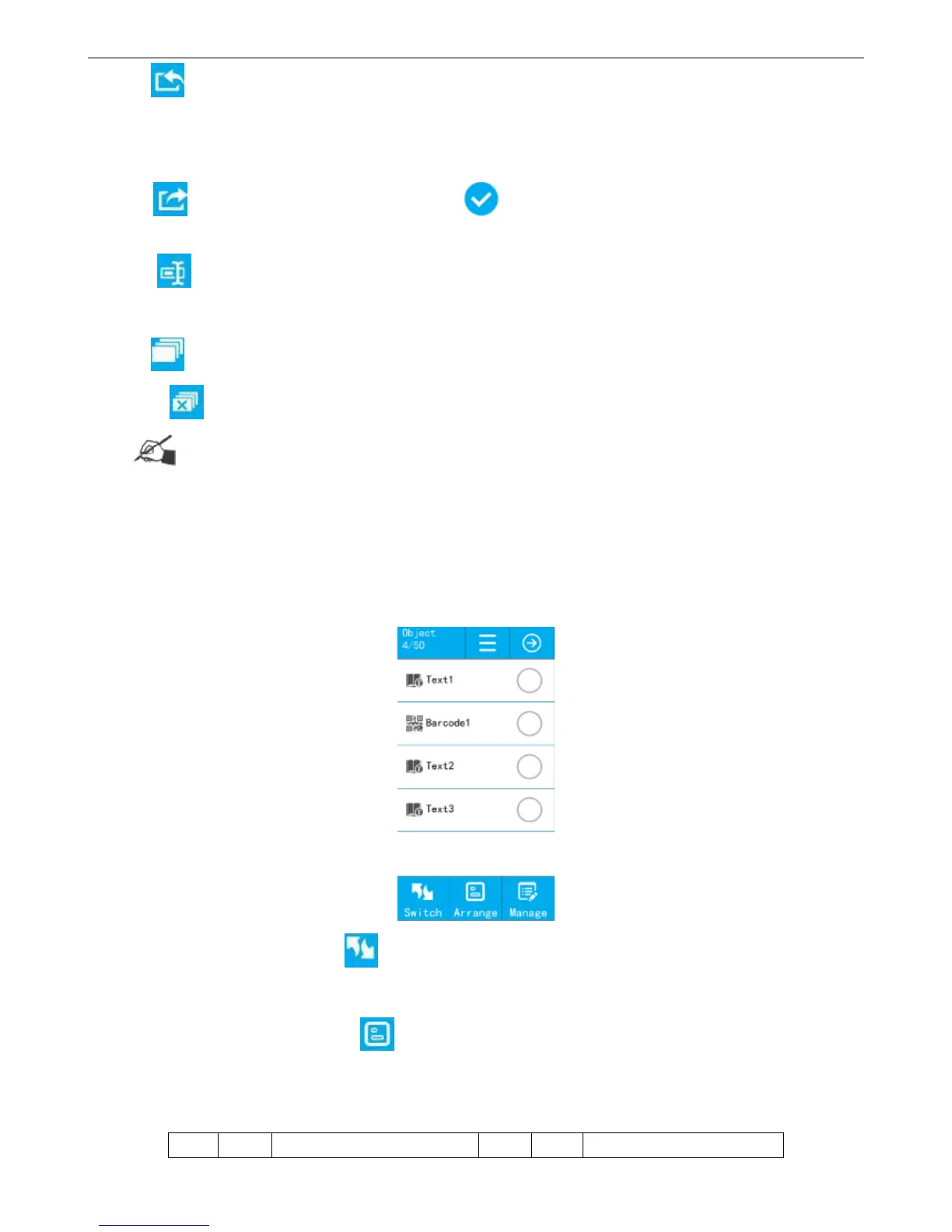
4.1.1.2 Object List
【Message】>【List】,select message, click【Edit Message 】 or 【New Message 】, then messages
list change to object list, display all objects of this message.
Switch Source List: Click 【Switch】,switch to source list, click【Switch】again, then can switch
to object list.
Object Arrangement: Click 【Arrange】, popup object alignment way, move up and down
options.
Sort Keypad Description:



 To Next Page