51
OFF. If screen saver is optioned OFF, screen enters standby status if inactive for the set time. Screen
becomes active when there’s alarm or error.
Screen brightness: User can set the brightness from 10-100%, default is 30%.
Message Mode: Select message management mode, standard mode or simple mode.
4.5.2 User management
It allows administrator to assign rights of operation.
Open user management feature
【System】>【User management】
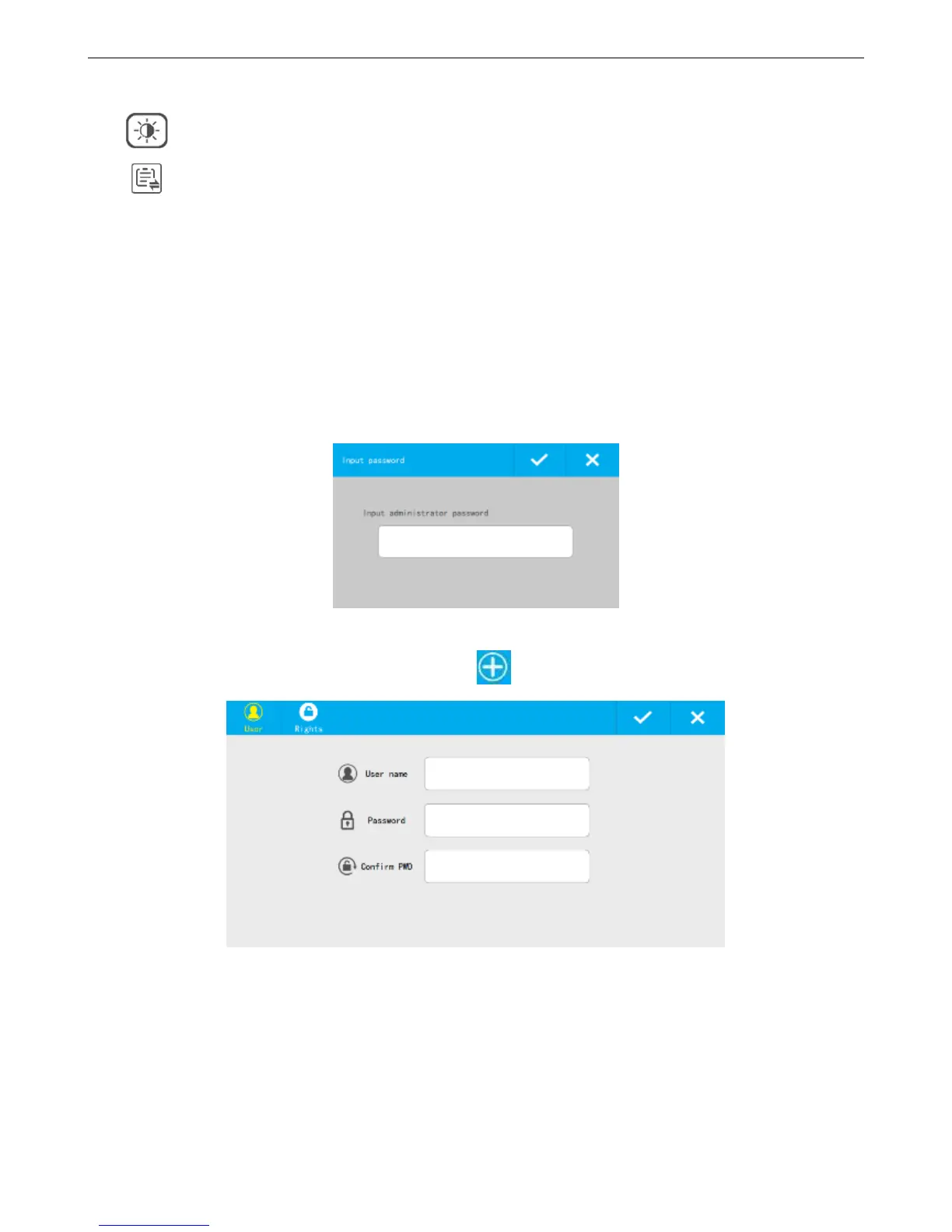
Default status is closed, click the icon and it will jump out a page to input the password. The default
password is 888888.Click “√”to open and click “×”to close.
Create new user
After opening user management feature, click to create new user.
Create user info
User name: No more than 30 characters, cannot be empty.
Password: No more than 16 digits.
Confirm password: Should be the same as previous one.



 To Next Page