52
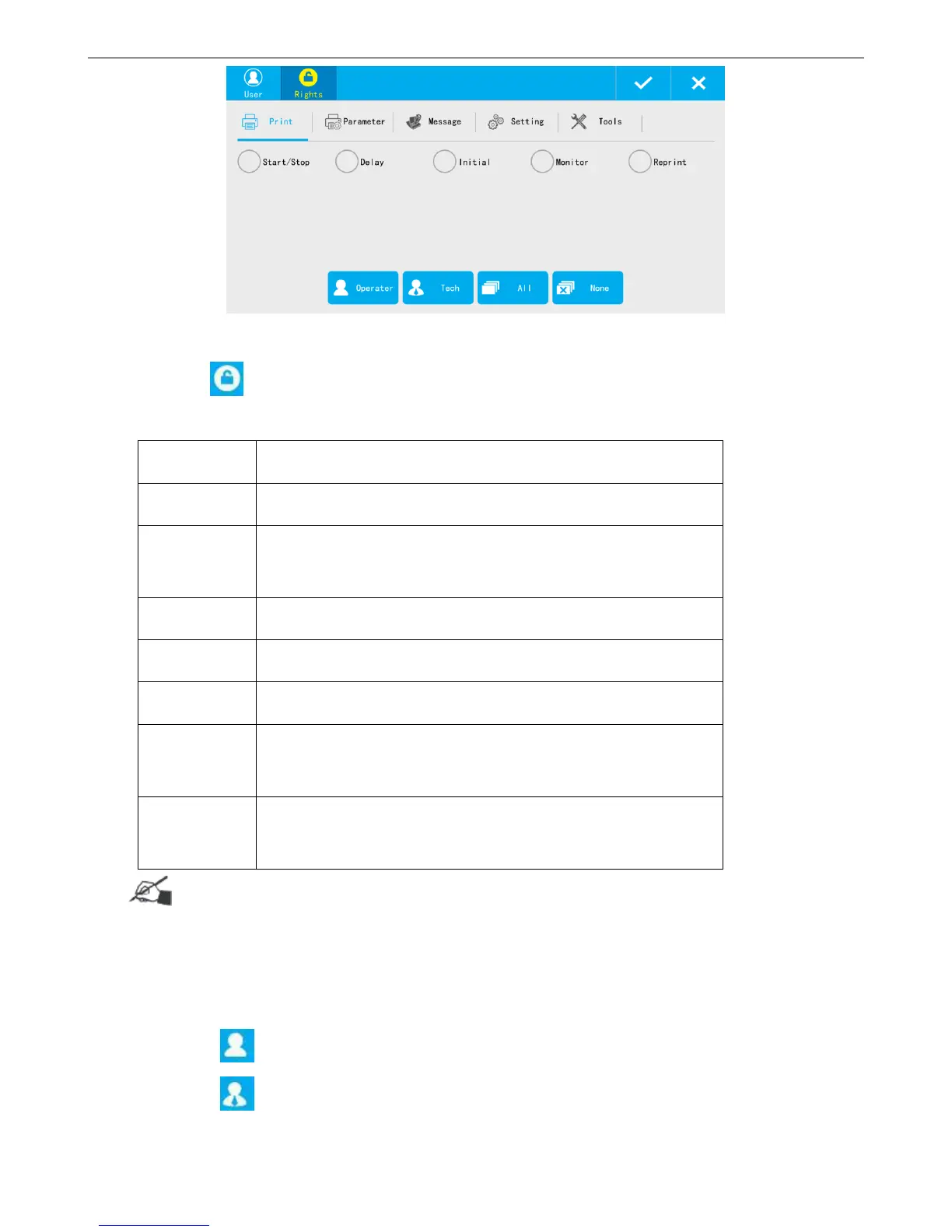
Create new user Rights
Click to get into new user rights setting page.
It has 6 rights for new users.
Start/stop printing, Printing delay, Initial, Printing Monitor, and Reprint
Direction, Mirror, Nozzle, DPI, Output, Pre-purge, Counter reset,
Cache, Special、Blank line no print
New message, Edit message, Copy, Paste, Delete
Setting, User control, About
Image, Upgrade, Backup /Restore, Permission, and Plugin Management
【Setting】: User control and About
【Print】: All; 【Parameter】: All, 【Message】: All;
【Setting】: User control and About.
Tips:
Select multiple options is available, repeat select will delete selected option.
【System reset】feature in【System】is only allowed to be modified by administrator.
【User control】 by new user can only do its own password change, cannot do anything else.
Click 【Operator】, can select its rights(See operator power list above)
Click 【Technician】, can select its rights(See technician power list above)



 To Next Page