16
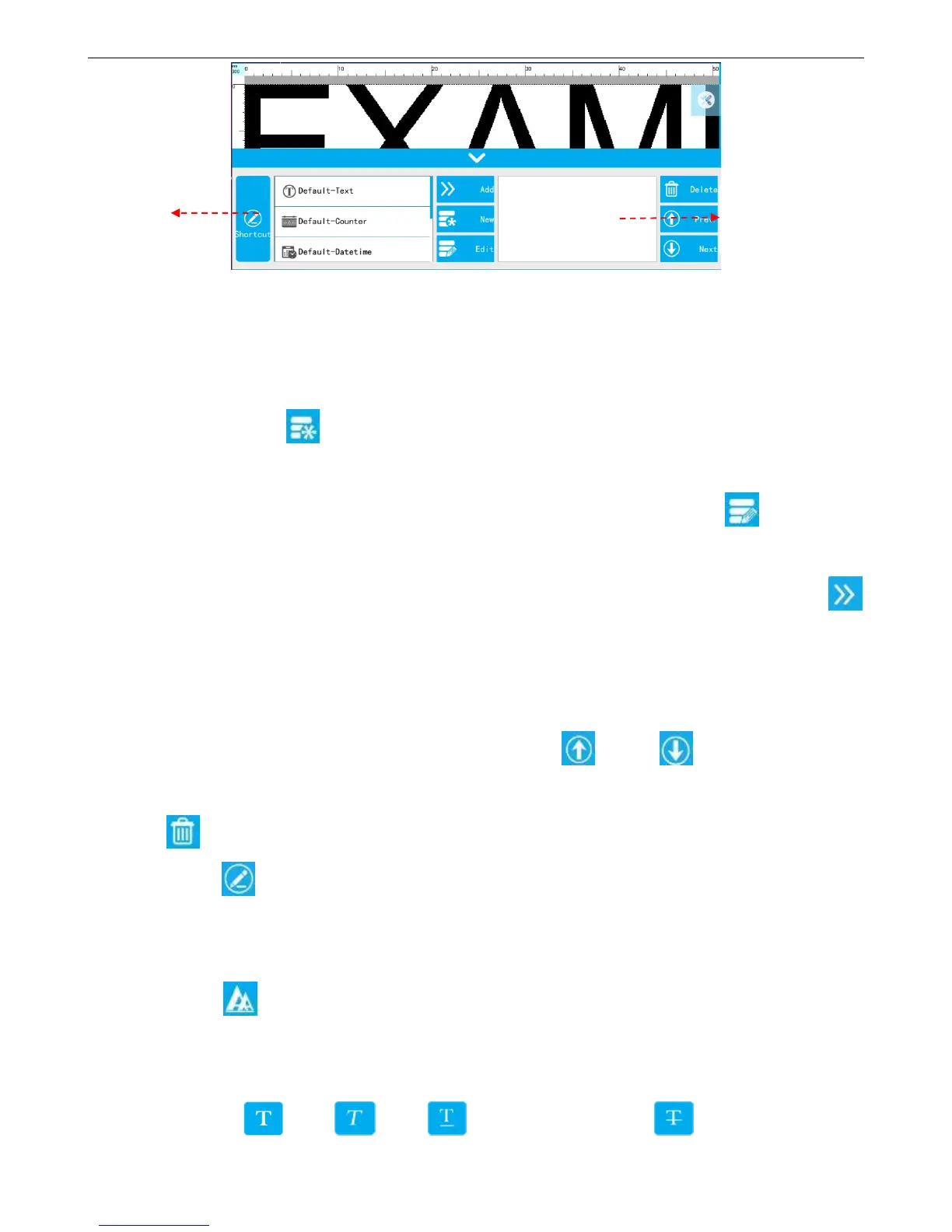
Built Source List: Display the newly built source of this data, 【Default-Text】 【Default-Counter】【Default-Shift】
【Default-Date time】 are fixed “source” which can be added directly; The list shows up to 50 sources which can
drop-down slider to view.
New Source: Click 【New】, popup source type, and enter new create interface after selection, it will display
in【Built Source List】after saving, and can use directly.
Edit Source: Select the source which you want to modify in the【Built Source List】, click 【Edit source】,
popup corresponding source setting interface.
Add the “Source” to the object: Select the “source” which want to add in the built source list, click side
【Add】,then will add automatically to the preview interface and added list.
Note: Maximum can add 50 “sources”.
Added Source List: Display current source of object which has been added in order.
Adjust the sources order of object: Select “source” of list, click 【Prev.】 【Next】to adjust order.
Delete “source” of object: Select source which need to be deleted in the added source list first, then click side
button 【Delete】, a key to delete.
Click 【Shortcut】, switch to quick input interface. You can input Chinese, English, numbers,
symbols, and third-party language, 100 characters limited. (Note: If you have already added the source
in 【Routine】 interface, then the input is invalid.)
Character
Font: Select the font.
Size: Set the font size.
Font effect: Bold, Italic, Add under horizontal line, Add font with horizontal



 To Next Page