19
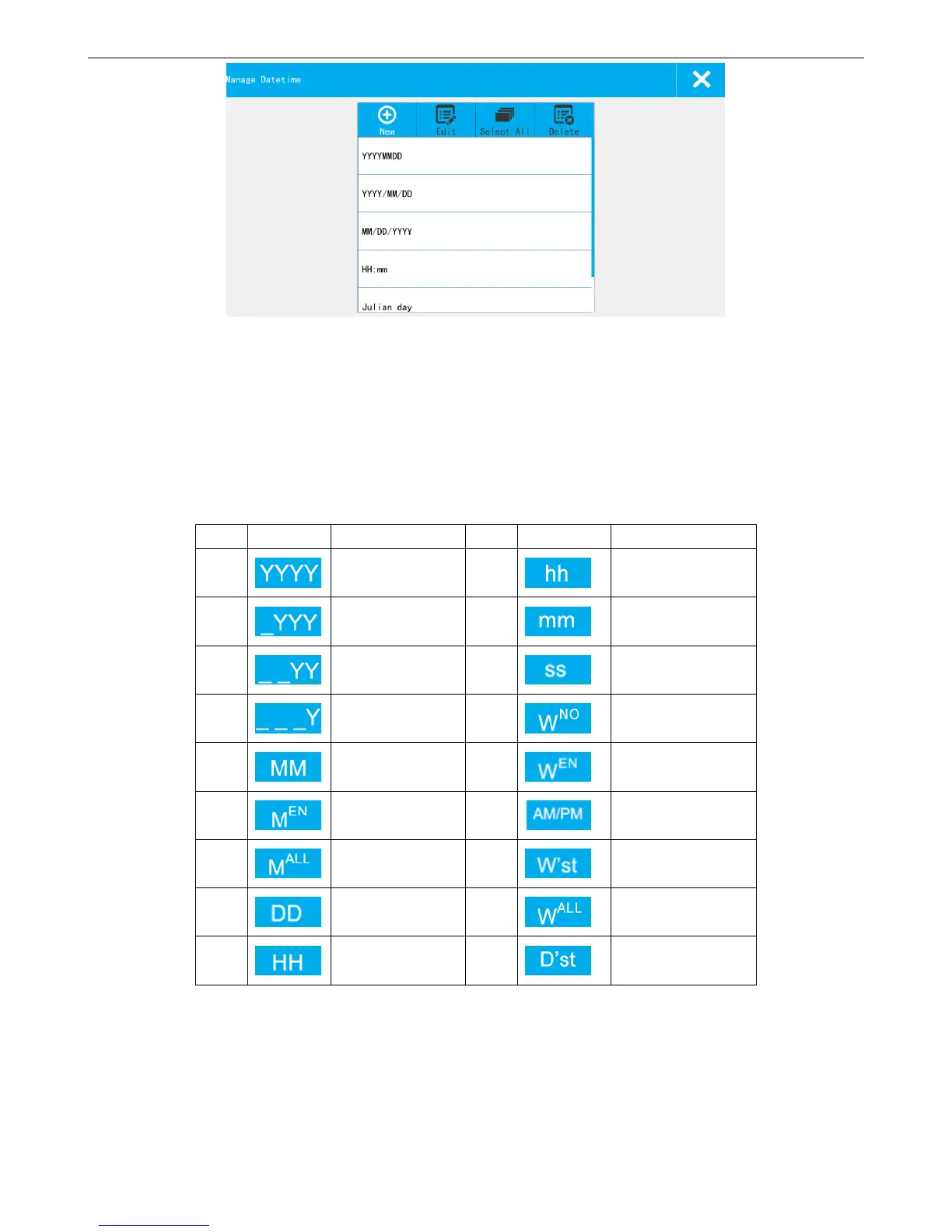
Format List: Display the default formats and newly added formats.
New: Click the new pop-up the date format setting keyboard, can choose a custom date format.
Format name enter no more than 30 characters, and cannot be input (" \ / : *? "< > |"), and can't be
empty, otherwise cannot be saved.
Icons description:
Edit: Choose date from the format list, and click "edit" popup the Settings interface, can modify and then save. The
default format cannot be modified!
Select all: All formats in the list was chosen; Click the switch again change to all don't choose, all not to choose.
Delete: Select the data format can be deleted. The default format cannot be deleted
Closing date format management: Click on close, out of date format management interface and save existing format.



 To Next Page