34
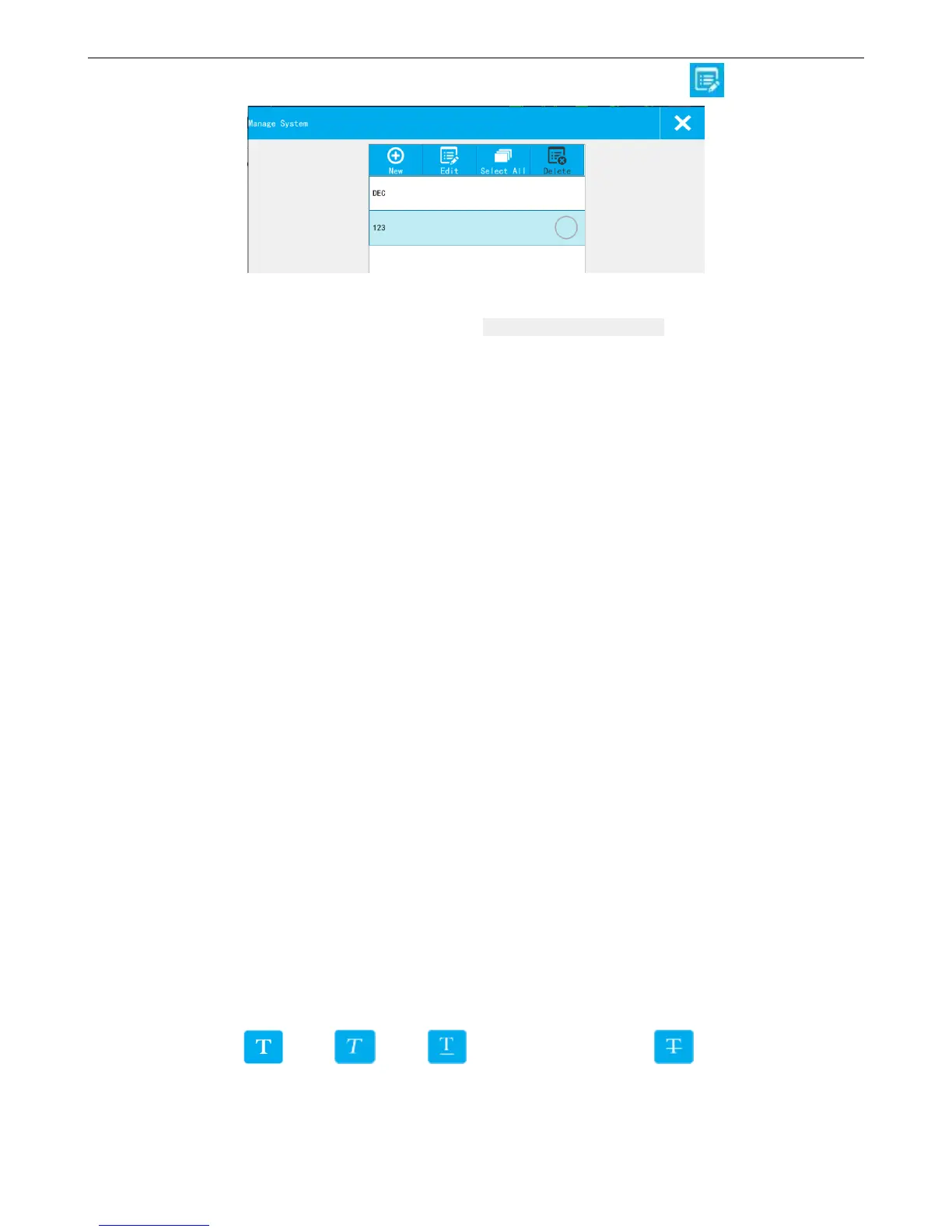
Carry System: User can select different carry systems, if need to add a new one, click 【Edit】
System List: Show the default and new built system. It can display a maximum of 5 (including the default base)
New: Click “new” popup the system editing interface. Enter into the system name and content, click save to save the
system to the list.
Edit: Selected the system, click “edit” popup the editing interface, click “save” to save the changes. The default system
cannot be edited.
Select All: All system in the list was chosen; Click the switch again change to all don't choose, all not to choose.
Delete: Select the newly systems can be deleted. The default system cannot be deleted
Closing system management: Click on close, out of management interface and save existing system.
【Advance】:
Carry Source: Click the pull-down menu to check the added counter.
Set the counter which the carry is based on (e.g there are counter 1 and counter 2, set the carry source of counter 2
to be counter 1, then only after counter 1 reached to the maximum value, counter 2 will carry over.)
Current Value: Set the current value of the counter, value should be within the begin value and maximum value.
Repeat Index Value: Set the current repeat index value, only settable while repeat value is not 0, repeat index
value range is 0-repeat value.
Pre-zero: Pre-zero setting of counter, four options: 0001, ___1, 1___, 1.
Alarm: Whether to give an alarm while counter reach the maximum value. User can switch this option on or off.
【Character】:
Font: Select the font.
Size: Set the font size.
Font effect: Bold, Italic, Add under horizontal line, Add font with horizontal
line
Cut Edge: Set the objet with/without white edge



 To Next Page