36
【Message】>【New】>【New object】>【Date/Time】
【Input】: Input contents represents the date object.
【Routine】:
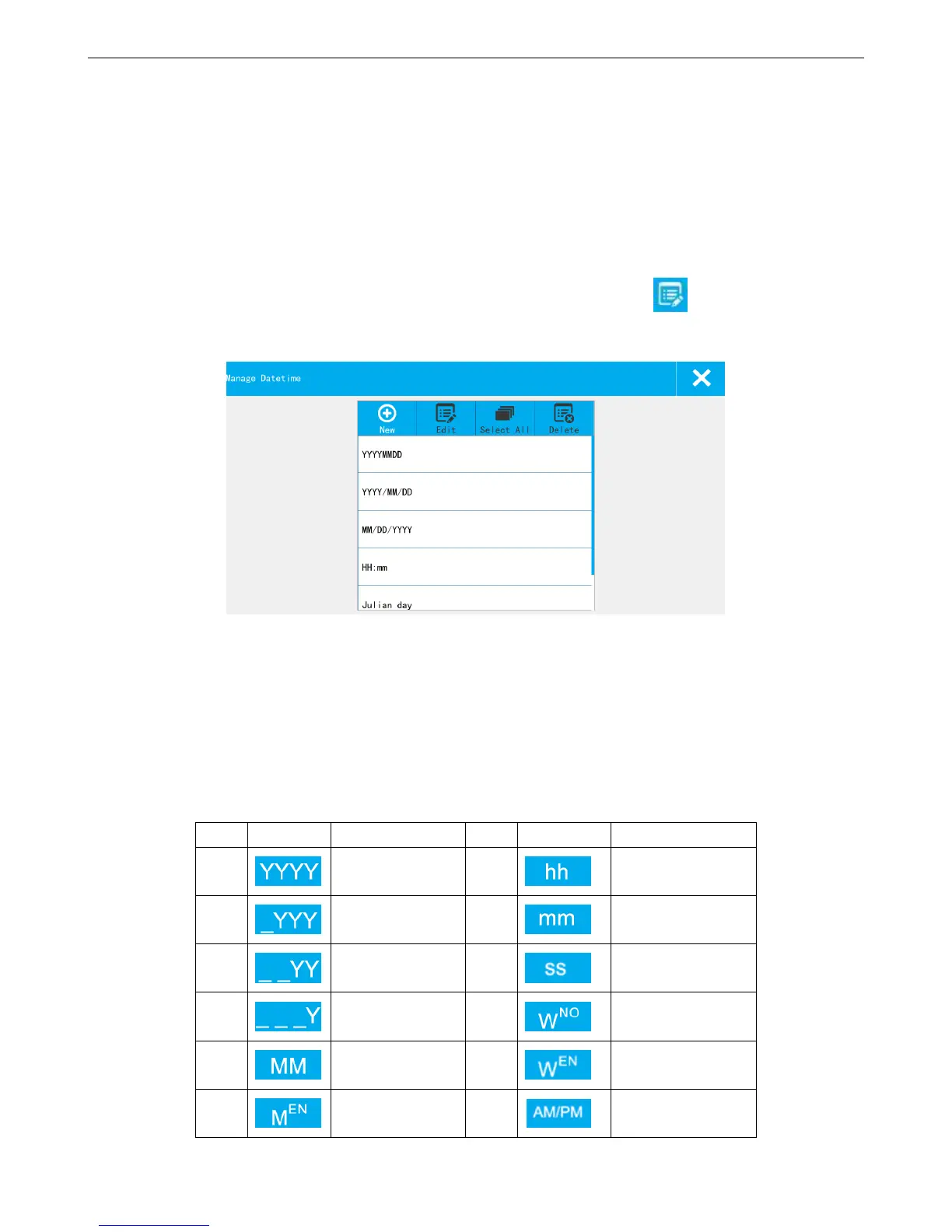
Format: select format from the menu, system has 5 default formats, user can define totally 45 types.
The default ones cannot be deleted or modified, default formats include: YYYYMMDD, YYYY/MM/DD,
MM/DD/YYYY, HH:mm, Julian day.
Add new format: if user want to add a new format or modify an exist one, click ,【Edit】 out of date format
management list.
Format List: Display the default formats and newly added formats.
New: Click the new pop-up the date format setting keyboard, can choose a custom date format.
Format name enter no more than 30 characters, and cannot be input (" \ / : *? "< > |"), and can't be
empty, otherwise cannot be saved.
Icons description:



 To Next Page