OPERATING MANUAL PAT-1, PAT-2, PAT-2E, PAT-10 version 1.02
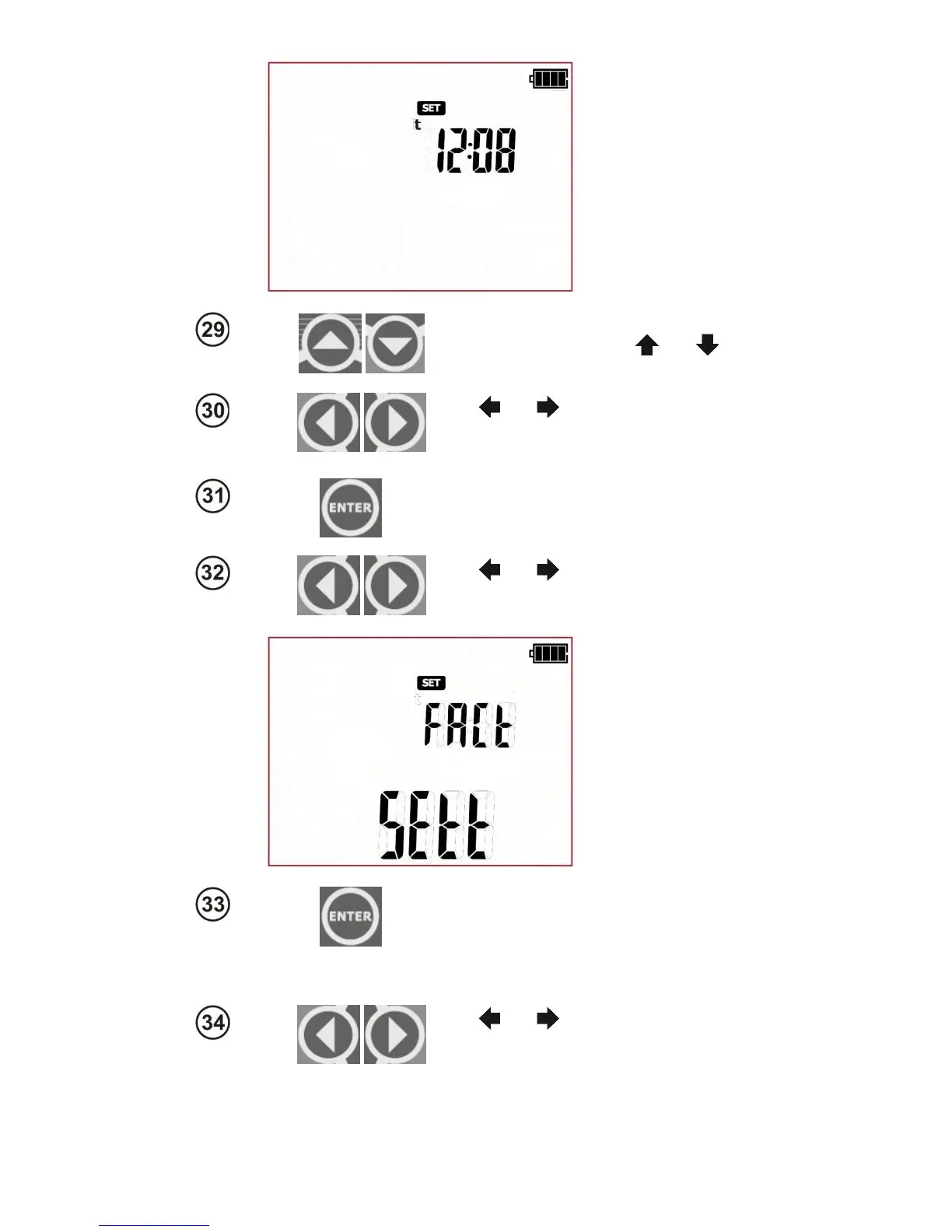
When the clock screen is displayed, the
hour digit is flashing. Use and
to
set the proper value.
Use and
to go to minutes settings
and set the proper value in the same
manner.
Press ENTER
to save changes and return to
the SET menu.
Use and
to go to factory reset
screen – (Factory settings): FAct SEtt
Press Enter to go to the reset confirmation
screen of the tester settings, the ConF mes-
sage is displayed. Press ENTER again to
reset the tester to default factory settings.
Use and
buttons to enter the
screen with firmware update: UPdt.



 To Next Page