OPERATING MANUAL PAT-1, PAT-2, PAT-2E, PAT-10 version 1.02
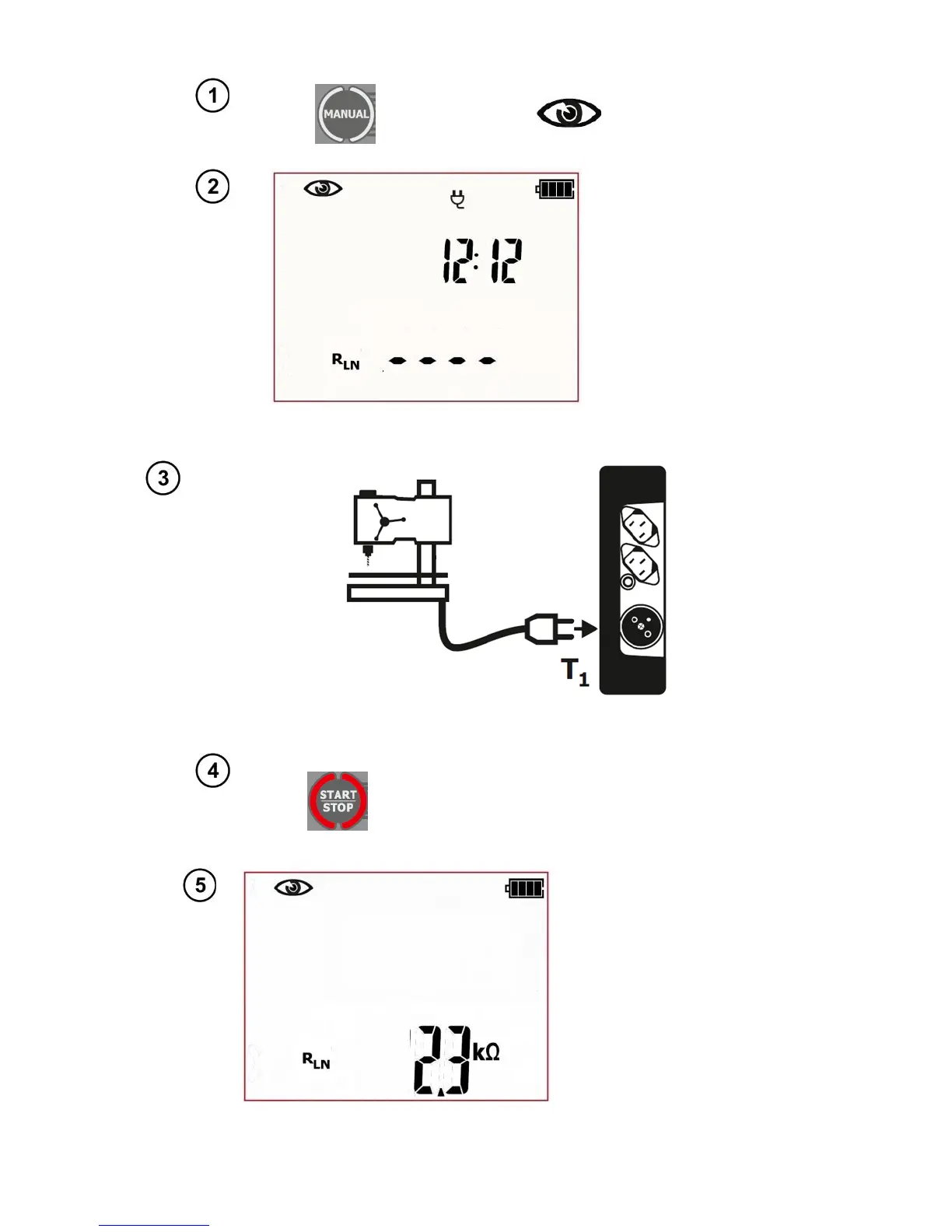
Press MANUAL to enter the screen for pre-
liminary test - icon will appear on
screen.
The tester is now in
the preliminary test-
visual inspection
mode. Additionally
the current time is
displayed on the
screen.
Press START/STOP. Preliminary test
mode is on and additionally the meas-
urement of L-N circuit resistance will be
conducted (if activated in the SET
menu).
The tester is waiting for
the evaluation of the
device after completing
visual inspection. If the
measurement of the L-N
circuit resistance is
selected, tester will also
display the result of R
LN
measurement. If it's not
selected, then dashes will
be displayed in the main
screen area „----„.
If the measurement of the L-N circuit resistance is selected,
connect the test leads as shown in the picture below :
R
L-N
measurement refers to resistive objects, in the case of inductive objects, the
result may be subject to additional error



 To Next Page