OPERATING MANUAL PAT-1, PAT-2, PAT-2E, PAT-10 version 1.02
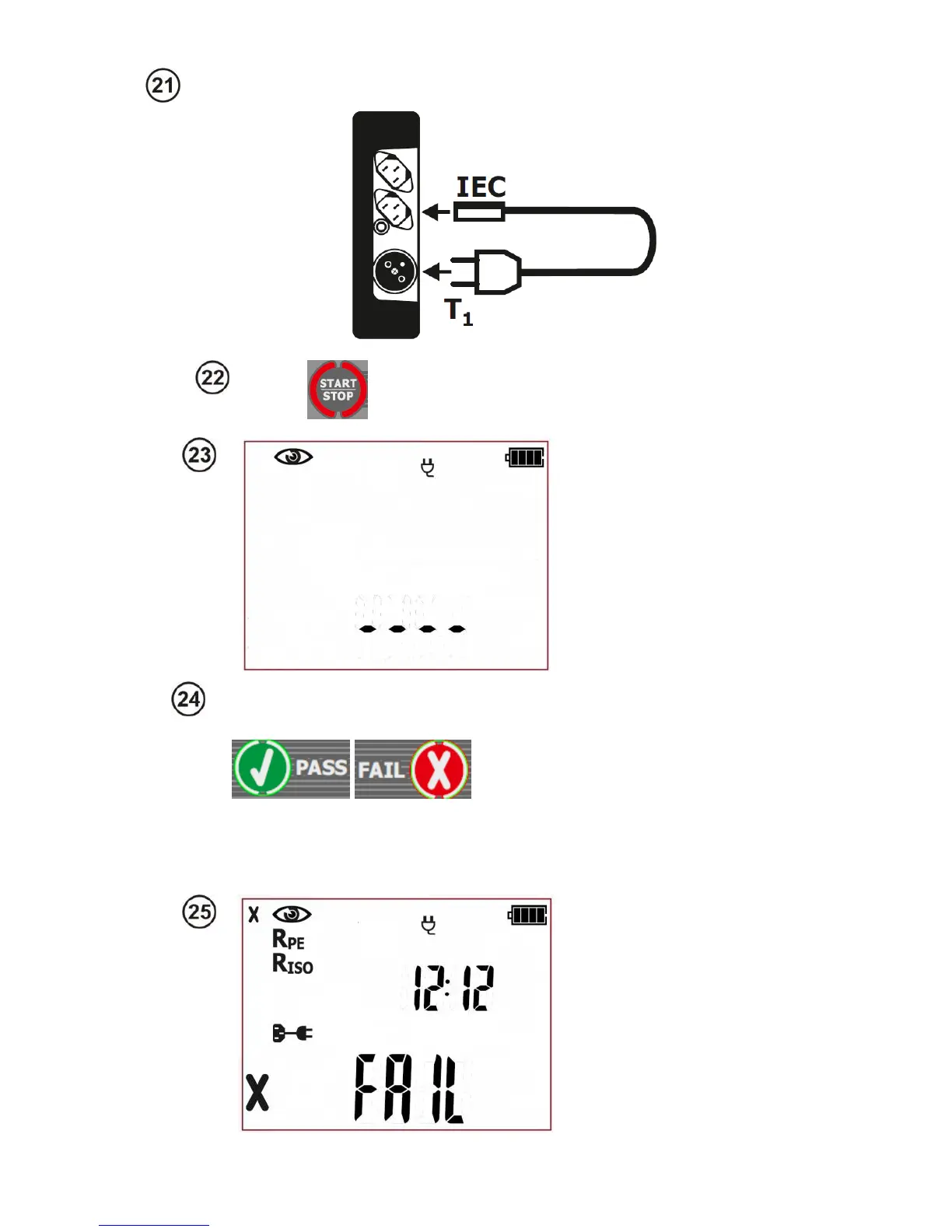
Press START/STOP button. The visual
inspection mode is on.
The tester is waiting for
the evaluation of the
cable’s (extension cord)
condition after completing
visual inspection.
Press PASS (V) or FAIL button (X) to
evaluate the tested cable’s condition:
PASS means positive visual examina-
tion result - the tester will automatically
run the sequence of tests. FAIL –
means negative visual examination re-
sult. Irregularities in the cord have
been found. Further measurements
will not be conducted.
Negative visual inspection
result, further measure-
ments will not be con-
ducted. Red LEDs of FAIL
indication are on. On the
right side of the screen
the current time is shown.
If the result of the visual inspection is positive, connect the tested device accord-
ing to the diagram below (the device should be turned on).



 To Next Page