SONOSAX SX-R4
+
User interface V1.2 Page
2
of 26
1. INTRODUCTION
This manual describes the user interface, the operating instructions and all functionalities related to the Firmware
version 1.2 of the SONOSAX SX-R4+.
For all information's concerning the hardware, powering information's, connectors diagram, specifications etc please
refer to the SONOSAX SX-R4+ User Manual "Hardware Description".
1.1 CONVENTIONS
For sake of clarity in reading this manual, please note:
• Input, output, channel: refer to physical inputs or outputs of the recorder
• Tracks: refer to virtual tracks of the recorder
• Knob: refer to a physical knob
• Button or Key: refer to a logical "tactile" function on the touch screen
• A single arrow ► implies that an action is achieved by a short pressure on a knob or a tactile button
• A double arrow ►► implies that an action is achieved by a long pressure on a knob or a tactile button
• A check key implies that a selection must be confirmed by pressing the key
• Information key displays additional information related to the selected field
A button is mostly used to activate / enable a function and/or toggle parameter values
when dark, the function is disabled
When highlighted in blue, the function is enabled and the parameter value is posted
A key can also be used to call a sub-menu in which functionalities and/or parameter
values can be set. The chosen functionality respectively the selected values are
posted.
A button with a scroll bar is used to select a specific parameter; the symbol
appears on the top right corner of the screen indicating that parameter values are set
by turning the encoder wheel.
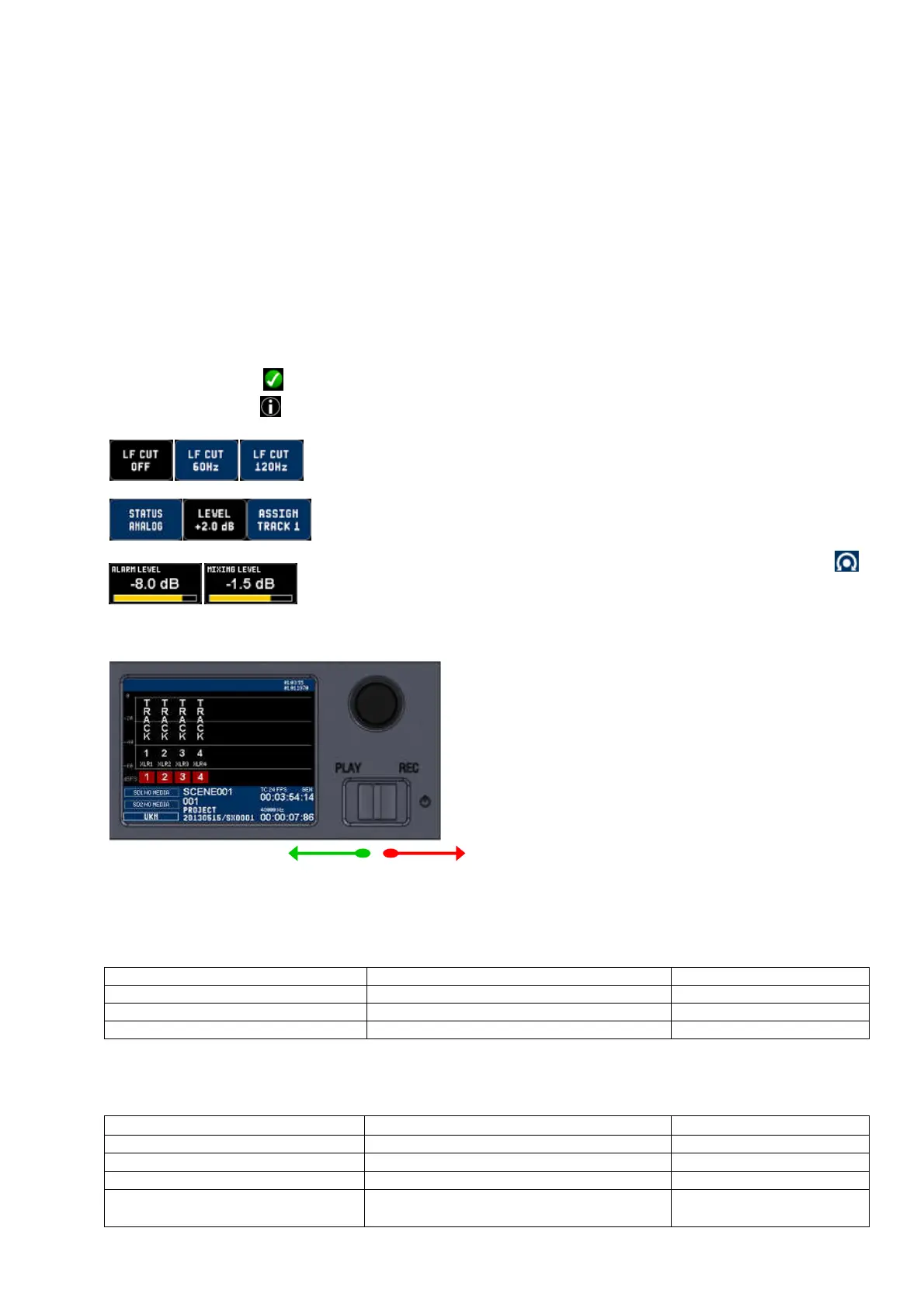
1.2 TOGGLE SWITCH
PLAY REC
Play-Pause-Stop Start/Stop Recording / Add an Index
The action of the toggle switch depends of the operating mode:
RECORDER operating mode
Toggle switch Short pressure ► Long pressure ►►
RIGHT in any situation except recording
Start recording
RIGHT while recording Add an INDEX ** Stop recording
LEFT while in record ready Call the last take and start playing
** INDEX = New TAKE: pressing the toggle switch briefly to the right while recording automatically creates a new
TAKE; the Take number is automatically incremented by 1.
PLAYER operating mode
Toggle switch Short pressure ► Long pressure ►►
LEFT while in Stop Play the Take from the beginning of the Take
LEFT while Playing PAUSES at current position STOP playing
LEFT while in Pause Play the Take from the current position
RIGHT Switches to Record mode and start recording
(scratch record)



 To Next Page