SONOSAX SX-R4
+
User interface V1.2 Page
5
of 26
3. MAIN SCREEN DISPLAY
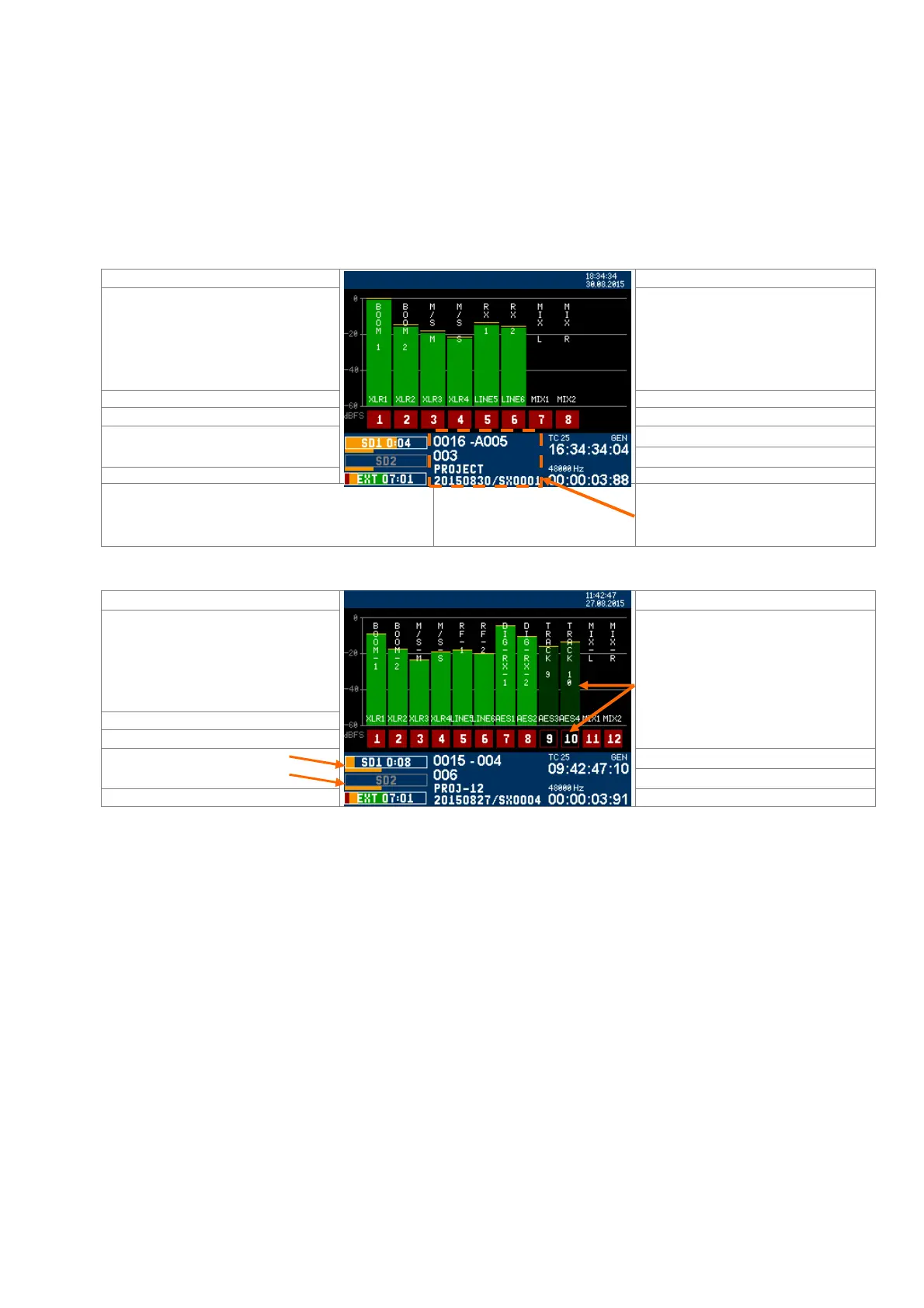
When the booting procedure is completed, the main screen displays the modulometers of the tracks, information's
related to the set up of the recorder and most of the recording parameters.
The modulometers are displayed "dynamically", showing only the assigned tracks whether armed or not. The overall
meter's range is 60 dBFS with a resolution of 0.5dB
Touching the screen within the modulometers area calls the [MAIN MENU]
Touching the centre of the blue area calls an overlay to quickly edit the metadatas.
Examples of typical displayed screens
System Date and Time
Track name Track name
Input sources and Mix assignment Input source & MIX assignment
Track nr / highlighted tracks = armed Non-highlighted tracks nr = not armed
Time Code format ,and value
Remaining capacity on SD1
Remaining capacity on SD2
Sampling rate
Power source and voltage
Elapsed time
0015 - 004
007
PROJ-12
20150528 / SX0005
Sequence nr - Shot nr
Take nr
Project name
Working Day / Filetag
Touching the screen over this area calls
an overlay to edit metadatas
System Date and Time
Track name
Input sources and Mix assignment
Track nr / highlighted tracks = armed
Non-highlighted tracks nr means the
tracks are not armed, the corresponding
modulometer is darkened.
Time Code format ,and value
Bargraph of the SD1 Ram buffer
Bargraph of the SD2 Ram buffer
Sampling rate
Power source and voltage
Elapsed time



 To Next Page