SONOSAX SX-R4
+
User interface V1.2 Page
17
of 26
5. SETUP
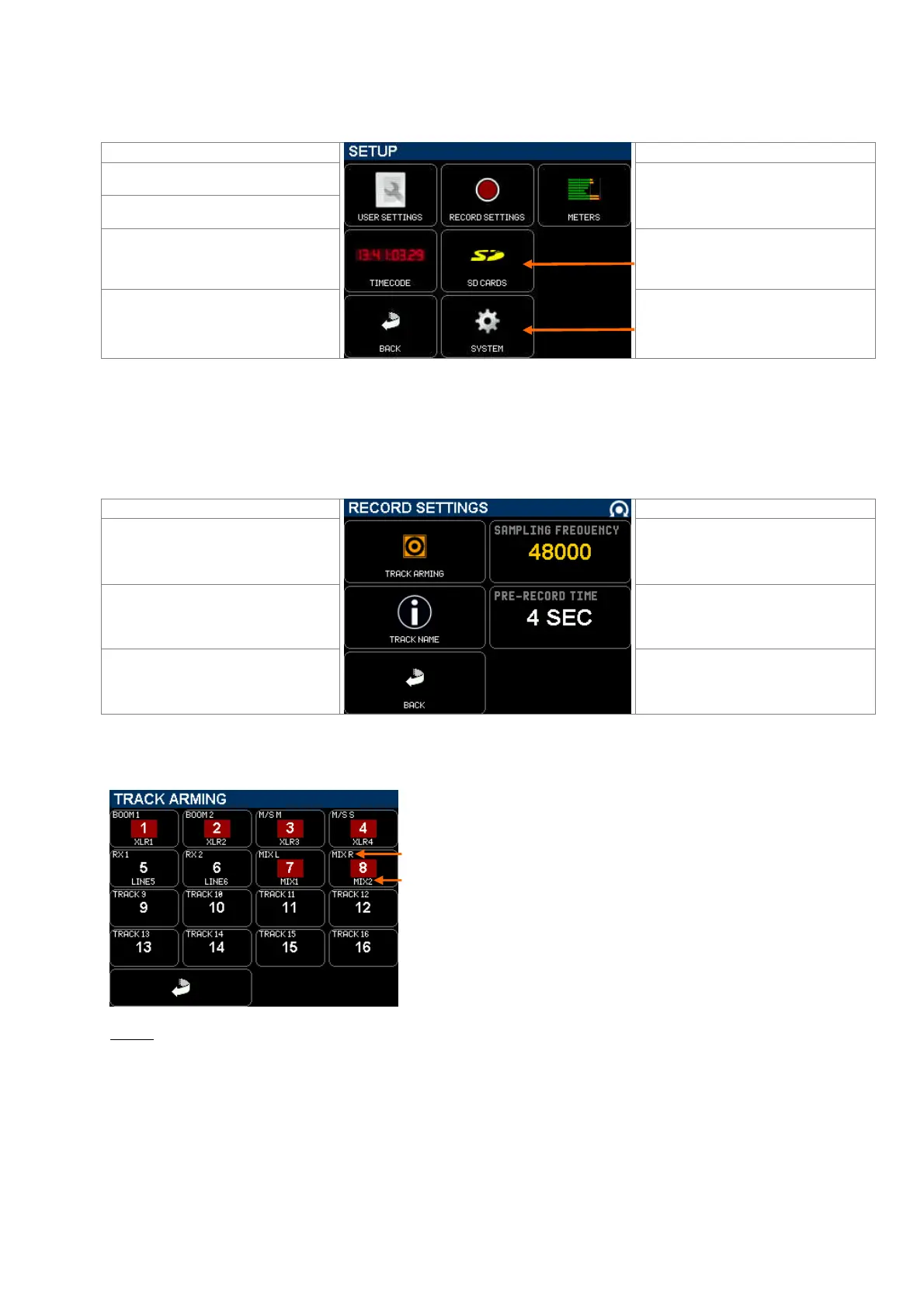
The [SETUP] page provides miscellaneous parameter's setting of the recorder
Calls the Users Settings sub-menu
Calls the Record Settings sub-menu
Calls the Meters Settings page
Calls the Time Code sub-menu Calls the SD card sub-menu
Return to Main Menu
Call the System Setup page
5.1 USER SETTINGS (not yet implemented)
The [USER SETTINGS] menu allows saving, loading or updating a complete configuration. This feature is not available
5.2 RECORD SETTINGS
Calls a sub-page to arm/unarm the tracks
Use the encoder wheel to scroll the
sampling frequencies from 44,1kHz to
192kHz
Calls a sub-page to name the tracks
Use the encoder wheel to set the pre-
record time from 0 to 20 seconds
Return to SETUP page
5.2.1 TRACK ARMING
Touch the field of a track nr to arm / unarm a track.
Track name
Input source currently assigned to the track
NOTE: Only armed tracks will be recorded. An input assigned to an unarmed track will not be recorded and
consequently will not be contained in the audio file. The example above shows that tracks 5 & 6 are not armed;
therefore the audio file will contain only 6 tracks tagged as tracks nr 1-2-3-4-7-8 in the metadatas.



 To Next Page