SONOSAX SX-R4
+
User interface V1.2 Page
4
of 26
2.2 SWITCHING ON THE UNIT
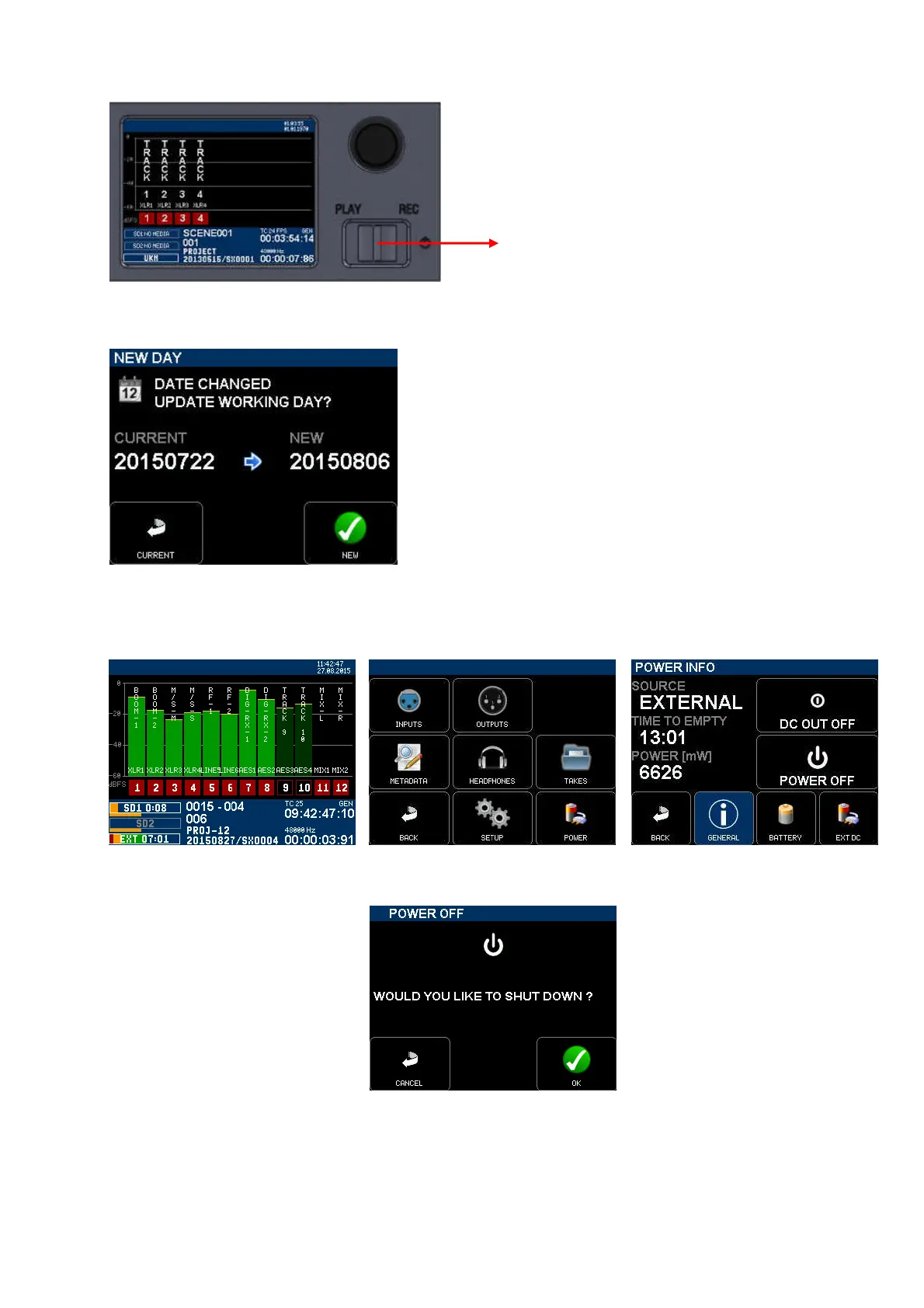
Press the toggle switch to the right to power on the SX-R4+ . A boot up screen is displayed for a couple of seconds,
followed by:
If the working day has changed while powering up the unit, the system
asks to confirm the date of the new working day. This allows keeping
the date of the current working days if the on going production works
is passing across midnight.
Press [OK] to confirm the new working day
Press [CANCEL] to keep the current working day
When one of the key is pressed, the unit will continue the booting
procedure; wait a few seconds until the main screen is displayed.
2.2.1 Switching Off the unit
Switching OFF the unit is controlled by the software, accessed via the [MAIN] menu then [POWER].
Touch in the modulometers area Select the [POWER] key Under [GENERAL] Tab Select
[POWER OFF]
Select [OK] to power off the recorder
►
ON



 To Next Page