SONOSAX SX-R4
+
User interface V1.2 Page
12
of 26
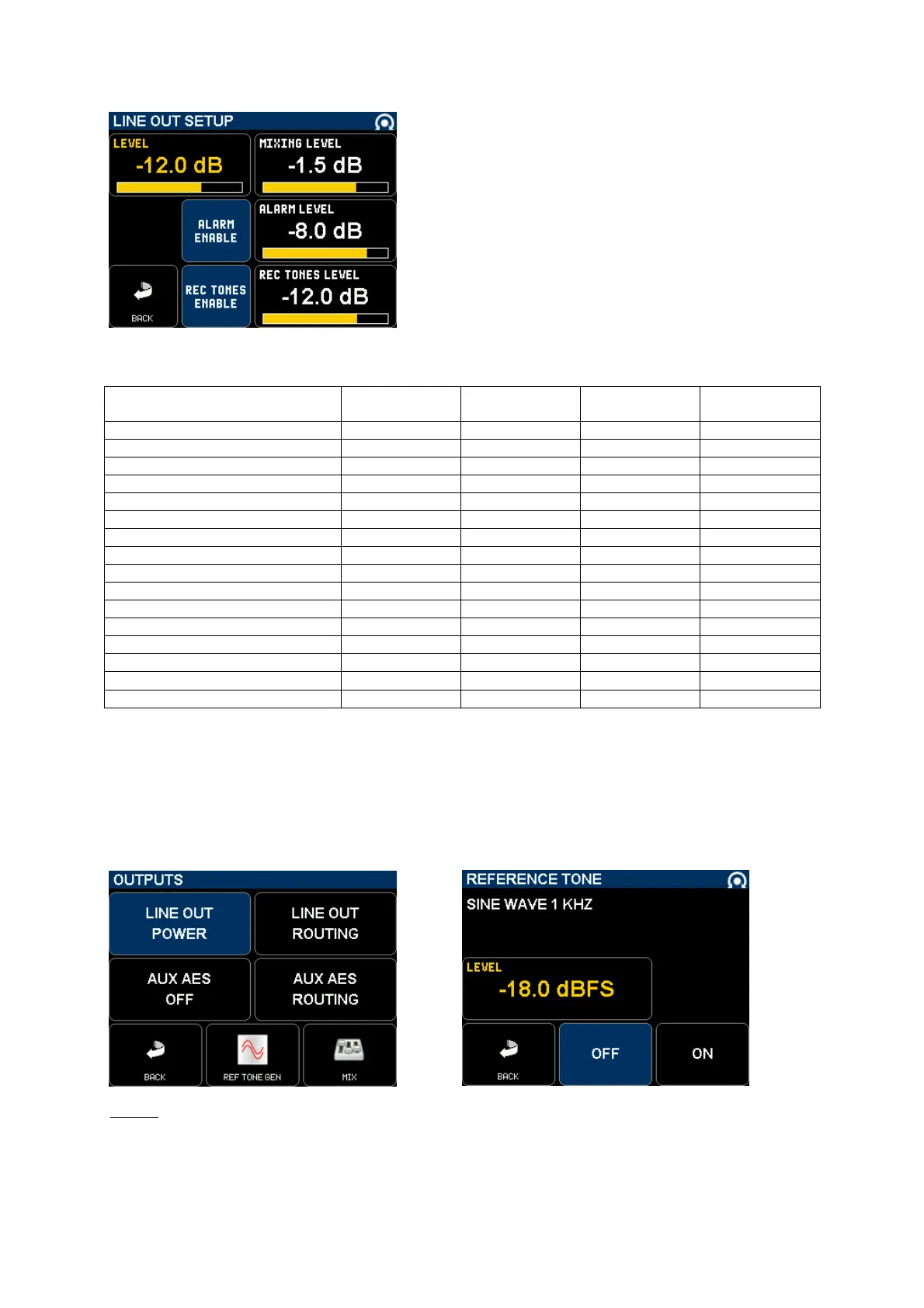
4.5.4 SETUP >> MIXING LEVEL
The [MIXING LEVEL] button on the [LINE OUT] [AUX AES] [MIX] and
[PHONES] pages defines the attenuation to be applied to each track
when summing (mixing) multiple tracks onto the same output or track;
the attenuation is computed to avoid a digital clipping. The mixing
attenuation is set with the encoder wheel from 0 to +6dB, the choice
depends essentially on the phase coincidence of the sources.
• 0 dB no attenuation at all
• - 1.5 dB mainly used if the sources have no phase coincidence
• - 3.0 dB recommanded for phase coincident sources such as
stereo or M/S microphone
• - 6.0 dB only used if the sources are absolutely in phase
The table below summarizes the exact attenuations applied according to the number of summed track.
Number of input channels
assigned to the same track
NONE
[ in dB ]
ATT1.5
[ in dB ]
ATT3
[in dB ]
ATT6
[ in dB ]
1 0 0 0 0
2 0 1.5 3.0 6.0
3 0 2.4 4.8 9.5
4 0 3.0 6.0 12.0
5 0 3.5 7.0 14.0
6 0 3.9 7.8 15.6
7 0 4.2 8.5 16.6
8 0 4.5 9.0 18.1
9 0 4.8 9.6 19.1
10 0 5.0 10.0 20.0
11 0 5.2 10.4 20.8
12 0 5.4 10.8 21.6
13 0 5.6 11.1 22.3
14 0 5.7 11.5 22.9
15 0 5.9 11.8 23.5
16 0 6.0 12.0 24.0
4.5.5 Reference Tone Generator
A 1 kHz Reference Tone Generator can be toggled On or Off from the [OUTPUTS] menu. When turned On, the
reference tone is sent to all assigned tracks regardless if armed or not.
The reference level can be adjusted from 0dBFS to -60dBFS with the encoder wheel.
NOTE:
a "double wave" symbol is posted on the main screen when the reference tone is enabled.



 To Next Page