SONOSAX SX-R4
+
User interface V1.2 Page
9
of 26
4.3 AES INPUT SETUP
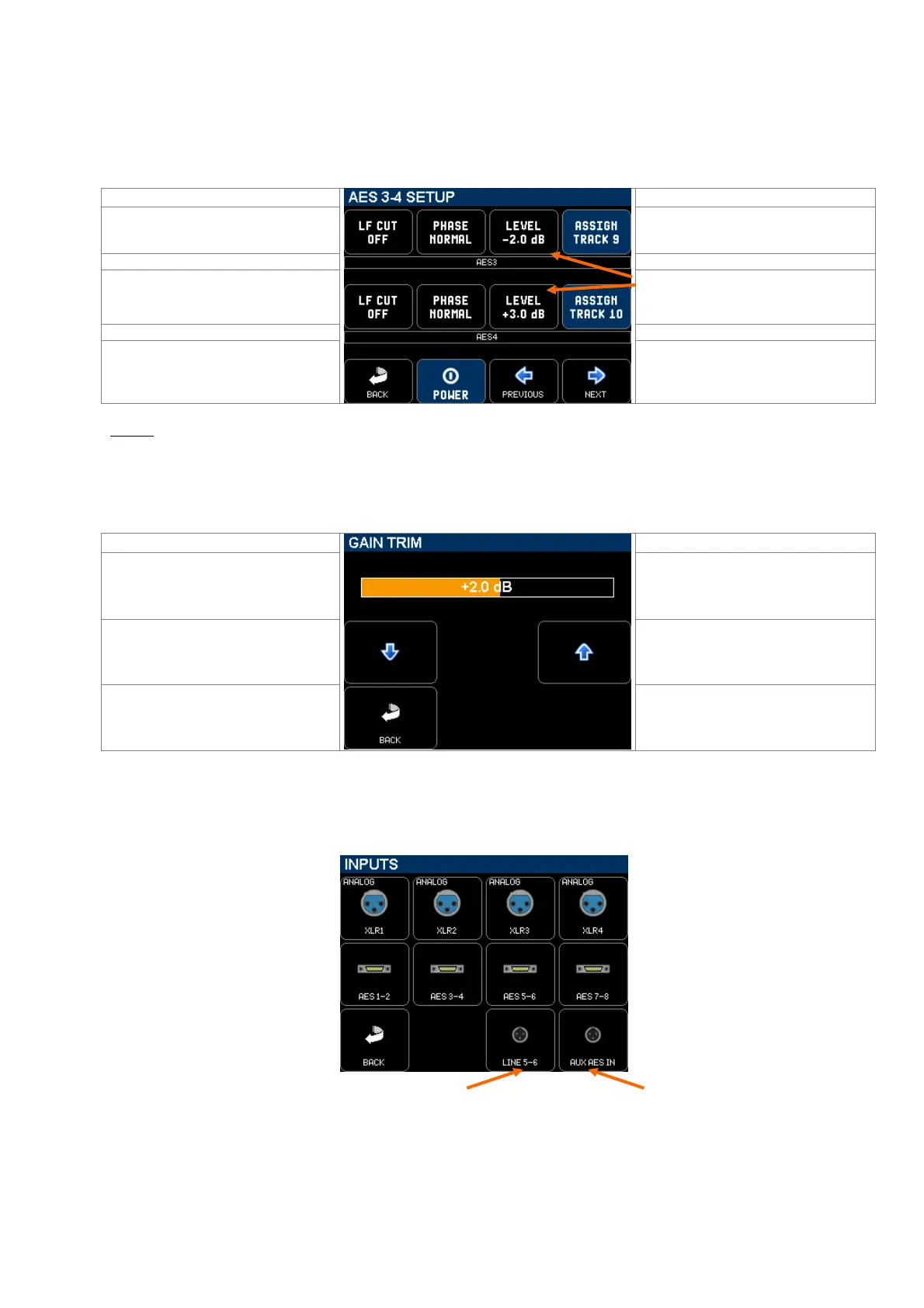
Pressing on a multi-pin connector icon calls the corresponding [AES SETUP] page, showing the current configuration
and settings of that input. The configuration and settings are done in a similar way as on the [XLR SETUP].
Obviously an AES input implies two channels, therefore when an AES setup page is called, the headphones monitoring
switches to SOLO mode in stereo.
Toggles LF CUT: OFF, 60Hz, 120Hz
Call a sub-menu to assign the input
channel on a track
Modulometer of the odd / left channel
Call a sub-menu to trim the input gain of
the channel. The channels can be
adjusted independently
Modulometer of the even / right channel
Return to previous page
Turns the input On or Off to save on
battery
NOTE: The [LF CUT] is controlled by the DSP; the slope is 12dB/octave.
4.3.1 AES INPUT GAIN TRIM
The level of a digital input can be controlled by means of a Gain Trim. Each channels of the AES pair can be adjusted
individually within a range of - 20dB to +20dB.
Bargraph indicating the Gain trim of the
channel,
Adjust with the UP or Down keys or with
the encoder wheel from -20dB to +20dB
Return to previous page
4.4 LINE INPUTS & AUX AES SETUP
The [LINE 5-6] and [AUX AES] inputs are configured and settled in exactly the same way as the AES inputs
NOTE: By default the [AUX AES] TA3 connector is set as an input. Setting this connector as an output is done in
the [OUTPUTS] menu.



 To Next Page